

If you’re researching Pipedrive pricing in 2026, you’re in the right place — and yes, we’ll go deeper than just listing numbers.
Today’s growing businesses don’t just need a sales tracker. To compete effectively, teams must align marketing, sales, and customer support inside one connected system.
That’s why choosing the right CRM software has become a high-stakes decision, especially for small and mid-sized businesses watching both budget and scalability.
Pipedrive has long been known as a sales-focused CRM built around pipeline visibility and activity-based selling.
Over the past couple of years, the platform has evolved significantly, introducing new pricing tiers, expanded automation, and AI-powered sales capabilities designed to help teams close deals faster.
But here’s the real question smart buyers are asking in 2026:
Is Pipedrive worth its price for small businesses — or do all-in-one CRMs deliver better value?
In this updated guide, we’ll break down:
-
The latest Pipedrive pricing plans (2026)
-
Key features and AI capabilities
-
Hidden costs and add-ons to watch
-
Pros, cons, and best-fit use cases
-
How Pipedrive compares with leading alternatives
Let’s dive in.
Table of Contents
TL;DR — Pipedrive Pricing & Updates (2026)
-
Plans now start at $14/user/month (annual billing)
-
Four tiers: Lite, Growth, Premium, Ultimate
-
Strong focus on AI-assisted sales insights and automation
-
No permanent free plan (only a 14-day trial)
-
Add-ons like LeadBooster can increase total cost
-
Best suited for sales-driven teams, not full marketing automation
Pipedrive 2026 Updates at a Glance
| Area | What’s New in 2026 | Why It Matters |
|---|---|---|
| Pricing structure | New tiers: Lite, Growth, Premium, Ultimate | More modular but still per-seat pricing |
| Entry price | Starts at $14/user/month (annual) | Competitive entry, but scales quickly |
| AI capabilities | AI sales insights and automation suggestions | Improves pipeline productivity |
| Free plan | Still no free forever plan | Higher barrier for very small teams |
| Add-ons | LeadBooster, Campaigns, Web Visitors | Can significantly increase real cost |
| Best fit | Sales-focused SMB teams | May require extra tools for marketing/support |
What Is Pipedrive?
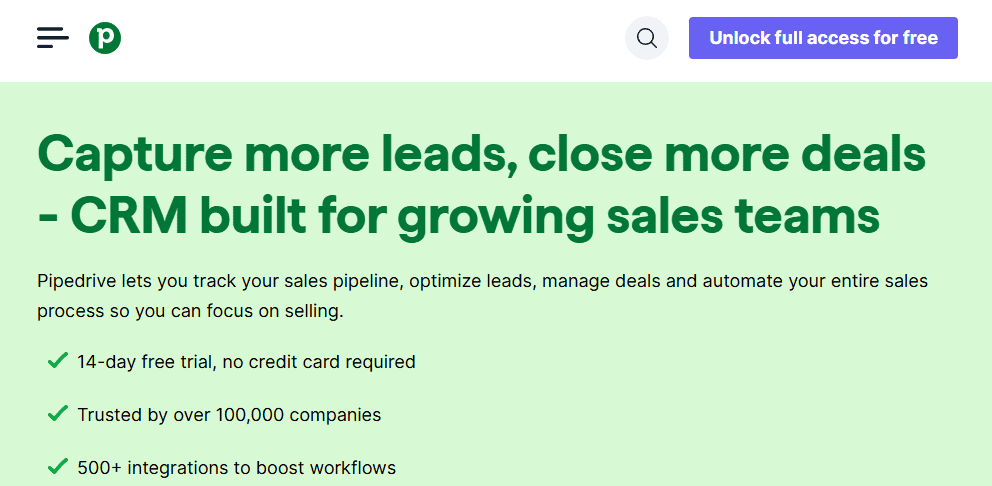
Founded in 2010, Pipedrive is a sales-focused CRM platform built to help teams manage pipelines, automate follow-ups, and close deals more efficiently.
Often described as a tool “designed by salespeople, for salespeople,” Pipedrive has evolved into a modern AI-powered sales CRM that prioritizes visibility, activity tracking, and revenue forecasting.
In 2026, Pipedrive continues to position itself as a pipeline-first CRM for growing businesses.
The platform now combines its signature visual pipeline with automation workflows, AI sales insights, and smart reporting tools to help sales teams stay organized and productive.
While it has expanded its capabilities over the years, Pipedrive remains primarily focused on sales pipeline management rather than full-funnel marketing automation, which is an important consideration for small businesses comparing CRM solutions.
What Are the Key Features of Pipedrive?
Unlike many CRM platforms that emphasize marketing automation first, Pipedrive is best known as a sales CRM built for pipeline management and deal tracking.
Its feature set is designed to help sales teams prioritize opportunities and maintain momentum across the funnel.
Here are some of the most important Pipedrive CRM features in 2026:
-
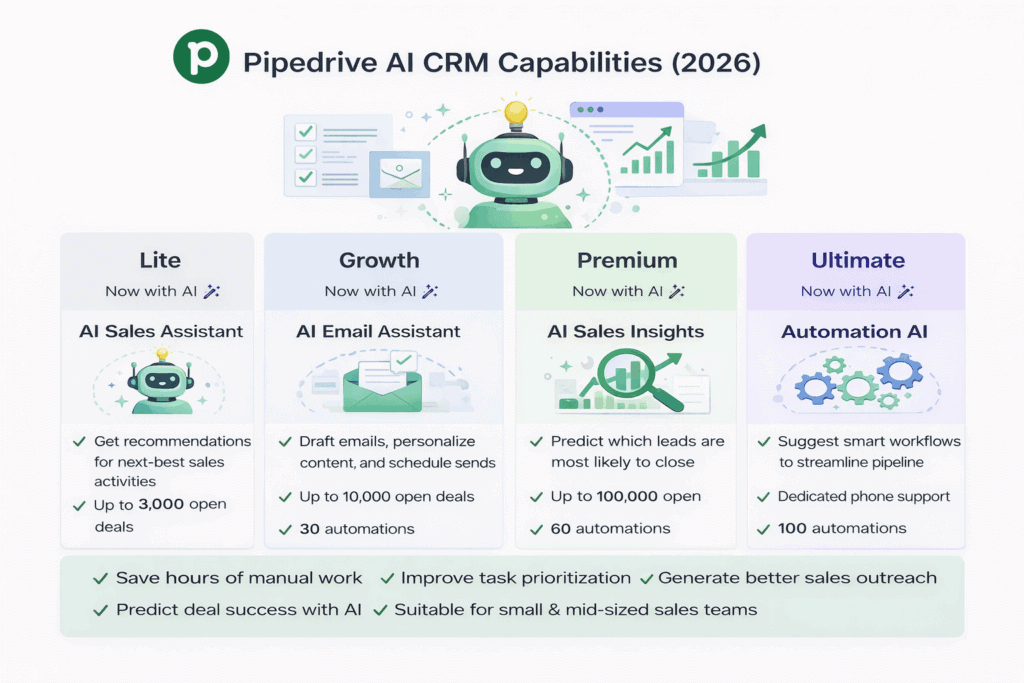
Visual drag-and-drop sales pipeline that makes it easy to track deals and move opportunities through stages
-
AI-powered Sales Assistant that provides recommendations and performance insights
-
Workflow automation tools to streamline follow-ups and repetitive sales tasks
-
Revenue forecasting and advanced reporting to help teams predict outcomes more accurately
-
Activity and goal tracking to keep sales reps focused on high-impact actions
-
Email integration and tracking for better communication visibility
These capabilities make Pipedrive particularly attractive for teams that want clarity and control over their sales process without the complexity of heavier enterprise CRMs.
Read also: Is Salesforce a CRM? A Simple, In-Depth Guide
What Are the Benefits of Using Pipedrive?
According to Pipedrive, many businesses adopt the platform because of its focus on usability, visibility, and measurable sales performance. Here are some of the commonly cited advantages:

-
Measurable sales results
Pipedrive reports that users close 28% more deals on average after one year, largely due to improved pipeline visibility and analytics capabilities. -
Activity-driven selling approach
Instead of focusing only on end results, Pipedrive encourages teams to prioritize the daily activities that move deals forward — a methodology that aligns well with structured sales environments. -
Ease of setup and use
One of Pipedrive’s strongest selling points is its intuitive interface. Most teams can get started quickly, customize pipelines, and begin managing deals with minimal technical overhead. -
AI-assisted productivity (2026 update)
With the addition of AI-driven insights and automation suggestions, Pipedrive now helps sales teams identify risks, opportunities, and next best actions more proactively than in earlier versions.
Who Is Pipedrive Best For?
Pipedrive is best suited for:
-
Sales-driven small and mid-sized businesses
-
B2B sales teams that rely heavily on pipeline visibility
-
Organizations focused primarily on deal management and forecasting
-
Teams that want a lightweight, easy-to-adopt CRM
However, businesses looking for deep marketing automation, built-in customer support, or a true all-in-one CRM platform may find they need additional tools or integrations to fill those gaps.
Read also: The Definitive Pipedrive vs Salesmate Review: Which is The Best CRM Solution?
How Much Does Pipedrive Cost in 2026?
If you’re evaluating Pipedrive pricing in 2026, one thing is clear: the platform uses a straightforward per-user (per seat) pricing model rather than charging based on contact volume.
That means your total Pipedrive cost scales primarily with the number of users and any optional add-ons you enable.
Pipedrive currently offers four main pricing tiers — each designed to support different levels of sales complexity, automation, and reporting. While the entry price remains competitive, costs can rise quickly as teams grow or require advanced features.
Let’s break down what each Pipedrive pricing plan includes.
What Features Do You Get in Each Pipedrive Plan?
Before diving into exact pricing, it’s important to understand how the Pipedrive plans in 2026 differ in terms of capabilities, automation, and AI assistance.
Pipedrive now offers four plans:
-
Lite
-
Growth
-
Premium
-
Ultimate
Below is a detailed feature comparison.
Pipedrive Lite
This entry-level plan focuses on core sales pipeline management and basic deal tracking.
Key features
-
Lead and deal management
-
Customizable pipelines
-
Leads inbox
-
Deal rotting alerts
-
Duplicate data merge
-
Communications tracking
-
Mentions and comments
-
File attachments
-
Contact maps
-
Basic AI sales insights
Limits
-
3,000 open deals
-
30 custom fields
-
15 reports per user
-
1 visual dashboard
-
0 automation workflows
Pipedrive Growth
Growth builds on Lite by adding email automation and smarter sales tools, making it the typical starting point for small businesses.
Everything in Lite, plus:
-
Two-way email sync
-
Customizable email templates
-
Email tracking
-
Field merging
-
Smart contact data
-
Important field marking
-
Recurring revenue reports
-
Expanded AI recommendations
Limits
-
10,000 open deals
-
100 custom fields
-
30 reports per user
-
1 visual dashboard
-
30 automation workflows
Pipedrive Premium
Premium introduces advanced reporting, document management, and deeper automation, making it suitable for scaling sales teams.
Everything in Growth, plus:
-
Caller and communications tracking tools
-
Contacts timeline
-
Smart Docs and auto-filled templates
-
Google integrations
-
Document tracking
-
Custom reports and fields
-
Team goals and team management
-
Enhanced AI sales insights
Limits
-
100,000 open deals
-
1,000 custom fields
-
150 reports per user
-
Unlimited visual dashboards
-
60 automation workflows
Pipedrive Ultimate
Ultimate is the top tier, focused on security, advanced support, and enterprise-grade controls.
Everything in Premium, plus:
-
Advanced privacy and security features
-
Security alerts and rules
-
Unlimited security dashboards
-
Implementation program
-
Phone support
-
Highest level AI assistance and automation capacity
Limits
-
Unlimited open deals
-
Unlimited custom fields
-
Unlimited reports per user
-
Unlimited visual dashboards
-
100 automation workflows
Read also: 6 Perfect Pipedrive Alternatives With Better Tools (Features, Pricing)
Pipedrive Pricing: How Much Does Pipedrive Charge for Each Plan?
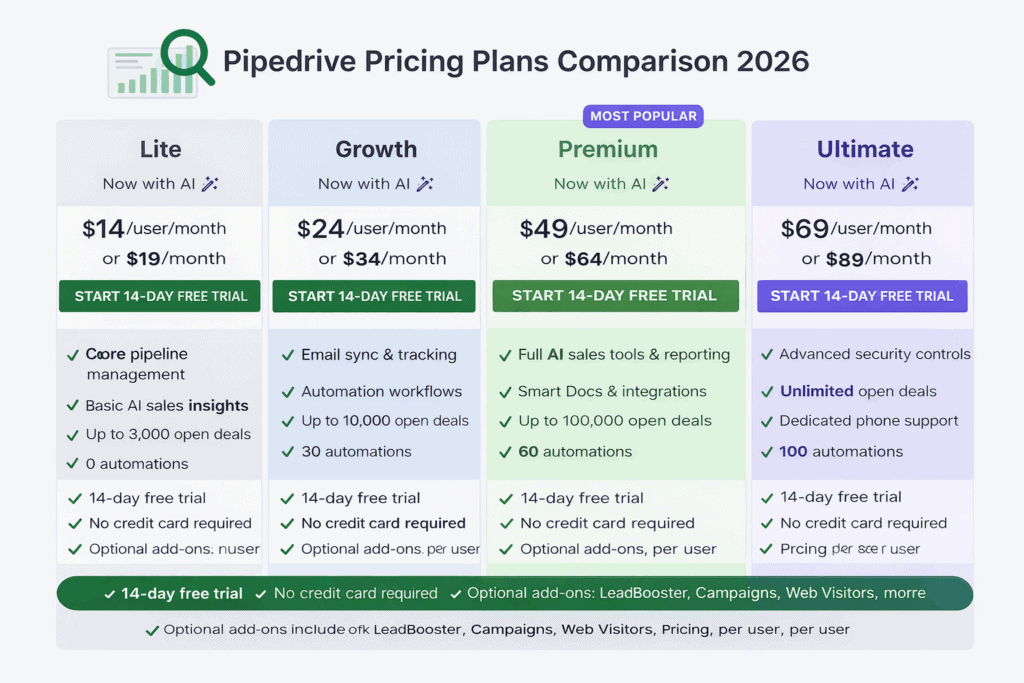
Here is the latest Pipedrive pricing (2026) based on current plan structure.
| Tier Name | Monthly Billing (per user) | Annual Billing (per user) |
|---|---|---|
| Pipedrive Lite | $19/month | $14/month |
| Pipedrive Growth | $34/month | $24/month |
| Pipedrive Premium | $64/month | $49/month |
| Pipedrive Ultimate | $89/month | $69/month |
Important: Pricing is per user and billed per seat. Optional add-ons like LeadBooster, Campaigns, and Web Visitors can increase the total monthly cost.
How Much Do You Have To Pay Annually?
To understand the true Pipedrive cost, it helps to compare total yearly spending under monthly vs. annual billing.
Annual billing offers savings but requires upfront commitment.
| Tier Name | Monthly Billing (per user/year) | Annual Billing (per user/year) |
|---|---|---|
| Pipedrive Lite | $228 | $168 |
| Pipedrive Growth | $408 | $288 |
| Pipedrive Premium | $768 | $588 |
| Pipedrive Ultimate | $1,068 | $828 |
For clarity, amounts are rounded to the nearest dollar.
While annual billing can reduce your effective monthly price, it also reduces flexibility if you plan to switch CRM platforms mid-year.
That’s why many growing businesses choose annual billing only after validating long-term fit, especially when evaluating Pipedrive against more comprehensive all-in-one CRM alternatives.
Too long to read? We have a video on Pipedrive pricing that you might like:
What Are the Drawbacks of Pipedrive?
Pipedrive remains a strong sales-focused CRM, especially for teams that prioritize pipeline visibility and activity-based selling. There’s no doubt the platform performs well in its core area.
However, Pipedrive’s long-standing positioning still tells the real story: it is built primarily for sales teams.
For many growing businesses in 2026, that narrow focus can create important gaps.
Pipedrive Is Designed for Sales Teams — Not an All-in-One CRM
Pipedrive excels at deal management and sales tracking. But compared to modern all-in-one CRM platforms, its native capabilities outside sales remain limited.
While the platform has added AI sales insights and automation improvements, its core architecture is still centered on pipeline management rather than full customer lifecycle management.
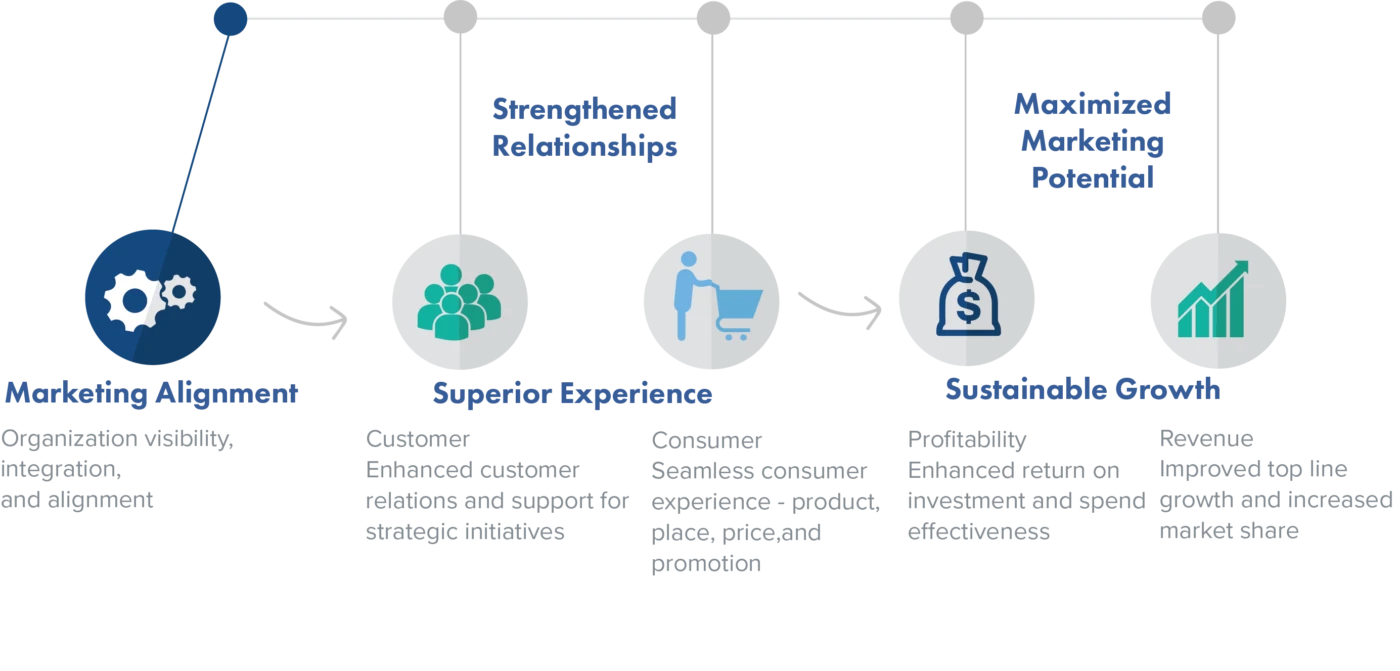
Where limitations typically appear
-
Limited built-in marketing automation depth
-
No native helpdesk or customer support suite
-
Heavy reliance on integrations for full funnel coverage
-
Add-ons required for broader functionality
Why This Matters for Growing Businesses
In today’s competitive environment, many teams want a 360-degree customer view across marketing, sales, and support.
Without a unified system, businesses often run into operational friction.
Common challenges include:
-
Paying for multiple disconnected tools
-
Onboarding and training users across several platforms
-
Fragmented customer data stored in silos
-
Reduced visibility across the customer journey
While Pipedrive integrates with many third-party apps, integrations don’t always deliver the same efficiency as a truly unified CRM platform.
Not a pretty picture, is it?
Read also: An In-Depth Look At HubSpot vs Pipedrive
Expensive for Small Businesses
Earlier we discussed Pipedrive’s strengths — but pricing is where many small businesses start to feel pressure.
On the surface, Pipedrive pricing in 2026 appears competitive, starting at $14/user/month (annual billing). However, the total cost can rise quickly depending on:
-
Number of users
-
Selected plan tier
-
Required automation capacity
-
Paid add-ons
The add-on reality
Pipedrive keeps base plan pricing relatively lean by offering several important capabilities as paid add-ons.
Common add-ons include:
-
LeadBooster add-on: ~$39/month per company
-
Web Visitors add-on: ~$49/month per company
-
Campaigns add-on: ~$16/month per company
These tools can be valuable — but they also increase the true cost of Pipedrive ownership.
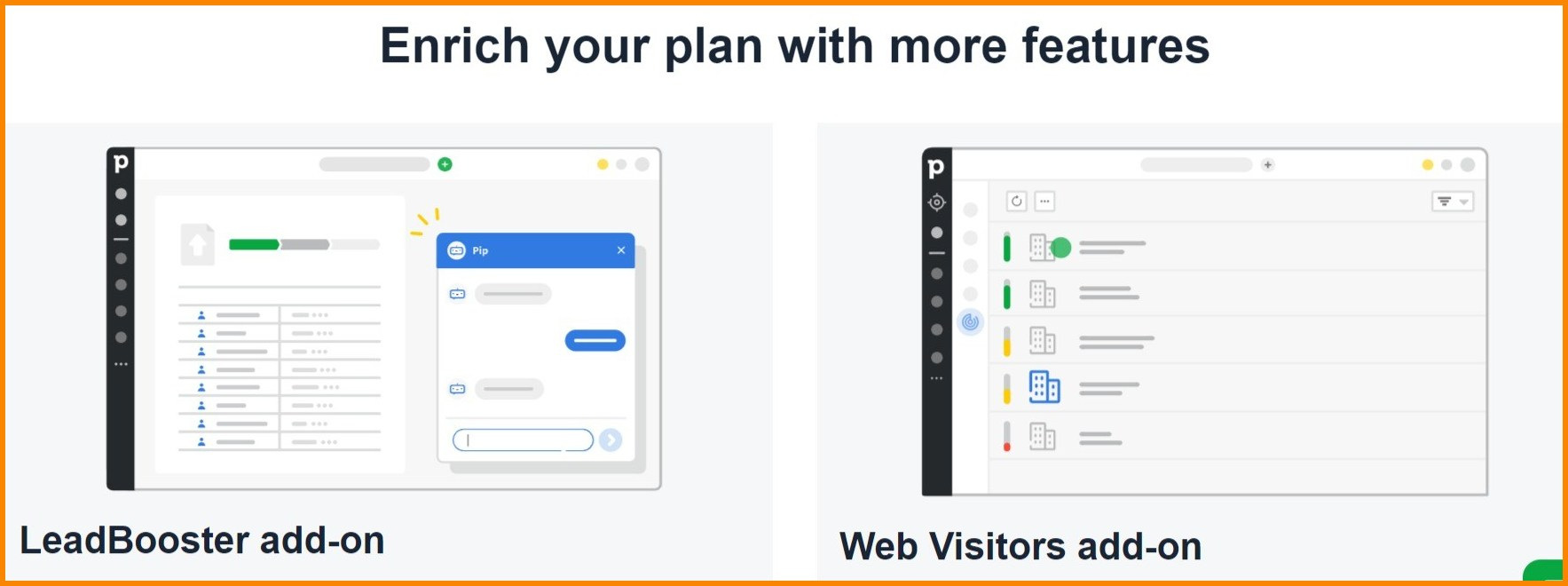
Examples of Pipedrive Add-Ons
For many teams, add-ons are not purely optional if they want more advanced lead generation and marketing functionality.
Let’s look at a realistic cost scenario.
Example: 10-User Team on Ultimate Plan
| Enterprise plan cost (10 users/yr) | Add-ons cost (10 users/yr) | Total cost (per year) |
|---|---|---|
| $8,280 | $1,248 | $9,528 |
What this shows
-
Per-seat pricing scales quickly
-
Add-ons materially increase spend
-
Marketing and support capabilities may still require additional tools
Even at this investment level, many businesses still need separate solutions for advanced marketing automation or customer support, depending on their requirements.
Food for thought: Is HubSpot CRM Truly Free? An Unbiased Guide (with User Reviews)
Food for thought: Is HubSpot CRM Truly Free? An Unbiased Guide (with User Reviews)
User Reviews of Pipedrive
User feedback across review platforms consistently highlights Pipedrive’s strengths in pipeline management and ease of use.
At the same time, some users note limitations around:
-
Marketing depth
-
All-in-one functionality
-
Add-on dependency for advanced use cases
As always, the right CRM depends on your team’s priorities and growth stage.
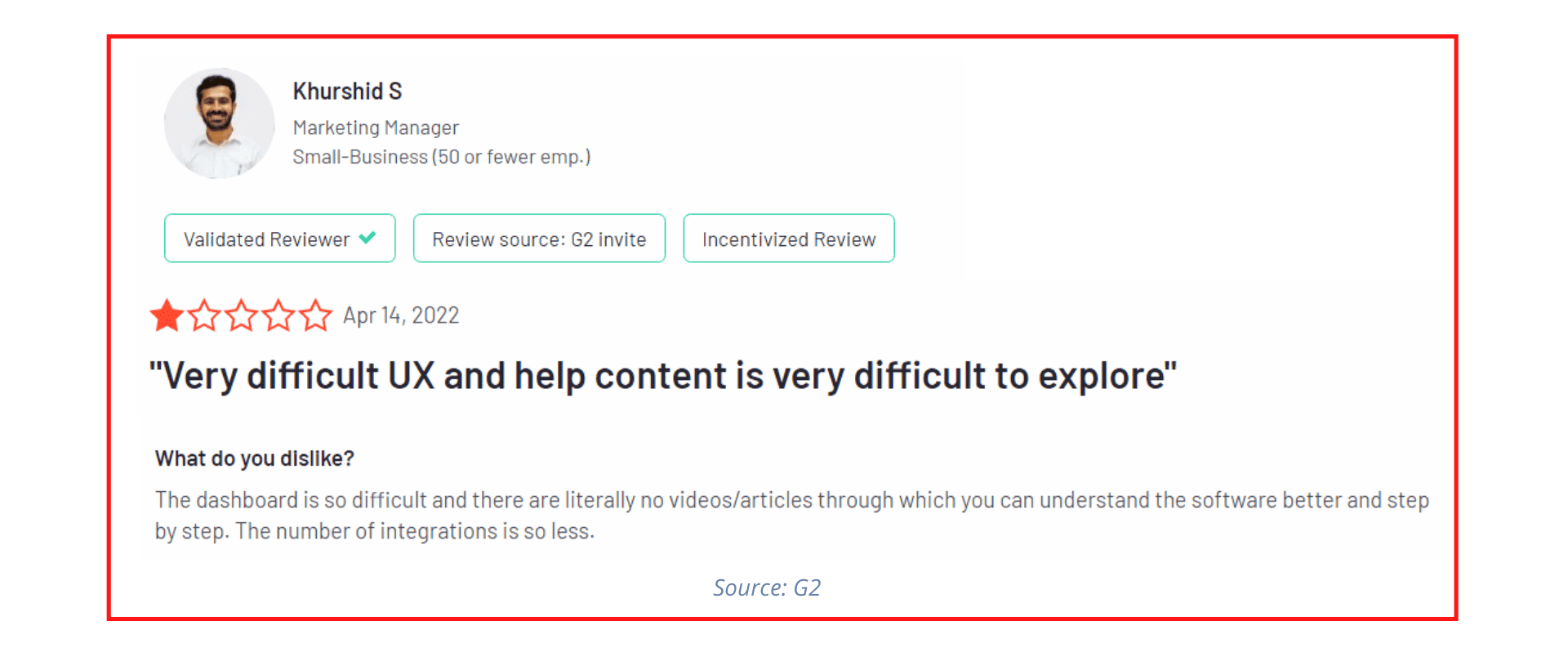
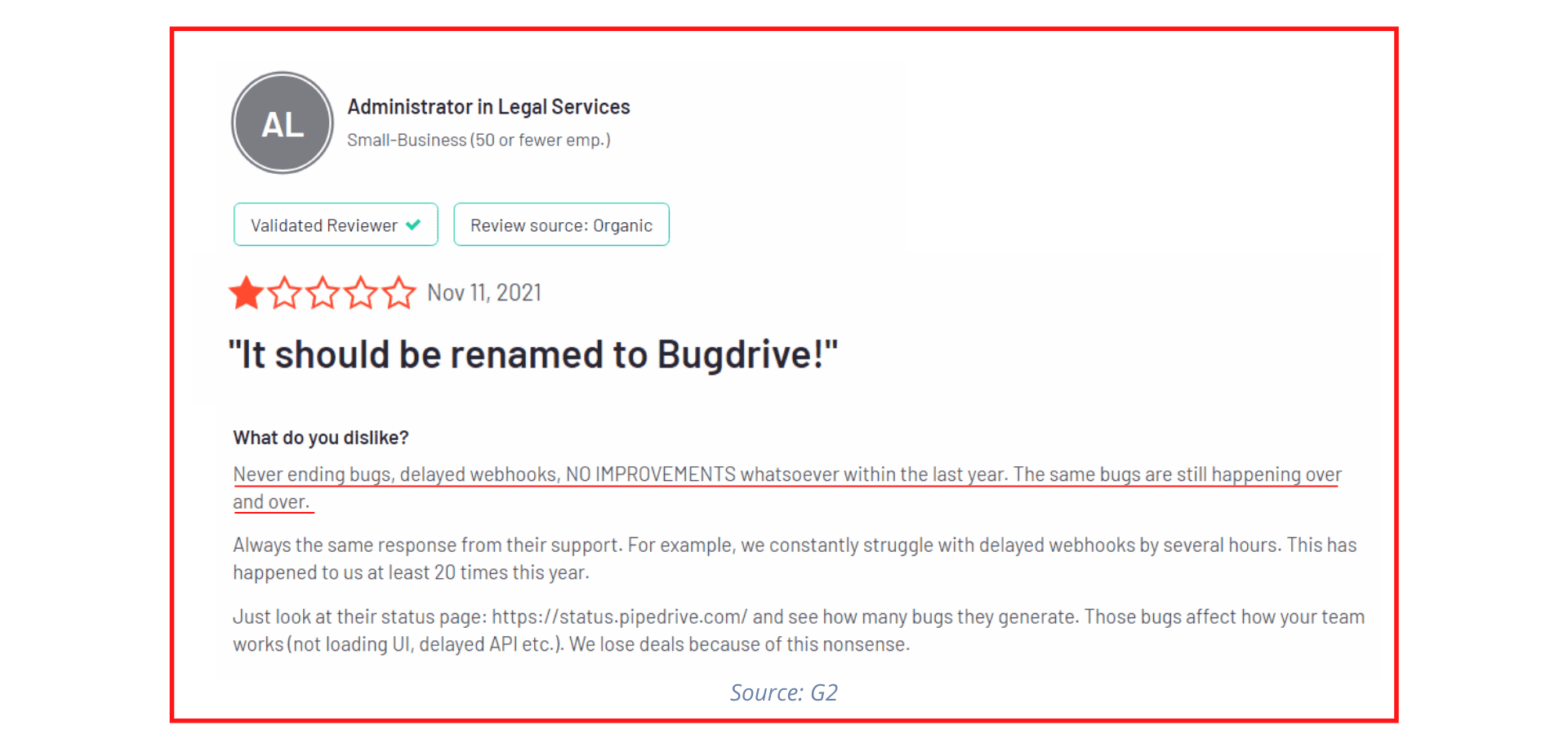
See what we mean?
Read also: Pipedrive Vs Close Comparison: Which CRM Is Right For You?
What Are the Best Pipedrive Alternatives?
If you’re evaluating Pipedrive alternatives in 2026, you’re likely looking for one (or more) of the following:
-
A true all-in-one CRM
-
Stronger marketing automation
-
Built-in customer support tools
-
Better value as your team scales
While Pipedrive remains a capable sales pipeline CRM, many growing businesses prefer platforms that unify marketing, sales, and service in a single ecosystem.
Below are three of the most popular Pipedrive competitors in 2026: EngageBay, HubSpot, and ActiveCampaign.
#1. EngageBay

If your goal is to replace multiple tools with one unified platform, EngageBay continues to position itself as a strong all-in-one CRM alternative to Pipedrive for small and mid-sized businesses.
Unlike Pipedrive’s sales-first approach, EngageBay combines marketing automation, sales CRM, and customer support software in a single platform — often at a lower total cost of ownership.
In 2026, EngageBay is widely adopted by SMBs looking to avoid the add-on sprawl common in sales-only CRMs.
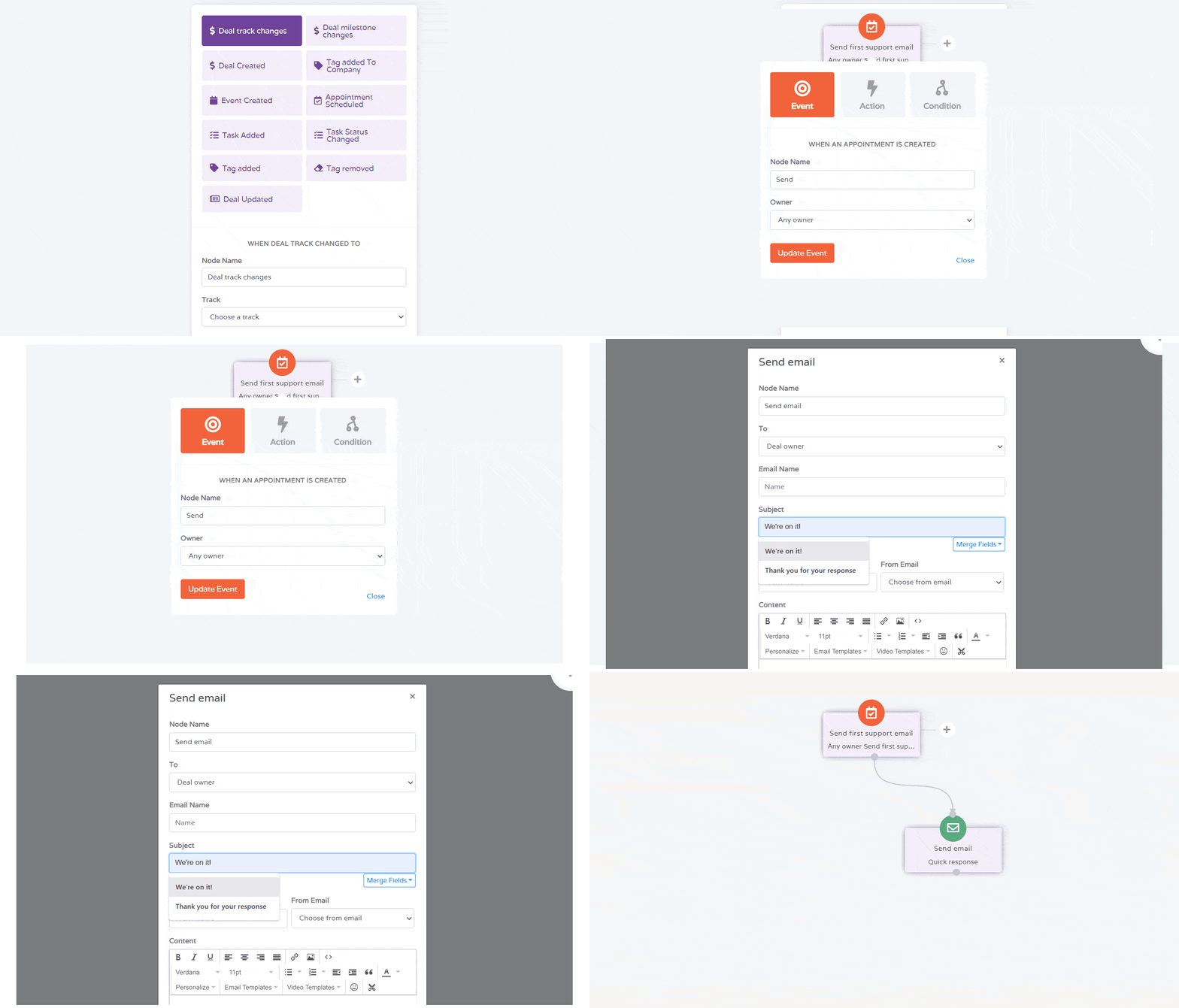
EngageBay Features
Email marketing
Create one-time broadcasts or build automated drip campaigns to nurture leads across the funnel. Advanced segmentation and personalization help improve engagement rates.
Social Suite
Manage and schedule posts across Facebook, Instagram, LinkedIn, and X (Twitter) from one dashboard. Includes social listening and performance tracking.
A/B testing
Test variations of landing pages, emails, and campaigns to optimize conversions using data-driven experimentation.
Sales pipeline management
Visual pipelines, deal automation, and task tracking help sales teams move prospects through the funnel efficiently.
2-way calendar sync and in-CRM telephony
Sync with Google and Outlook calendars. Built-in telephony enables calling, recording, routing, and scripting directly inside the CRM.
Customer support tools
Native helpdesk, live chat, ticket automation, routing, SLAs, and canned responses provide full customer service coverage — an area where sales-only CRMs typically rely on integrations.
These combined capabilities are why EngageBay is frequently considered one of the best CRM platforms for small businesses in 2026.
Pricing
Let’s talk pricing.
EngageBay offers four plans:
EngageBay plans
Free — $0
-
500 contacts
-
1,000 emails/month
-
Email marketing and autoresponders
-
Landing pages and lead generation
-
CRM and helpdesk
-
Live chat
Basic — $12.74/month
-
1,000 contacts
-
3,000 emails/month
-
Email templates
-
Web pop-ups
-
Landing page builder
-
Lead scoring
-
SMS marketing
-
Activity dashboards
Growth — $55.24/month
-
10,000 contacts
-
25,000 emails/month
-
Marketing automation
-
Email A/B testing
-
Call records
-
Products and proposals
-
Time-zone delivery
Pro — $101.99/month
-
Unlimited contacts
-
50,000 emails/month
-
Web and proposal analytics
-
SSO
-
Goals and uptime SLA
-
Dedicated account manager
-
Account-based marketing
Additional perks include:
-
Free onboarding
-
Free migration
-
Phone support
-
10% annual discount
-
20% biennial discount
This bundled approach is a key reason many teams compare EngageBay vs Pipedrive pricing when evaluating total cost.
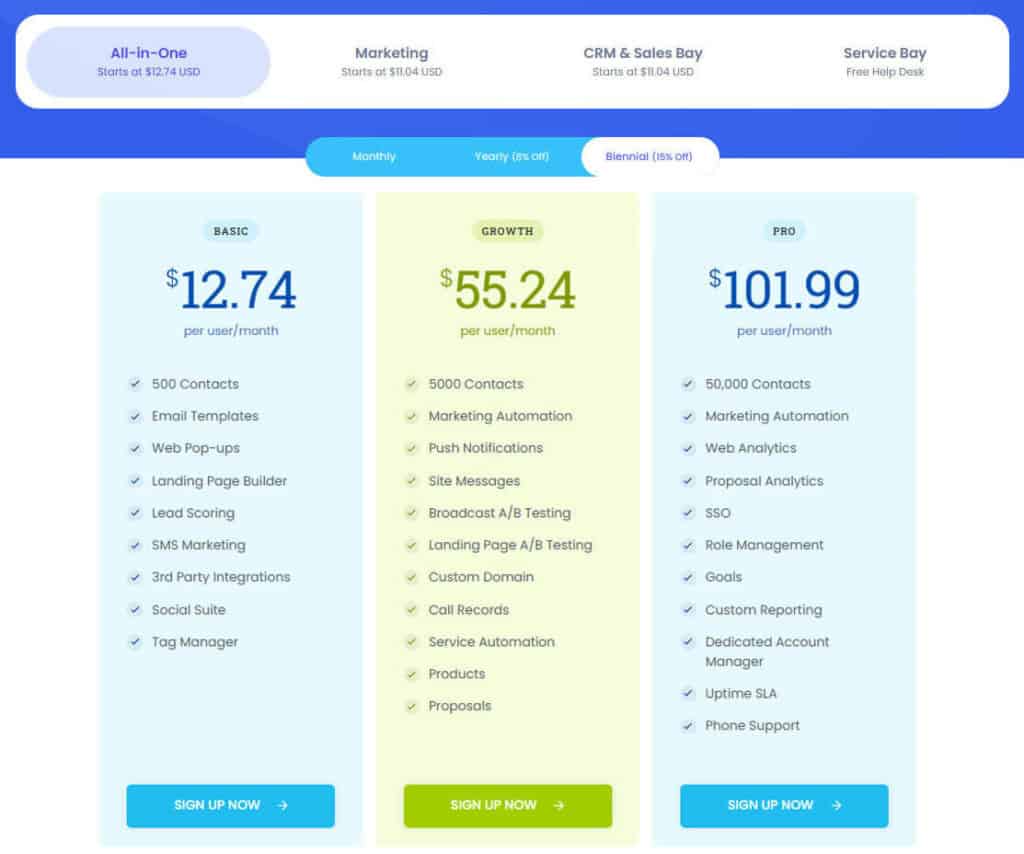
*You also get a 10% discount on annual and a 20% discount on biennial plans.
Find Out How EngageBay Is the Best Pipedrive Alternative
#2. HubSpot
HubSpot remains one of the most recognized CRM platforms globally and is often considered the enterprise-grade alternative to Pipedrive.
As of 2026:
-
HubSpot serves 200,000+ customers worldwide
-
Strong AI push with Breeze AI
-
Deep ecosystem across marketing, sales, and service
However, pricing can escalate quickly as businesses scale beyond the free and Starter tiers.
HubSpot Features
Content and inbound marketing tools
Blogging, SEO recommendations, ad tracking, and social media management help attract and convert inbound traffic.
Lead conversion tools
Landing pages, forms, marketing automation, email marketing, lead scoring, and account-based marketing support full-funnel growth.
Advanced reporting and insights
Marketing analytics, custom objects, revenue attribution, and deep integrations (including Salesforce) provide enterprise-level visibility.
Pricing
HubSpot uses hub-based pricing, which can increase total cost as you add functionality
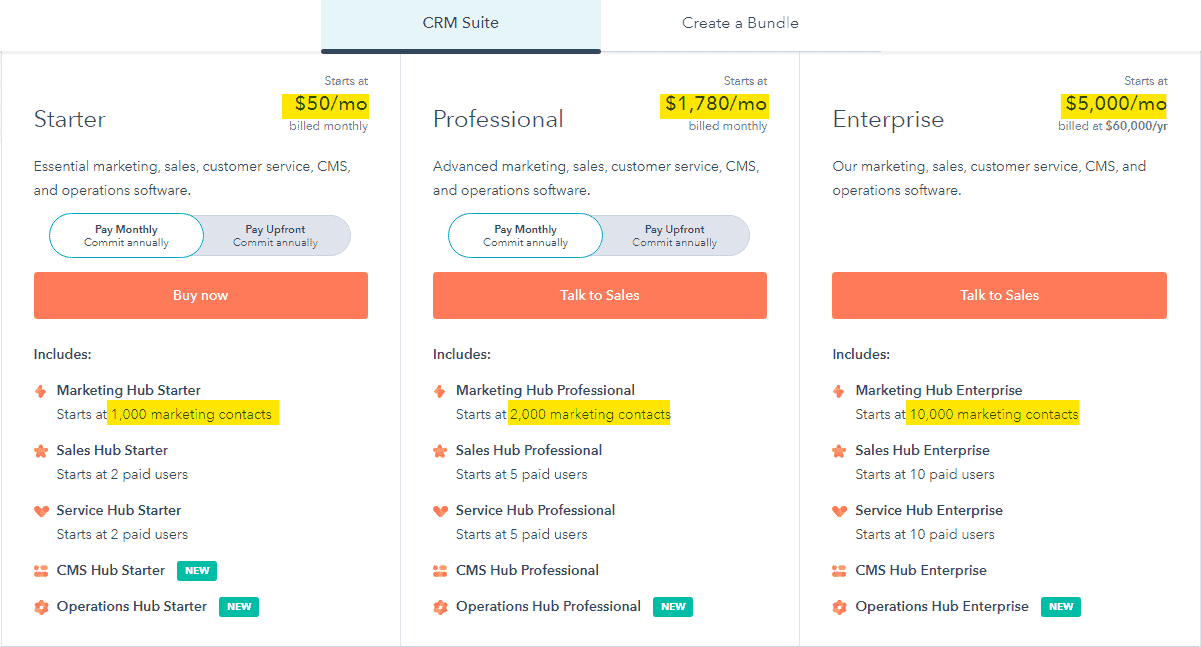
Free — $0
-
Forms and email marketing
-
Landing pages
-
Live chat and basic bots
-
Ticketing and shared inbox
Starter — starts at ~$50/month
-
Email automation
-
Reporting dashboard
-
Custom properties
-
Email health reporting
Professional — starts at ~$1,780/month
-
One-time onboarding: ~$3,750
-
SEO recommendations
-
Blog and CTAs
-
ABM tools
-
Advanced reporting
Enterprise — starts at ~$5,000/month
-
One-time onboarding: ~$12,000
-
SSO and sandboxes
-
Advanced permissions
-
Predictive scoring
-
Webhooks and payments
For many SMBs, HubSpot vs Pipedrive vs EngageBay comparisons often come down to budget vs. depth.
Read also: Pipedrive vs HubSpot vs EngageBay — Which CRM Is Smarter & Better?
#3. ActiveCampaign
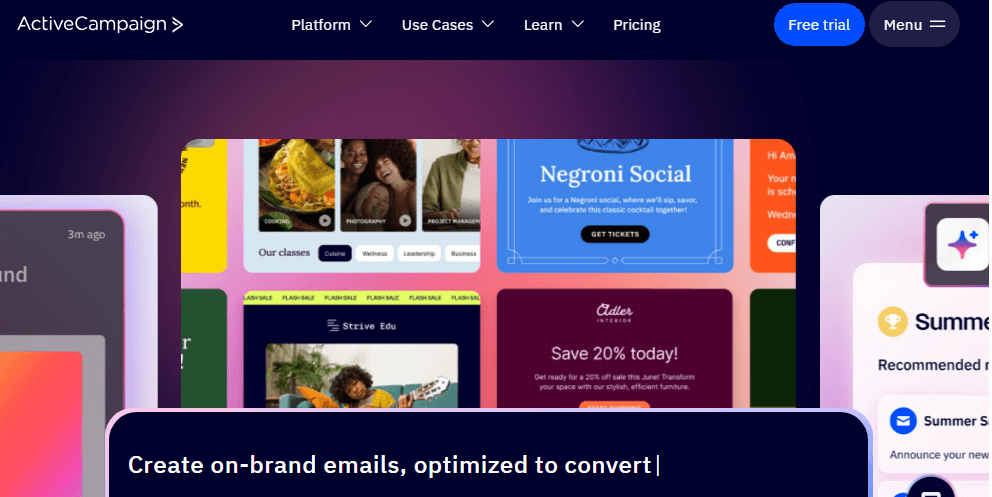
Another excellent marketing automation software:
ActiveCampaign is best known for its customer experience automation and email marketing strength, making it a popular choice for marketing-heavy teams evaluating Pipedrive alternatives.
As of 2026, ActiveCampaign powers automation for 180,000+ businesses globally, with continued investment in predictive automation and AI-driven messaging.
ActiveCampaign Features
Reach
Ecommerce email marketing, segmentation, site tracking, and landing pages help businesses attract qualified prospects.
Nurture
Advanced marketing automation, SMS automation, dynamic content, goals, and event tracking support personalized customer journeys.
Convert
Built-in pipelines, win probability, attribution, sales engagement, and workflow automation help turn leads into customers.
Grow
Loyalty programs, site messaging, web personalization, and chat tools help improve retention and lifetime value.
ActiveCampaign Pricing
ActiveCampaign pricing is primarily contact-based.

Starter — starts at $15/month
-
Email marketing
-
Marketing automation
-
Capture forms
-
Segmented outreach
Plus — starts at $49/month
-
Landing pages
-
Lead scoring
-
Automation map
-
SMS marketing
-
Task reporting
Professional — starts at $79/month
-
Predictive sending
-
Win probability
-
Split automations
-
Conversion reporting
Enterprise — custom pricing
-
Free design services
-
Social data enrichment
-
Custom domain
-
Contact enrichment
-
HIPAA support
-
Unlimited users
Bottom Line: Choosing the Right Pipedrive Alternative in 2026
-
Choose Pipedrive if your primary need is pipeline-focused sales management
-
Choose HubSpot if you want enterprise-grade inbound and have the budget
-
Choose ActiveCampaign if marketing automation is your top priority
-
Choose EngageBay if you want a true all-in-one CRM at SMB-friendly pricing
Read also: 5 of the Best ActiveCampaign Alternatives (Features, Pricing)
Conclusion: Choosing the Right CRM for Your Business in 2026
You now have a clear picture of Pipedrive pricing in 2026, its feature strengths, and how it compares with leading alternatives.
The next step is simple: choose the CRM that aligns with your growth strategy — not just your current sales workflow.
Pipedrive continues to perform well as a sales pipeline CRM, especially for teams focused heavily on deal tracking and activity-based selling.
However, many small and mid-sized businesses today are looking beyond standalone sales tools toward platforms that unify marketing automation, sales, and customer support in one place.
That’s where the total cost of ownership — not just the base price — becomes critical.
Why Many SMBs Consider EngageBay
For growing businesses that want a true all-in-one CRM, EngageBay remains a strong value-driven alternative.
Key advantages in 2026 include:
-
Unified marketing, sales, and service platform
-
Built-in helpdesk and live chat (no extra tools required)
-
Marketing automation included in core plans
-
Free plan available for small teams
-
Predictable pricing as you scale
Because EngageBay bundles capabilities that often require paid add-ons in sales-only CRMs, many SMBs find it more cost-efficient over time.
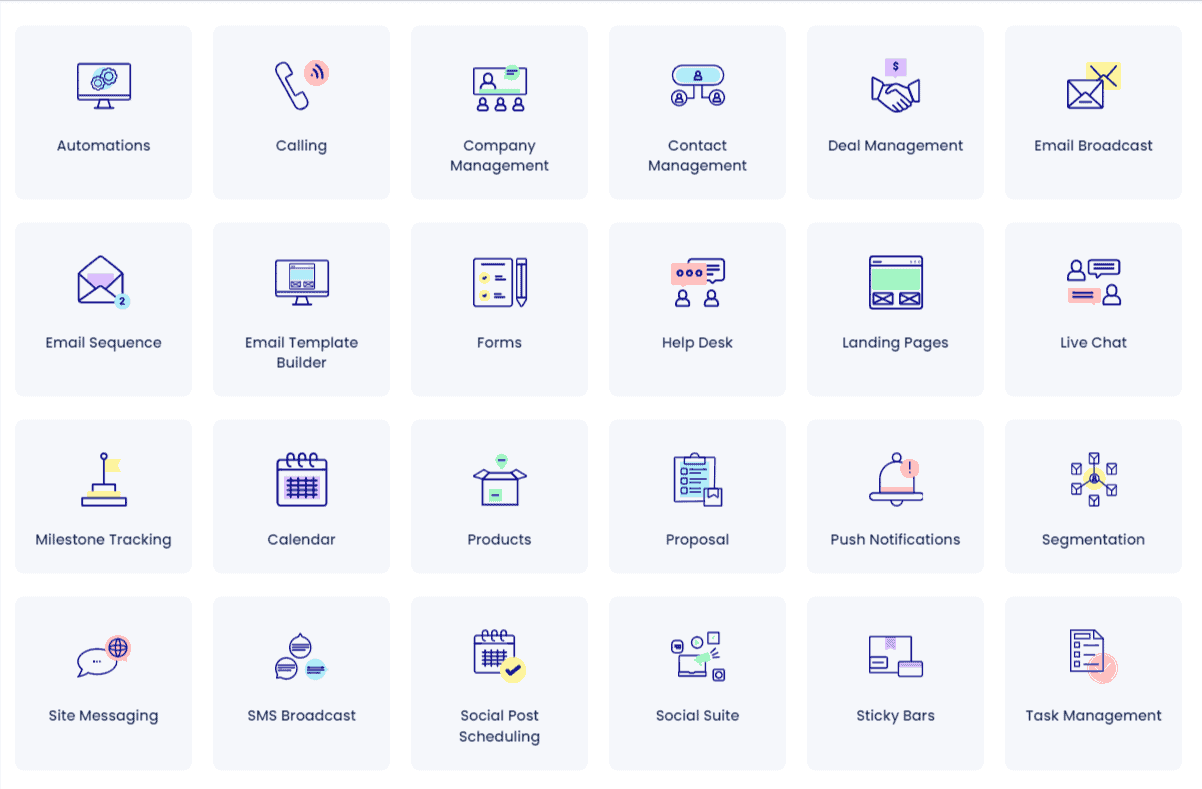
For small businesses, we recommend EngageBay simply because it offers an integrated platform with a highly affordable price tag.
For example, you can get EngageBay’s Pro plan with unlimited contacts at half the price of Pipedrive’s Enterprise plan (with add-ons):
Pricing Snapshot: EngageBay vs Pipedrive (2026)
| EngageBay pricing: Pro | Pipedrive pricing: Ultimate (with typical add-ons) |
|---|---|
| $99.99/month | ~$179/month |
What this highlights
-
Pipedrive’s per-user pricing can scale quickly
-
Add-ons may increase total spend
-
All-in-one platforms can reduce tool sprawl for SMBs
Ready to Explore Your Best-Fit CRM?
If you’re evaluating Pipedrive alternatives for small businesses, the smartest move is to test the platform that best matches your long-term needs — not just today’s pipeline requirements.
Sign up now for the free version, or book a 30-minute demo with our experts at a time of your convenience.
Until next time 🙂
Pipedrive pricing starts at about $14/user/month annually and goes up to $69/user/month, depending on the plan and included features.
No. Pipedrive provides a 14-day free trial but does not offer a permanent free CRM plan.
Pipedrive offers AI sales insights, Sales Assistant recommendations, automation suggestions, and predictive reporting in higher-tier plans.
Pipedrive works well for sales-focused SMBs, but growing teams may need additional tools for marketing automation and customer support.
