Last updated: 3 September 2026
Choosing the right marketing platform isn’t easy, and if you’ve landed on a HubSpot vs Mailchimp comparison, you’re already looking at two of the most widely used marketing tools on the market in 2026.
Both platforms promise to help businesses streamline their marketing operations, automate repetitive tasks, and scale faster through email campaigns, automation workflows, landing pages, advertising, and reporting.
But “popular” doesn’t mean “identical.” HubSpot and Mailchimp start from very different places. HubSpot grew up as a CRM-first growth platform, while Mailchimp built its reputation as an email marketing tool that later added CRM-style features on top.
That history still shapes how each platform behaves today: what’s included for free, how automation is built, how support is structured, and — perhaps most importantly in 2026 — how much everything actually costs once your list starts to grow.
AI-assisted content creation, smarter automation, and tighter integration between marketing and sales data are now table stakes for any serious marketing platform, and both HubSpot and Mailchimp have made real investments here.
Where they continue to diverge is in pricing structure, free-plan limitations, CRM depth, contract terms, and long-term scalability for growing teams.
In this HubSpot vs Mailchimp comparison, we’ll walk through exactly how the two platforms stack up in 2026 — features, pricing, automation, support, and real customer feedback — so you can make a confident, well-informed decision for your business.
We’ll also look at where a purpose-built alternative like EngageBay might make more sense if you want the best of both worlds without the trade-offs either platform forces on you.
Here’s what this guide covers:
-
-
- A high-level overview of HubSpot and Mailchimp
- A feature-by-feature comparison across email, landing pages, forms, CRM, and automation
- Verified 2026 pricing for both platforms, including the recent Mailchimp free-plan changes
- Contract terms, customer support, and real user reviews
- What to weigh before choosing a platform for your business
- Why EngageBay is worth a look if HubSpot feels too expensive or Mailchimp feels too limited
-
Table of Contents
HubSpot vs Mailchimp 2026: An Overview
HubSpot is an integrated customer platform built around a central CRM, with tools that extend into marketing, sales, customer service, content management, and operations.
The platform is organized into five connected “hubs” — Marketing Hub, Sales Hub, Service Hub, CMS Hub, and Operations Hub — that share the same underlying contact and company data.
That shared data is HubSpot’s biggest structural advantage: a marketer, a salesperson, and a support agent can all look at the same customer record and see the same history.
Mailchimp, on the other hand, started life purely as an email marketing tool and has steadily broadened its scope over the years to include landing pages, basic website tools, social media posting, and lightweight CRM-style contact management.
It has never tried to become a full CRM in the way HubSpot has; its strength is still in getting an email campaign designed, tested, and sent quickly, with e-commerce integrations layered on top for online sellers.
For most businesses comparing the two, the real question isn’t “which platform has more features” — both have plenty. It’s “which platform’s design philosophy matches how we actually work.”
If your team needs marketing, sales, and support to operate off one shared source of truth, HubSpot’s architecture is built for that. If your priority is getting attractive, high-volume email campaigns out the door without a lot of setup overhead, Mailchimp’s more focused approach may fit better.
HubSpot vs Mailchimp 2026: Key Features Compared
Because HubSpot spans five hubs and Mailchimp is a single connected product, a fair comparison has to focus on the parts that actually overlap. For this reason, we’ll compare HubSpot’s Marketing Hub specifically against Mailchimp’s core marketing platform, since these are the two products most businesses are actually weighing against each other.
Below, we’ll break the comparison into the areas that matter most to marketers in 2026:
-
-
- Email marketing capabilities and deliverability
- Landing pages and conversion tools
- Forms and lead capture
- Contact management and CRM depth
- Marketing automation and AI-assisted workflows
- Pricing structure and free-plan limitations
- Contract terms, billing flexibility, and scalability
- Customer support options
- G2 and third-party customer reviews
-
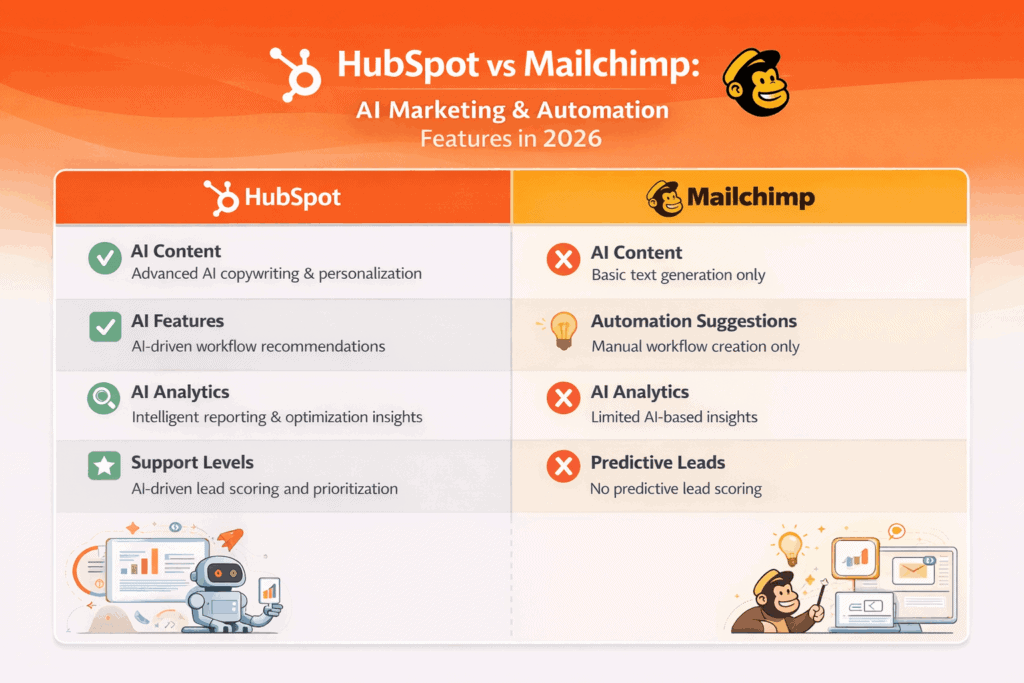
Let’s dive into the detailed HubSpot vs Mailchimp comparison and see which platform delivers better value for your business in 2026.
Read also: Mailchimp vs Drip — Which Is the Best Email Marketing Platform?
HubSpot vs Mailchimp 2026 Comparison: Email Marketing Features
1. Email marketing
Email remains one of the highest-ROI channels in any marketer’s toolkit, industry estimates still put average returns at roughly $36 for every $1 spent, so it’s no surprise this is where most businesses feel the difference between HubSpot and Mailchimp first.
HubSpot Email Marketing (2026)
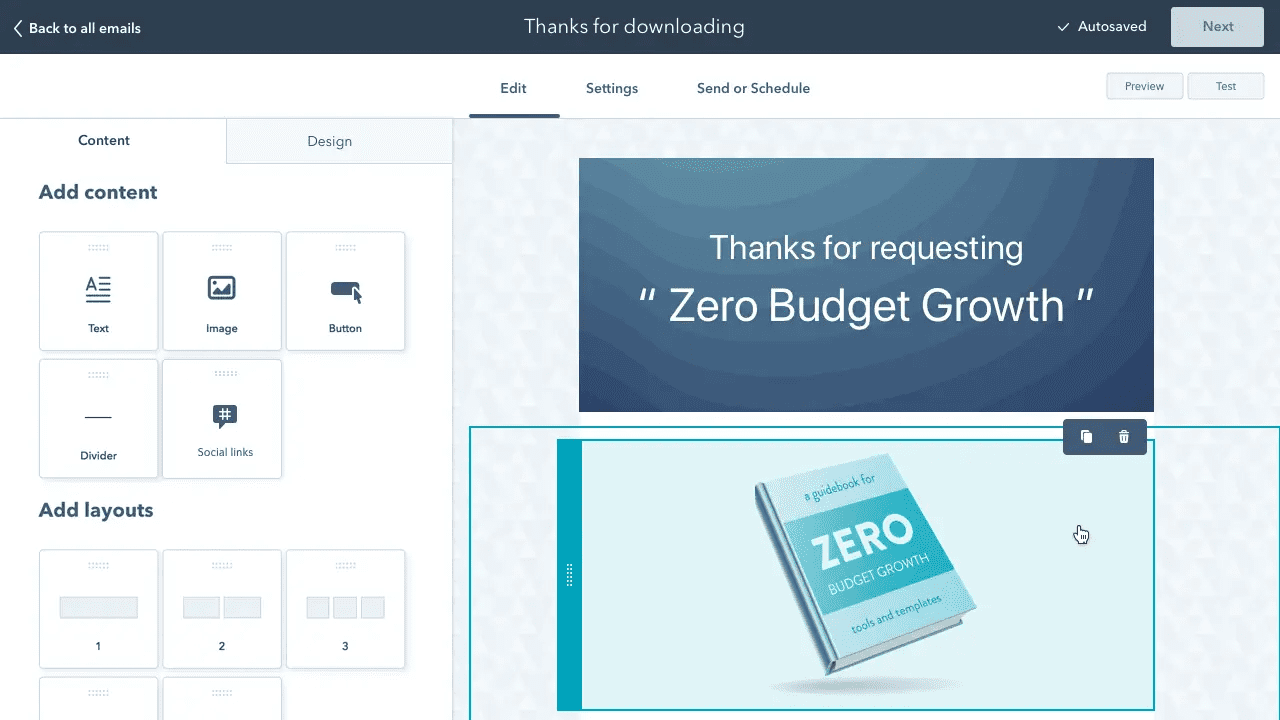
HubSpot’s email marketing tools live inside Marketing Hub and are tightly woven into the CRM, automation workflows, and reporting.
Every email you send can pull in live CRM data — deal stage, past purchases, lifecycle stage — to personalize the message without any manual list-splitting.
On HubSpot’s free plan, you get:
-
-
- A drag-and-drop email editor
- Pre-built email templates
- CRM-powered personalization tokens
- Built-in reporting dashboards
-
Free users can send up to 2,000 marketing emails per calendar month to as many as 1,000 marketing contacts, which is workable for an early-stage business testing its first few campaigns, but automation is not part of the free tier — every send on the free plan is a one-off broadcast rather than part of an automated sequence.
Paid Marketing Hub plans raise both the sending ceiling and the sophistication available:
-
-
- Starter: higher send limits, HubSpot branding removed, and simple automation unlocked
- Professional and Enterprise: unlimited automated emails, multi-step nurture sequences, and revenue-attribution reporting
-
That structure makes HubSpot a strong fit for teams building out multi-step lifecycle marketing, but a fairly steep jump for anyone who was relying on the free tier’s automation — because, as of 2026, there isn’t any.
Parisa H. (Senior Campaign Manager) says HubSpot is a true “one-stop shop,” praising its integrated funnels, email, and customer history—and notes support/account management is easy to reach when needed. (G2)
Mailchimp Email Marketing (2026)
Mailchimp remains one of the most recognizable email-first marketing platforms, and its reputation for ease of use and design quality is well earned.
The editor is intuitive, the template library is extensive, and its e-commerce integrations (Shopify, WooCommerce, and others) are genuinely strong.
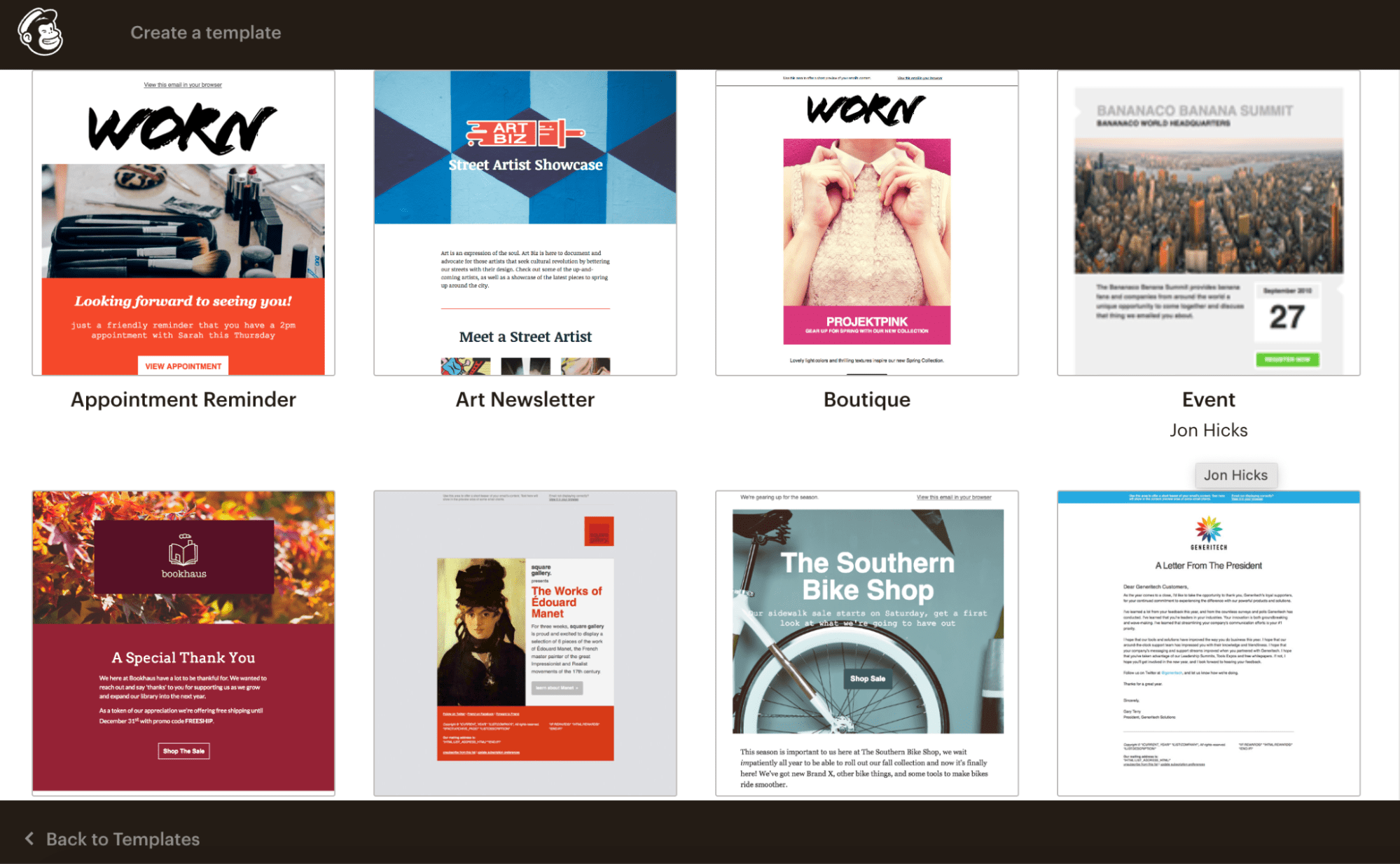
Mailchimp’s email tools include:
-
-
- An intuitive drag-and-drop email builder
- Professionally designed, regularly refreshed templates
- A visual automation builder (on paid plans)
- Deep e-commerce integrations for abandoned-cart and product-retargeting emails
-
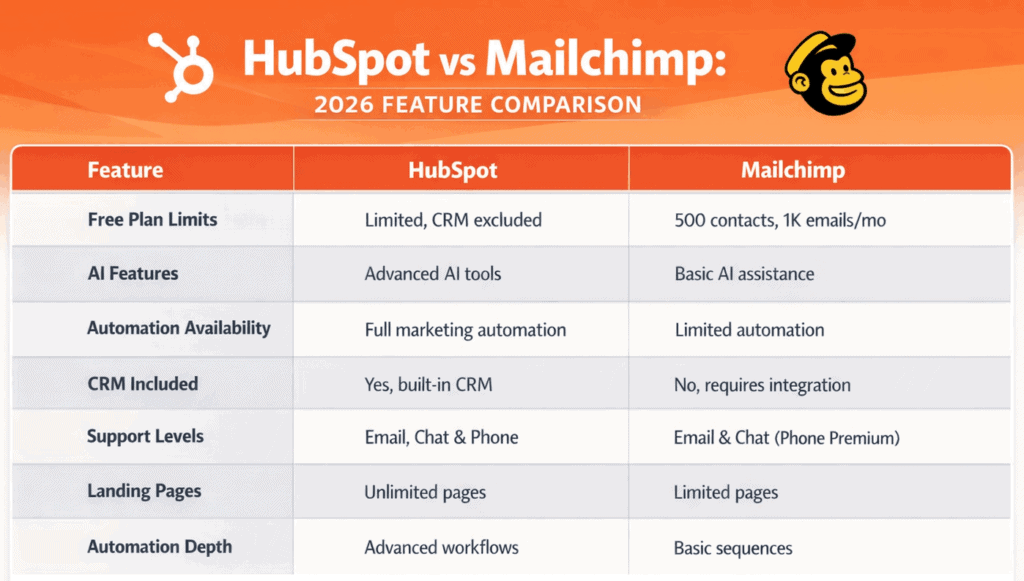
Where Mailchimp has changed the most is at the free tier. As of February 2026, Mailchimp reduced its free plan for the second time in three years — down from 500 contacts and 1,000 monthly sends to just 250 contacts and 500 monthly sends, with a new hard cap of 250 sends per day.
Automation was already removed from the free plan back in 2025, so free users today are limited to manual, one-off campaign sends to a very small list.

On Mailchimp’s paid plans, sending limits scale generously — often into the hundreds of thousands of emails per month — usually at a lower entry price than HubSpot’s comparable tiers.
Multi-step customer-journey automation is available starting on the Standard plan, with more advanced branching and predictive features reserved for Premium.
Tim W. (General Manager – E-commerce) highlights Mailchimp’s updated visual builder for faster branded emails, strong analytics, and smooth e-commerce automations; he calls deliverability “consistently strong.” (G2)
Here’s a side-by-side comparison of some email marketing features of HubSpot and Mailchimp:
| Email Marketing Features | HubSpot | Mailchimp |
|---|---|---|
| Drag-and-drop editor | ✔ | ✔ |
| Personalized emails | ✔ | ✔ |
| Custom templates | ✔ | ✔ |
| Email scheduling | ✔ | ✔ |
| A/B testing | ✔ | ✔ |
| Reporting & analytics | ✔ | ✔ |
Read also: HubSpot vs Insightly: Pricing, Functionality, Features & More
Bottom line:
Mailchimp is still the better fit for affordable, high-volume email marketing, particularly for content creators and e-commerce brands. HubSpot‘s strength is CRM-driven personalization and full-funnel visibility, making email marketing one piece of a much larger growth engine rather than a standalone tool.
It’s a long article, for sure 😅
Want to watch a video instead? Here’s the marketer Megan Grant on the HubSpot vs Mailchimp comparison:
2. Landing pages
If your marketing calendar includes product launches, webinars, lead magnets, or seasonal promotions, a capable built-in landing page builder saves real time.
Both platforms offer one; but the limits, pricing triggers, and testing capabilities differ meaningfully.
HubSpot Landing Pages (2026)
HubSpot includes landing pages as part of Marketing Hub, connected to CRM data, forms, analytics, and automation out of the box.
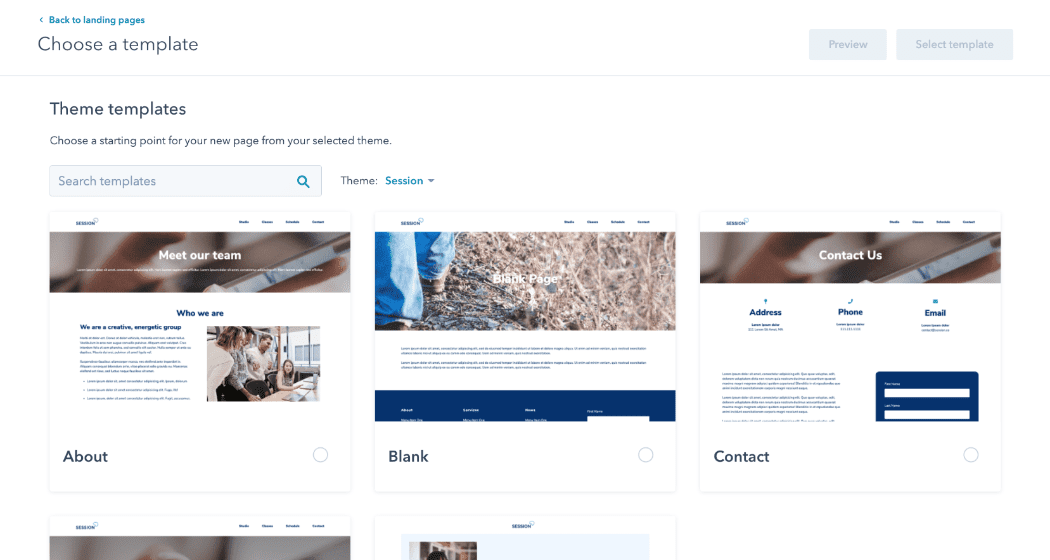
On HubSpot’s free CRM plan, users can:
-
-
-
Build up to 20 landing pages
-
Use basic, responsive templates
-
Customize pages with a drag-and-drop editor
-
Track performance with built-in analytics
-
-
Beyond 20 pages, you’ll need a paid Marketing Hub plan. A/B testing for landing pages is reserved for Professional and above, which positions HubSpot better for teams running structured, conversion-optimized campaigns at scale rather than businesses that need to spin up a large volume of one-off pages.
HubSpot also supports custom domains, scheduled publishing, and CRM-linked reporting tied directly to contact records and lifecycle stages; features that matter most once you’re running more than a handful of campaigns at a time.
See our Landing Page Builder Guide for best practices.
Mailchimp Landing Pages (2026)
Landing pages work differently in Mailchimp, and this remains one of the areas where Mailchimp is genuinely more generous to smaller teams.
Mailchimp’s free plan includes:
-
-
- Unlimited landing pages
- Pre-designed templates
- A visual page editor
- Basic performance analytics
-
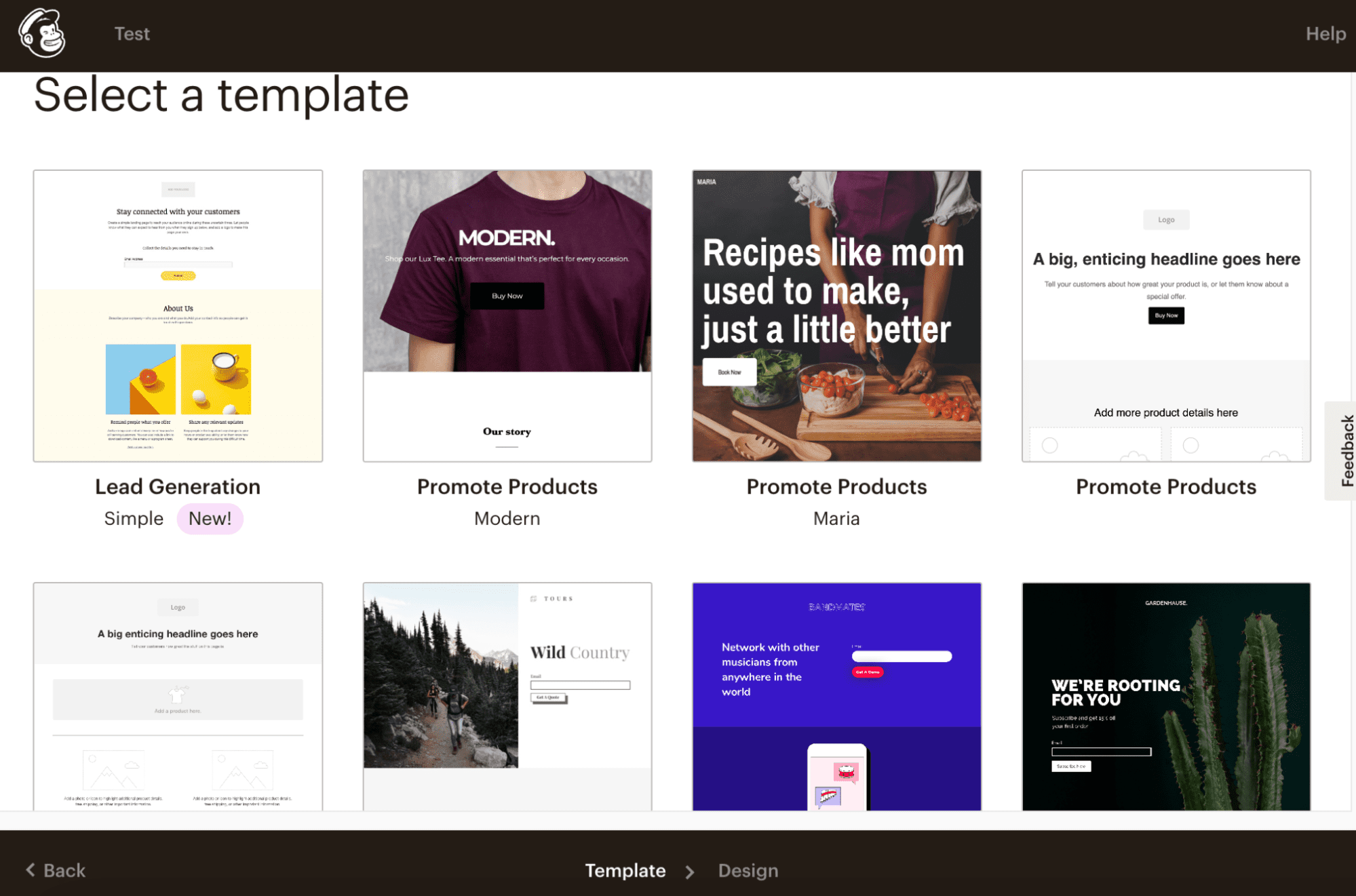
Unlimited landing pages remains one of the few areas of the Mailchimp free plan that hasn’t been cut back, even as contact and send limits have shrunk.
A/B testing for landing pages, however, requires a paid plan, which still comes in at a lower entry cost than HubSpot’s advanced tiers.
Both platforms support on-page SEO controls — SEO titles, meta descriptions, and indexing settings, making either suitable for paid traffic pages as well as organic campaign landing pages.
A quick head-to-head on landing page features:
| Landing Page Features | HubSpot | Mailchimp |
|---|---|---|
| Drag-and-drop landing page builder | ✔ | ✔ |
| On-page SEO optimizations | ✔ | ✔ |
| Landing page templates | ✔ | ✔ |
| Scheduled publishing | ✔ | ✖ |
| Custom domain support | ✔ | ✔ |
| Analytics & reporting | ✔ | ✔ |
Read also: Constant Contact vs Mailchimp and Other Email Tools [Tables]
3. Forms
Forms are a core component of any modern marketing stack, capturing leads from landing pages, blog posts, pop-ups, and embedded website widgets.
A capable form builder needs to be flexible enough to gather the right data, feed it into the right segments, and trigger the right follow-up — and this is one area where HubSpot and Mailchimp diverge sharply.
HubSpot Forms (2026)
HubSpot offers a CRM-connected form builder as part of its free CRM and Marketing Hub.
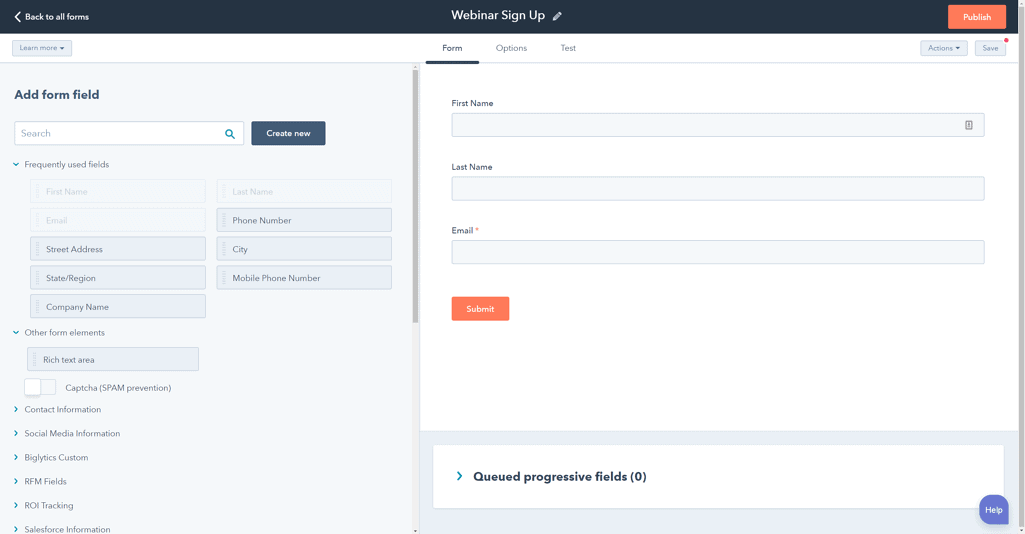
On the free plan, you get access to:
-
-
- Standalone forms
- Embedded website forms
- Pop-up and slide-in forms
- Built-in GDPR compliance options
- Automatic contact creation inside the CRM
-
Upgrading to Starter unlocks improved styling and branding controls. Professional and Enterprise plans go much further, adding:
-
-
- Dependent (conditional) form fields
- Smart fields that adapt based on known contact data
- Advanced targeting and segmentation
- Custom validation and logic rules
- Code-level customization for complex use cases
-
These capabilities make HubSpot’s forms especially well suited to multi-offer campaigns, B2B lead qualification, and personalized user journeys where the questions a visitor sees should change based on how they’ve already answered.
Mailchimp Forms (2026)
Mailchimp’s form builder is designed for simplicity and speed, particularly for email list growth. You can create:
-
-
- Embedded website forms
- Signup forms and pop-ups
- Mobile-responsive form layouts
- GDPR-compliant opt-in fields
-
Mailchimp’s forms support standard customization and segmentation but do not include dependent (conditional) fields, every visitor sees the same set of questions regardless of how they answer.
For simple use cases like newsletter signups or basic lead capture, that’s more than sufficient. For marketers who need forms that adapt dynamically to user input, HubSpot offers meaningfully more flexibility.
Why dependent fields matter: dependent fields let you show follow-up questions based on a visitor’s previous answer, which keeps forms shorter and the data cleaner.
A business offering both blog-writing and ebook-creation services, for example, can ask which service the visitor wants first, then show only the relevant follow-up questions, capturing better data without overwhelming the visitor.
This kind of conditional logic is especially valuable for B2B marketing, service-based businesses, and high-intent lead qualification, and it’s an area where HubSpot’s form builder clearly leads in 2026.
Bottom line:
Mailchimp forms suit simple list building and quick lead capture well. HubSpot’s forms are the stronger choice for advanced segmentation, personalization, and CRM-driven workflows, a better match for growing businesses leaning on data-rich automation.
Read also: EngageBay vs HubSpot — Market Leader or Emerging Powerhouse?
4. Contact management
Effective contact management underpins everything else: email personalization, automation, and segmentation all depend on how well a platform organizes and enriches contact data.
Both platforms let you store and manage contacts, but the depth of CRM functionality differs substantially.
HubSpot Contact Management (2026)
HubSpot is built around a full-featured CRM, making contact management one of its strongest areas.
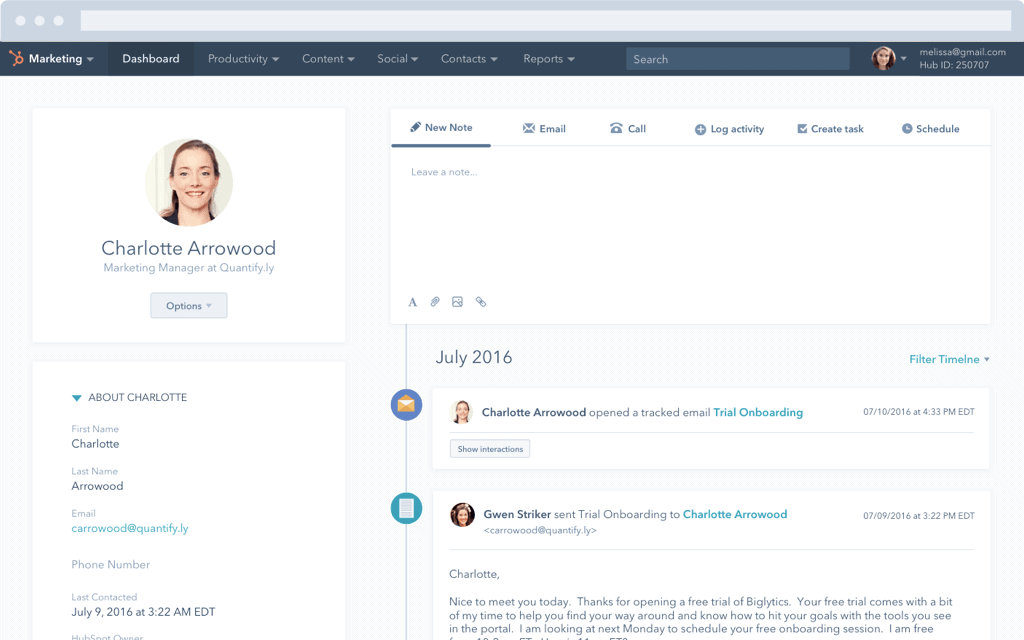
With HubSpot, you can:
-
-
-
Create, update, and delete contact records individually or in bulk
-
Maintain detailed contact profiles with activity history, lifecycle stages, and engagement data
-
Use powerful filtering and segmentation tools to build dynamic, self-updating lists
-
Add custom contact properties to track business-specific data
-
-
Each contact record functions as a single source of truth, showing which emails were opened, which pages were visited, which forms were submitted, and how the contact has interacted across marketing, sales, and support.
That makes HubSpot the stronger option for teams that want marketing personalization to be genuinely CRM-driven rather than list-driven.
Mailchimp Contact Management (2026)
Mailchimp’s contact management is built primarily for campaign management rather than full CRM use. You can:
-
-
- Store and organize contacts into audiences and segments
- Manage list subscriptions and opt-in status
- Create custom fields for contact data
-
The limitations show up at scale: bulk contact updates typically require re-importing a list rather than editing records directly, and advanced filtering and segmentation are gated behind paid plans.
Contact profiles in Mailchimp are oriented around campaign engagement; opens, clicks, purchases, rather than a full view of the customer’s lifecycle across every touchpoint.
HubSpot vs Mailchimp: Contact Management Features Comparison (2026)
| Contact Management Features | HubSpot | Mailchimp |
|---|---|---|
| Update contacts in bulk | ✔ | Via import |
| Filtering options for list segmentation | ✔ | ✔ (Paid plans only) |
| List & audience management | ✔ | ✔ |
| Custom contact properties | ✔ | ✔ |
Read also: How Does Mailchimp’s Pricing Compare To Its Competitors?
5. Automation tools
As a business scales, marketing automation stops being a nice-to-have and starts doing the heavy lifting — orchestrating customer journeys across channels, teams, and lifecycle stages rather than just sending the occasional triggered email.
Both platforms offer automation, but the scope and business impact differ considerably.
HubSpot Marketing Automation (2026)
HubSpot’s automation engine is built directly on top of its CRM, which is what allows it to go well beyond email.
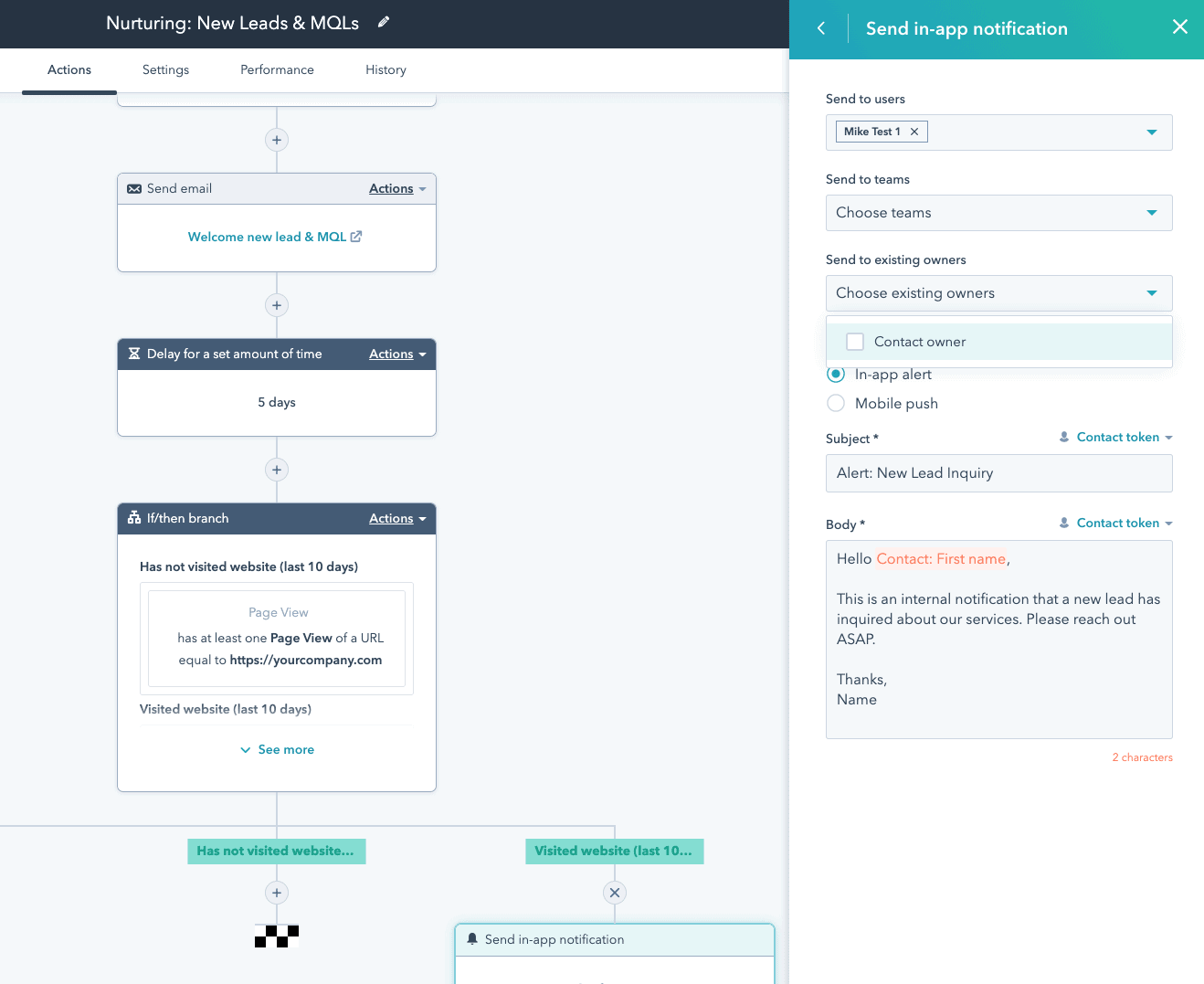
With HubSpot, you can:
-
-
-
Send behavior-triggered emails based on user actions
-
Create multi-step automated email sequences
-
Create advanced workflows using conditions, delays, and branching logic
-
Automatically update contact properties and lifecycle stages
- Trigger actions across marketing, sales, and support from a single workflow
-
-
Because automation sits on top of the CRM, HubSpot supports genuinely omnichannel workflows — email sends, CRM property updates, internal notifications, task creation, and lead assignment can all live in the same automated sequence.
HubSpot also supports account-based marketing (ABM) automation, which makes it a strong option for B2B teams managing longer, more complex sales cycles. None of this, however, is available on the free plan; automation on HubSpot starts at the Starter tier.
Mailchimp Marketing Automation (2026)
Mailchimp’s automation is focused primarily on email, with tools designed for fast, straightforward setup. Mailchimp’s automation features include:
-
-
- Automated welcome and onboarding sequences
- Date-based and event-triggered emails
- E-commerce automations such as abandoned-cart and product-retargeting emails
- Basic audience segmentation triggers
-
Mailchimp’s automation is effective for email marketing and e-commerce workflows, but it does not extend into omnichannel automation or deeper CRM-based logic, actions are largely confined to email campaigns rather than reaching into sales or support processes.
As of 2026, automation on Mailchimp is entirely a paid-plan feature; the free tier includes none.
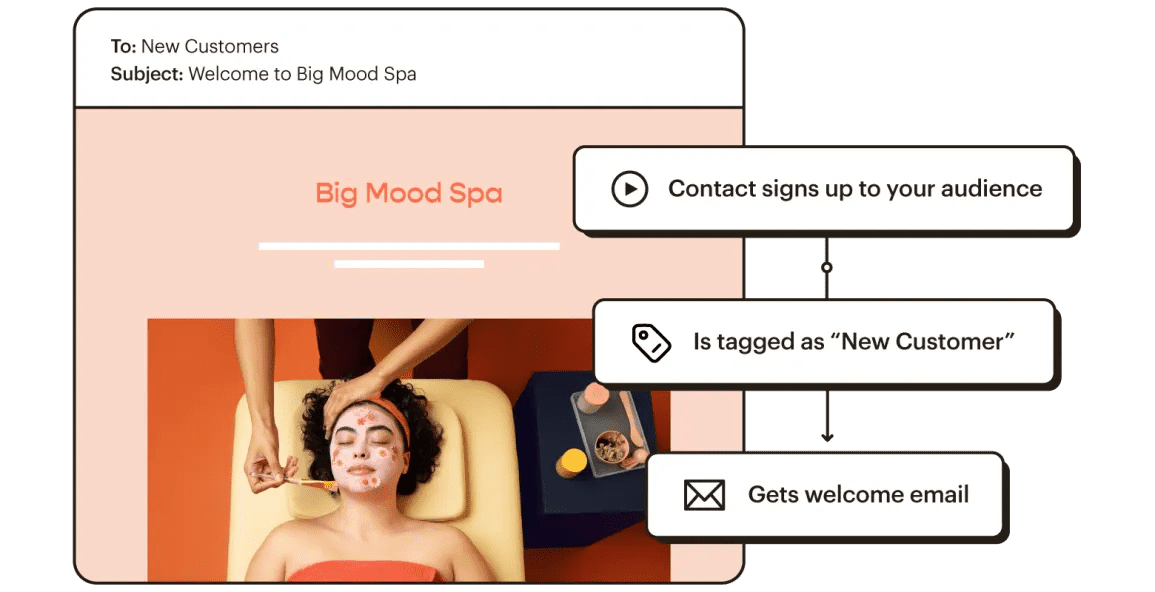
Head-to-head comparison of HubSpot vs Mailchimp automation features (2026):
| Marketing Automation Features | HubSpot | Mailchimp |
|---|---|---|
| Email sequences | ✔ | ✔ |
| Email scheduling | ✔ | ✔ |
| Omnichannel marketing automation | ✔ | ✖ |
| ABM tools & automation | ✔ | ✖ |
| Contact management automation | ✔ | ✔ |
| Email & chat support | ✔ | ✔ |
Note: both HubSpot and Mailchimp offer additional automation capabilities beyond what’s summarized here. HubSpot’s automation extends into AI-assisted workflows, lead scoring, omnichannel journey orchestration, and CRM-triggered actions, while Mailchimp provides flexible automation templates, predictive segmentation, regional SMS automation, and e-commerce triggers — and both roadmaps continue to evolve.
Read also: Convertkit vs Mailchimp vs EngageBay — Which Tool is the Best for Small Businesses?
6. Pricing
Pricing is often the deciding factor in the HubSpot vs Mailchimp debate, especially as a contact list grows.
Both platforms use contact-based pricing in 2026, meaning costs rise as your audience expands — but how those costs scale, and what you get in return, differs significantly.
HubSpot Pricing (Marketing Hub — 2026)
HubSpot continues to position itself as a premium, all-in-one growth platform. Alongside its free CRM, Marketing Hub’s paid tiers scale based on contact count and required access levels.
Marketing Hub plans (monthly, billed annually):
-
-
- Starter: around $20/month, 1,000 marketing contacts included
- Professional: around $890/month, 2,000 marketing contacts and 3 core seats included
- Enterprise: around $3,600/month, 10,000 marketing contacts and 5 core seats included
-
Additional marketing contacts beyond each plan’s included allowance are billed separately as your database grows.
Professional and Enterprise also carry mandatory one-time onboarding fees: roughly $3,000 for Professional and $7,000 for Enterprise, which are easy to overlook when comparing sticker prices but add meaningfully to first-year cost.
Michael G. (Owner & Marketing Director) likes HubSpot’s power and integrations but calls the menus/navigation “confusing” and says pricing is high for smaller teams (Capterra)
You can also bundle Marketing Hub with Sales, Service, CMS, or Operations Hub for more functionality, though every hub you add increases total cost.
HubSpot Seat-Based Pricing Changes (Still Relevant in 2026)
HubSpot’s seat-based pricing model, introduced in 2024, remains in effect and continues to shape how much a growing team actually pays.
-
-
- View-Only seats: free and unlimited, giving access to reports, records, and dashboards only
- Core seats (paid): required for anyone who needs to edit records, send emails, manage automation, or approve workflows
-
This shift added flexibility for large teams with many occasional viewers, but it increased costs for smaller businesses that previously relied on free edit access across the board.
HubSpot Seat Structure Comparison:
| User requirement | Previous pricing structure | Current pricing structure |
|---|---|---|
| View-only access to reports & records | Included in free plan | Free View-Only seat |
| Edit access to records, emails & automation | Included in free plan | Paid Core seat |
| Sales & Service features | Dedicated Sales/Service seat | Dedicated Sales/Service seat |
Bottom line:
HubSpot delivers enterprise-grade value, but startups and SMBs may find the combined cost per contact and per seat difficult to justify in the early stages of growth.
Mailchimp Pricing (2026)
Mailchimp takes a more accessible approach overall, particularly for email-first teams and e-commerce businesses. Mailchimp’s paid plans, starting at 500 contacts, include:
-
-
- Essentials: from around $13/month — basic email automation, A/B testing, and higher send limits
- Standard: from around $20/month — advanced automation, a customer journey builder, and behavioral targeting
- Premium: from around $350/month for 10,000 contacts — advanced segmentation, multivariate testing, dedicated onboarding, and custom contact limits
-
Mailchimp’s pricing scales primarily by contacts and feature tier rather than seats, which tends to make costs easier to predict for smaller teams, though it’s worth noting Mailchimp counts unsubscribed and non-subscribed contacts toward your plan limit unless you archive them manually.
HubSpot vs Mailchimp Pricing: Key Takeaways (2026)
-
-
-
- HubSpot is significantly more expensive at the mid-to-upper tiers, but includes CRM, omnichannel automation, analytics, and sales alignment as part of that cost
- Mailchimp offers lower entry pricing and simpler, contact-based scaling for email and e-commerce marketing
- Seat-based pricing makes HubSpot powerful for larger teams, but costly for small ones
- Mailchimp remains the more budget-friendly option for startups and SMBs focused primarily on email
-
-
Verdict:
Choose HubSpot if you need a unified CRM-driven growth platform and can support the investment.
Choose Mailchimp if you want cost-effective email marketing and automation without enterprise-level overhead.
Read also: An In-Depth Look At HubSpot vs Pipedrive
7. Contract & Billing Flexibility
Contract terms can matter just as much as the sticker price, especially for growing businesses that need room to change plans as their needs shift.
HubSpot and Mailchimp take very different approaches to commitments, cancellations, onboarding, and overage charges.
HubSpot Contract Terms (Marketing Hub — 2026)
HubSpot requires longer-term commitments on its higher tiers, which can be a sticking point for SMBs evaluating the platform.
-
-
- Starter plan: billed monthly, no annual lock-in, but you can only cancel at the end of the current billing cycle
- Professional & Enterprise plans: require an annual contract; downgrades aren’t allowed until the contract expires, and early cancellation does not waive the remaining payments
-
HubSpot may also charge mandatory onboarding fees on Professional and Enterprise plans, often running into the thousands of dollars depending on region and package, as noted in the pricing section above.
This structure works well for established teams committed to long-term growth, but it can feel restrictive for startups still experimenting with marketing automation.

Mailchimp Contract Terms (2026)
Mailchimp offers meaningfully more flexibility on contracts and billing.
-
-
- All paid plans are month-to-month
- You can cancel anytime without penalty
- There are no mandatory onboarding fees
- Optional pay-as-you-go credits are available for irregular senders
-
The trade-off is that Mailchimp enforces contact and send limits strictly. Exceed your plan’s thresholds and overage charges apply automatically, which can raise costs unexpectedly if your list isn’t managed carefully, something that matters even more now that the free plan’s limits (250 contacts, 500 sends per month) are so tight.
Here’s how HubSpot and Mailchimp stack up regarding contracts in 2026:
| Contract Terms | Mailchimp Standard Plan | HubSpot Starter Plan* | HubSpot Professional Plan* |
|---|---|---|---|
| Billing cycle | Monthly recurring | Monthly recurring | Annual commitment required |
| Cancellation flexibility | Cancel anytime | Cancel at end of billing cycle | Cancel only after contract term |
| Mandatory onboarding fee | ✖ | ✖ | ✔ |
| Overage charges | ✔ | ✔ | ✔ |
* The contract terms above apply to HubSpot Marketing Hub plans. Seat-based pricing, onboarding requirements, and overage policies may also apply across other HubSpot Hubs when bundled.
Bottom line:
Mailchimp offers maximum flexibility with minimal commitment risk, which suits businesses that want the freedom to scale up or down.
HubSpot’s contract model fits companies ready to commit long-term to a full CRM-driven marketing ecosystem, but it can be limiting for smaller teams that need agility.
Read also: What is MailerLite? Reviews, Pricing, Pros and Cons, Alternatives
8. Customer support
Reliable support becomes more important as marketing operations get more complex.
Both platforms offer multiple support channels, but availability varies significantly by plan tier.
HubSpot Customer Support (2026)
-
-
- Free plan users: HubSpot Academy, documentation, and community forums; no direct email, chat, or phone support
- Starter plan and above: email and live chat support included
- Professional and Enterprise plans: email, live chat, and phone support, with faster response times and priority handling
-
HubSpot also differentiates itself with HubSpot Academy, offering free certifications, courses, and in-depth training that make it easier for teams to onboard and upskill without additional cost.
Mailchimp Customer Support (2026)
Mailchimp offers simpler support access but with more limitations at lower tiers.
-
-
-
-
- Free plan users: email support limited to the first 30 days only, plus ongoing self-service guides and tutorials
- Standard plan users: email and live chat support
- Premium plan users: email, live chat, and phone support
-
-
-
Mailchimp maintains a thorough help center with step-by-step guides and best-practice articles, which works well for small teams that prefer to self-serve rather than open a support ticket.
HubSpot vs Mailchimp: Customer Support Comparison (2026):
| Support Channels | HubSpot | Mailchimp |
|---|---|---|
| Email support | Starter plan & above | Standard plan & above |
| Live chat support | Starter plan & above | Standard plan & above |
| Phone support | Professional & Enterprise | Premium only |
| Knowledge base & community | ✔ | ✔ |
Bottom line:
HubSpot offers more comprehensive support access earlier in its plan structure, which suits teams that need hands-on help as they scale.
Mailchimp‘s model works well for self-directed users, but phone support and extended assistance are reserved for its highest tier.
Read also: HubSpot vs Mailchimp vs EngageBay — Which Tool Worth Spending Money?
9. Customer reviews
User feedback plays a meaningful role when evaluating platforms this different in scope.
Both HubSpot and Mailchimp receive strong overall ratings on G2, but for different reasons.
HubSpot G2 Reviews (Marketing Hub)
HubSpot continues to receive high praise for feature depth, CRM integration, and scalability, with many reviewers highlighting its ability to unify marketing, sales, and service teams on one platform.
Recurring criticism in 2026 centers on complexity and cost, particularly among small teams that don’t need the platform’s full breadth of features.
Here’s what one user said:
“HubSpot is a really heavy tool that has far more functionality than I need and is fairly cumbersome to use. The price tag is eye-watering and I much prefer to use a combination of other specialty tools that get the job done more easily and at far lower cost.”
This sentiment shows up often among SMB users who feel HubSpot is better suited to mid-market and enterprise organizations.
Mailchimp G2 Reviews
Mailchimp is widely regarded as one of the most user-friendly email marketing platforms available, with reviewers consistently praising its intuitive interface, fast setup, and large integration ecosystem.
Some users note limitations in advanced automation, CRM depth, and support responsiveness, particularly on lower-tier plans, areas where Mailchimp intentionally keeps things simple.
Below is a side-by-side comparison of HubSpot and Mailchimp G2 user ratings in 2026:
| G2 User Ratings | HubSpot | Mailchimp |
|---|---|---|
| Ease of use | 8.6 | 8.7 |
| Ease of setup | 8.0 | 8.6 |
| Quality of support | 8.8 | 8.0 |
*Ratings reflect long-term averages on G2 and may vary slightly by product category and plan level.
Mailchimp Free Plan Changes (2026): What’s Different Now?
Mailchimp’s free plan has been scaled back repeatedly over the past few years, and by September 2026 it looks quite different from what long-time users remember.
These changes matter a great deal to anyone weighing HubSpot vs Mailchimp free plans, since Mailchimp’s free tier is no longer the generous starting point it once was.
The most significant recent change took effect on February 17, 2026: Mailchimp cut the free plan from 500 contacts and 1,000 monthly sends down to just 250 contacts and 500 monthly sends, with a new hard cap of 250 sends per day.
That follows an earlier reduction from 2,000 contacts to 500 in 2023, and the removal of the Classic Automation Builder from the free plan back on June 1, 2025, which had previously allowed automated workflows like welcome sequences and abandoned-cart reminders.
Put together, the trend is unmistakable: since Intuit acquired Mailchimp in 2021, the free plan has been reduced or restricted almost every year, shrinking from 2,000 contacts in 2022 to just 250 contacts today — an 87.5% reduction in four years.
What Changed in Mailchimp’s Free Plan?
As of the latest updates still in effect in 2026:
-
-
-
- Maximum contacts reduced from 2,000 (2022) to 500 (2023) to 250 (as of February 2026)
- Monthly email sends now capped at 500, down from 1,000, with a strict daily limit of 250
- Automation, previously available through the Classic Automation Builder, is no longer included on the free plan
- Automated workflows such as welcome sequences, abandoned-cart emails, and drip campaigns are now locked behind paid plans
-
-
With the current 250-contact, 500-send allowance, a free-plan user can’t email their entire list more than about twice a month, which severely limits how often a business can realistically run campaigns or stay in front of an audience.
Impact on Free Users
The free plan still includes unlimited landing pages, basic email templates, and essential design and branding tools.
But the combination of a smaller contact ceiling, a lower send threshold, and the complete removal of automation makes it much harder to run a meaningful email marketing program without upgrading.
Chelsea (Education Management) values Mailchimp’s free features for early-stage startups but notes that advanced capabilities are heavily paywalled and costs “grow quickly” as contacts increase. She also mentions that some customizations feel less intuitive than expected. (SoftwareAdvice)
Mailchimp Free Plan: Before vs Now
|
Feature |
Before (2022) |
Now (2026) |
|
Max contacts |
2,000 |
250 |
|
Monthly email sends |
10,000 |
500 |
|
Daily email send limit |
No strict limit |
250 |
|
Automation (Classic Builder) |
Included |
Removed (paid plans only) |
|
Landing pages |
Unlimited |
Unlimited |
|
Segmentation |
Basic |
Basic |
|
Support |
Email support (first 30 days) |
Email support (first 30 days) |
|
Templates |
Basic templates |
Basic templates |
What to Consider Before Choosing Your Marketing Software in 2026
Choosing the right marketing automation platform goes well beyond a feature checklist.
With contact-based billing, email send limits, automation restrictions, and landing page caps all varying by plan, it’s worth aligning your choice with how your business actually markets and grows; not just which platform has the longer features list.
1. Size of Your Email List
Your total contact count directly drives pricing on both platforms.
Choose software that comfortably handles your current list size and stays affordable as your database grows, rather than forcing a plan upgrade every few months.
2. Email Sending Frequency
How often you email your audience matters as much as how many contacts you have.
A business sending daily or weekly campaigns needs far higher send limits than one that emails occasionally, make sure your platform’s caps actually match your engagement cadence.
3. Monthly Email Send Limits
Most marketing tools impose monthly send limits tied to your plan or contact tier.
If your calendar includes newsletters, promotions, automated sequences, and transactional email, confirm your chosen platform won’t throttle your outreach or hit you with unexpected overage charges.
4. Landing Page Requirements
If landing pages are core to your strategy, think through how many you’ll realistically need per month, whether A/B testing matters to you, and whether unlimited pages are available without an expensive upgrade; this is especially relevant for businesses running multiple concurrent campaigns or lead magnets.
5. Automation Depth & CRM Integration
Simple autoresponders may be enough for some teams, while others need advanced automation, segmentation, and CRM-driven workflows.
Consider whether you’ll eventually need multi-step customer journeys, behavioral triggers, or genuine sales-and-marketing alignment, because switching platforms later to get there is rarely painless.
Making the Right Choice
By now, you have a clear picture of HubSpot’s enterprise-grade power and Mailchimp’s email-first simplicity, along with where each one excels in 2026.
But what if you’re a small business or startup that wants robust automation, real CRM features, email marketing, and landing pages, all without enterprise-level pricing?
Meet EngageBay: A Smart HubSpot & Mailchimp Alternative for SMBs
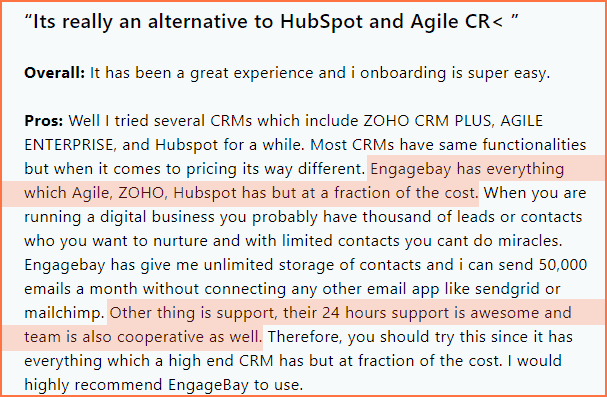
EngageBay delivers the core strengths of both HubSpot and Mailchimp—CRM, email marketing, automation, landing pages, and customer support—at a price point built specifically for small and growing businesses.
If HubSpot’s cost feels out of reach and Mailchimp’s limitations feel restrictive, EngageBay offers a balanced, affordable alternative designed to grow with you in 2026 and beyond.
Read also: MailerLite vs Mailchimp and Other Email Tools
HubSpot vs Mailchimp Alternative for SMBs 2026: Why EngageBay Stands Out
If you like HubSpot’s all-in-one approach but find its pricing overwhelming, or if Mailchimp’s email-first model feels limiting once you need real automation, there’s a third option built specifically for growing teams: EngageBay.
Like HubSpot, EngageBay goes well beyond email marketing. It’s a complete marketing, sales, and support platform designed for small and mid-sized businesses that want powerful tools without enterprise complexity or enterprise pricing.
Here’s why EngageBay is worth a look as the best HubSpot and Mailchimp alternative for small businesses in 2026:
Built for Small Businesses, Not Enterprises
EngageBay is purpose-built for SMBs, which reflects in three key areas:
-
-
-
Affordable, predictable pricing
-
Hands-on customer support
-
Feature-rich plans, even at the free tier
-
-
Unlike HubSpot and Mailchimp, EngageBay avoids confusing contact-based or seat-based pricing models, which makes it much easier for small teams to budget and scale with confidence.
AI-Powered Marketing for SMBs (2026)
EngageBay integrates practical AI features designed to save time rather than add complexity. With EngageBay, you get:
-
-
- AI-assisted email writing to generate subject lines, body copy, and follow-ups
- Smart automation suggestions that streamline customer journeys
- AI-powered contact insights to help segment and personalize campaigns faster
- Intelligent support workflows that help prioritize and route conversations efficiently
-
These AI capabilities bring enterprise-level efficiency to small teams without the steep learning curve that often comes with larger platforms.
Affordable pricing with No Hidden Scaling Costs
EngageBay offers flat, transparent pricing that unlocks all core features at each tier:
-
-
-
- Free plan ($0): live chat with transcripts, conversation routing, CRM, email marketing, and basic automation
- Marketing Bay Basic: $12.99/month
- Marketing Bay Growth: $49.99/month
- Marketing Bay Pro: $79.99/month
-
-
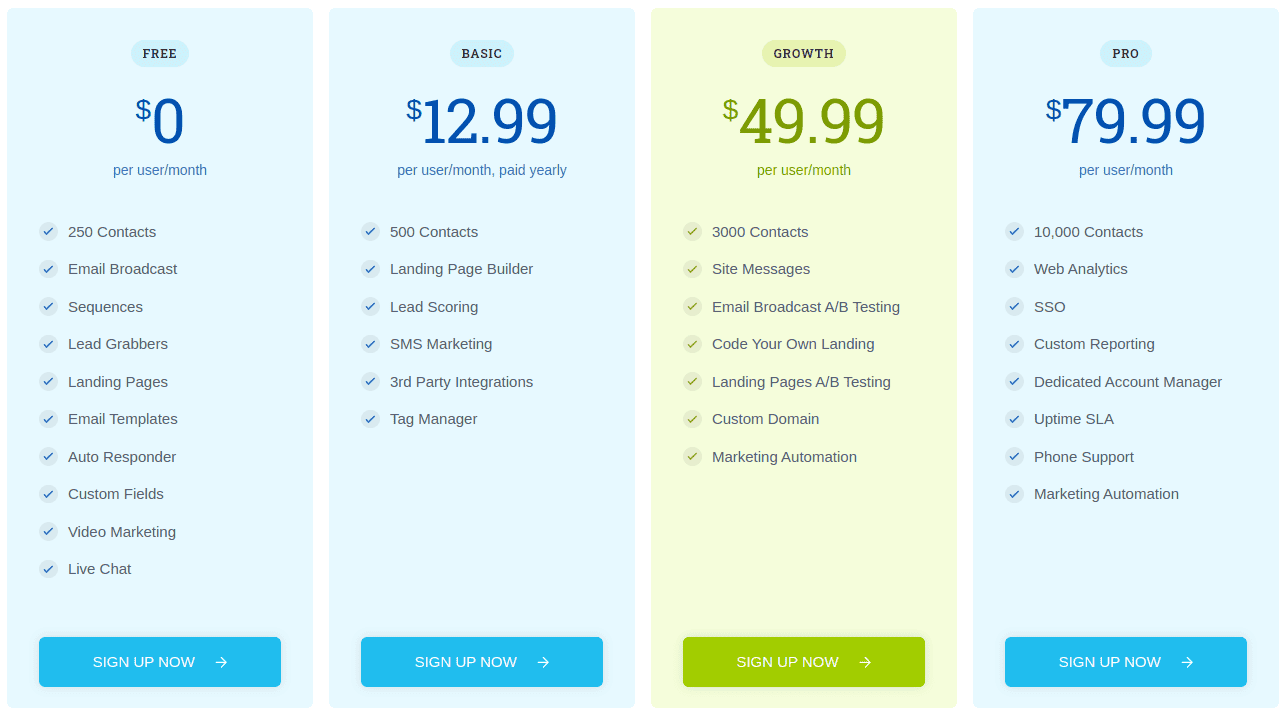
Unlike HubSpot and Mailchimp, EngageBay doesn’t charge extra based on contact count or email send volume within reasonable usage limits, which makes it considerably more cost-effective as your list grows.
Why EngageBay Is the Best HubSpot & Mailchimp Alternative in 2026
-
-
-
All-in-one marketing, sales, and support platform
-
AI-powered features tailored for SMBs
-
Predictable, flat pricing with no surprise overages
-
Generous free plan with real business value
-
Designed to grow with small businesses—not penalize them
-
-
Bottom line:
If you’re an SMB looking for the power of HubSpot, the simplicity of Mailchimp, and modern AI capabilities—all without enterprise pricing—EngageBay is one of the strongest alternatives available in 2026.
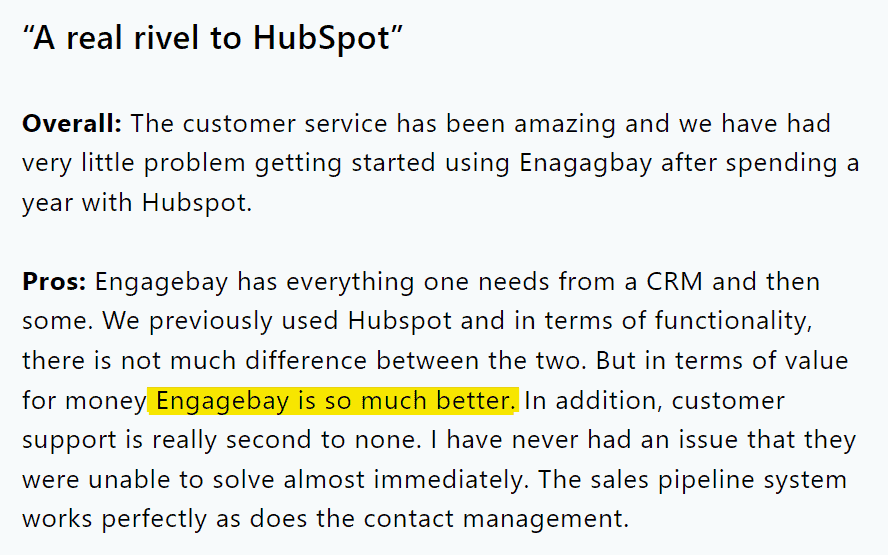
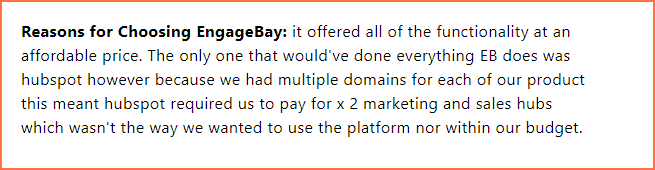
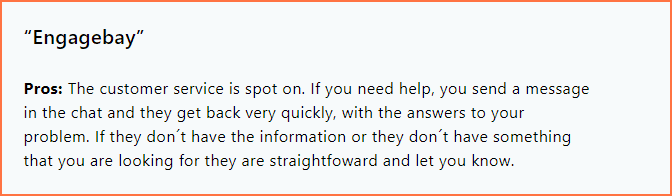
See what an EngageBay user says:
Read also: How To Move From Mailchimp to EngageBay: An Exhaustive Guide
No annual contracts — Built for SMB Flexibility (2026)
Unlike enterprise platforms that lock you into long-term commitments, EngageBay offers 100% contract-free pricing.
-
-
-
Pay month-to-month
-
Cancel anytime—no penalties, no questions
-
Upgrade or downgrade plans as your business evolves
-
-
This flexibility makes EngageBay an ideal alternative to HubSpot and Mailchimp for small businesses that value agility and predictable costs in 2026.

Rich functionality, quality support
EngageBay delivers enterprise-grade marketing functionality without enterprise complexity or price tags. Small businesses get everything needed to manage the full customer lifecycle from one platform, including:
-
-
- Email marketing and AI-assisted campaign creation
- Multi-step visual automation workflows
- Lead management, segmentation, and personalization
- Customer journey tracking and behavioral insights
- Landing pages, email templates, and form builders
- Sales pipelines and deal management
- Performance dashboards for teams and campaigns
- A built-in social media suite and engagement tools
-
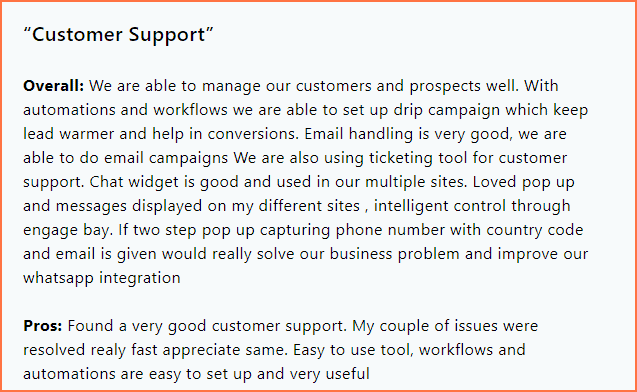
On top of that, quality support is a core promise rather than an upsell, EngageBay offers real human support through email, live chat, and phone, plus a dedicated account manager on higher tiers.
That level of accessibility is rare among SMB-focused marketing platforms and a real differentiator compared to HubSpot and Mailchimp.
Easy to use — No Learning Curve Required
EngageBay is designed with simplicity at its core: a clean, intuitive interface, fast onboarding for non-technical users, and no steep learning curve even for first-time marketers.
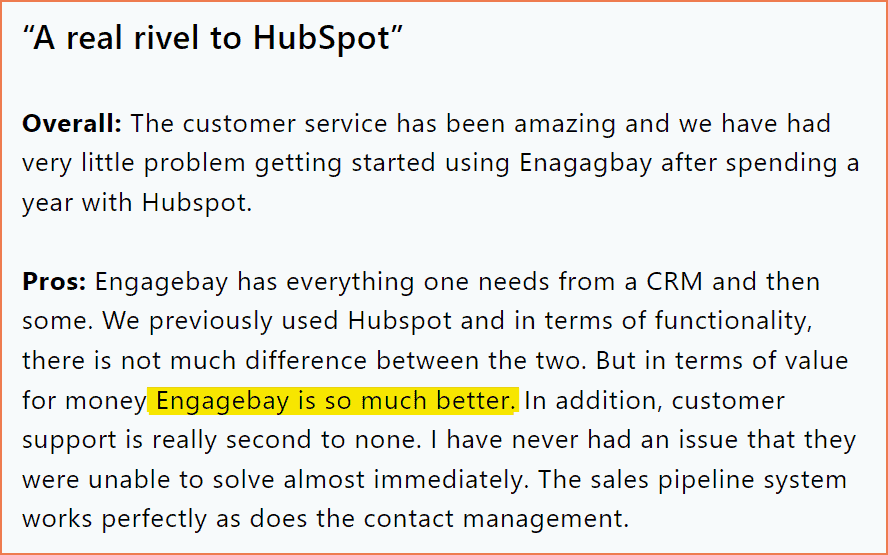
Most users are able to launch their first campaign within minutes of signing up, which makes EngageBay especially attractive for founders, solopreneurs, and lean teams.
Free Plan Access & Hassle-Free Onboarding
Getting started with EngageBay doesn’t cost a thing.
-
-
-
Free forever plan with meaningful features
-
No onboarding or setup fees
-
Explore the platform before upgrading—at your own pace
-
-
Learn more about EngageBay:
Sign up with EngageBay for free
Conclusion: HubSpot vs Mailchimp — What’s the Right Choice in 2026?
You’ve now seen a complete, up-to-date comparison of HubSpot Marketing Hub and Mailchimp covering features, pricing, automation, support, and real-world usability in 2026. Both platforms remain strong contenders in the marketing software landscape:
-
-
- Mailchimp continues to be a cost-effective, easy-to-use option for email-first marketing, especially for small lists and straightforward campaigns
- HubSpot delivers a powerful, CRM-driven growth platform with advanced automation and analytics, ideal for businesses that need scale and cross-team alignment
-
But the gap between capability and cost has widened. Many businesses want the functionality of HubSpot without enterprise pricing, or the simplicity of Mailchimp without restrictive limits and paywalls.
That’s where EngageBay stands out — bringing together email marketing, automation, CRM, landing pages, customer support, and AI-powered tools at a predictable, affordable price with no long-term contracts.
Final takeaway:
If you’re an SMB looking for modern marketing capabilities in 2026 without complexity or inflated costs, EngageBay offers a balanced, future-ready alternative to both HubSpot and Mailchimp.
Want to try the all-in-one marketing software that’s specifically built for small business owners?
 Explore the most potent HubSpot competitors in our insightful blog post. Understand their strengths, weaknesses, and pricing. Dive in today!
Related reading:
- The best CRM Tools for Small Businesses
- The 14 Best CRM Automation Software in 2024
- 15 Best Marketing Automation Tools for Small Businesses
- Is HubSpot Worth It? In-Depth Review for Small Businesses
HubSpot’s Free plan allows up to 2,000 email sends per month. Automation is not included on the free plan. Mailchimp’s Free plan originally matched HubSpot’s send allowance, but has since been reduced to 250 contacts, with 500 sends per month and a 250-per-day cap.
HubSpot’s free plan gives users access to its landing page builder with a limit of 20 pages, using simple templates. Mailchimp offers more flexibility here, with unlimited landing pages on its Free plan, giving greater creative freedom for campaign pages.
Neither platform includes workflow automation on its free tier in 2026. HubSpot’s free plan does not include automation — multi-step automation starts at the Starter tier. Mailchimp removed its Classic Automation Builder from the free plan in 2025, so multi-step workflows there are now reserved for the Standard and Premium plans.
HubSpot’s Free plan imposes a cap of 1,000 marketing contacts. Mailchimp’s Free plan initially allowed 2,000 contacts, but has since been reduced twice — first to 500, and now to just 250 contacts as of February 2026.
Mailchimp remains more cost-effective for expanding businesses thanks to cheaper scaling options and higher send limits across its paid tiers. HubSpot, while feature-rich, becomes expensive as contact counts and seat requirements rise, making it less budget-friendly for startups or lean teams — which is exactly the gap platforms like EngageBay are built to fill.