Choosing the right marketing platform isn’t easy—but if you’re comparing HubSpot vs Mailchimp, you’re already looking at two of the most popular marketing automation tools in 2026.
Both platforms are designed to help businesses streamline marketing operations, automate repetitive tasks, and scale faster using email marketing, automation workflows, landing pages, ads, and analytics.
With AI-powered features and evolving automation capabilities now central to modern marketing, HubSpot and Mailchimp each bring distinct strengths to the table.
However, while HubSpot and Mailchimp may overlap in areas like email automation, forms, and campaign management, they differ significantly in pricing structure, free plan limitations, CRM depth, AI capabilities, customer support, scalability, and overall value for growing businesses.
In this HubSpot vs Mailchimp comparison for 2026, we’ll break down everything you need to know—from features and pricing to automation, CRM functionality, and ideal use cases—so you can confidently decide which platform is the best fit for your business.
Here’s what we’ll cover in this HubSpot vs Mailchimp guide:
-
-
-
A high-level overview of HubSpot vs Mailchimp
-
Key features and automation capabilities compared
-
HubSpot vs Mailchimp pricing and free plan differences
-
What to consider before choosing a marketing automation platform
-
The best HubSpot vs Mailchimp alternative for small and growing businesses
-
-
This updated comparison will help you choose the right marketing software based on your goals, budget, and growth plans in 2026.
Table of Contents
HubSpot vs Mailchimp 2025: An Overview
HubSpot is an integrated CRM platform with tools for managing businesses’ marketing, sales, and customer service processes.
The software comprises five hubs, which include CMS, Marketing, Service, Sales, and Operations hubs.
As for Mailchimp, it’s an all-in-one marketing automation platform that started out as an email marketing software but has evolved to offer features that span across social media management, website design, and customer relationship management.
HubSpot vs Mailchimp 2026: Key Features Compared
When comparing HubSpot vs Mailchimp in 2026, it’s important to understand how each platform is structured.
HubSpot is built as an all-in-one customer platform with multiple interconnected hubs—Marketing, Sales, Service, CMS, and Operations—while Mailchimp remains primarily focused on email marketing and marketing automation, with lighter CRM-style contact management.
For this HubSpot vs Mailchimp feature comparison, we’ll focus specifically on HubSpot’s Marketing Hub and Mailchimp’s marketing automation platform, since these are the most directly comparable solutions businesses evaluate when choosing between the two.
Below, we’ll break down HubSpot vs Mailchimp across the most important features marketers care about in 2026:
-
-
-
Email marketing capabilities and deliverability
-
Landing pages and conversion tools
-
Forms and lead capture
-
Contact management and CRM depth
-
Marketing automation and AI-powered workflows
-
Pricing structure and free plan limitations
-
Contracts, billing flexibility, and scalability
-
Customer support options
-
G2 customer reviews and real-user feedback
-
-
Let’s dive into the detailed HubSpot vs Mailchimp comparison and see which platform delivers better value for your business in 2026.
Read also: Mailchimp vs Drip — Which Is the Best Email Marketing Platform?
HubSpot vs Mailchimp 2026 Comparison: Email Marketing Features
Let’s get straight to the point. In this HubSpot vs Mailchimp 2026 comparison, email marketing is where most businesses feel the impact first—and where the differences between the two platforms become very clear.
Email marketing continues to deliver exceptional ROI, with businesses earning $36 for every $1 spent, making it essential to choose a platform that balances powerful automation, deliverability, scalability, and cost.
1. Email marketing
Both HubSpot and Mailchimp offer robust email marketing tools designed to help businesses engage, nurture, and convert leads—but they approach email marketing very differently in 2026.
HubSpot Email Marketing (2026)
HubSpot’s email marketing is part of its broader Marketing Hub, tightly integrated with CRM, automation workflows, reporting, and sales data.
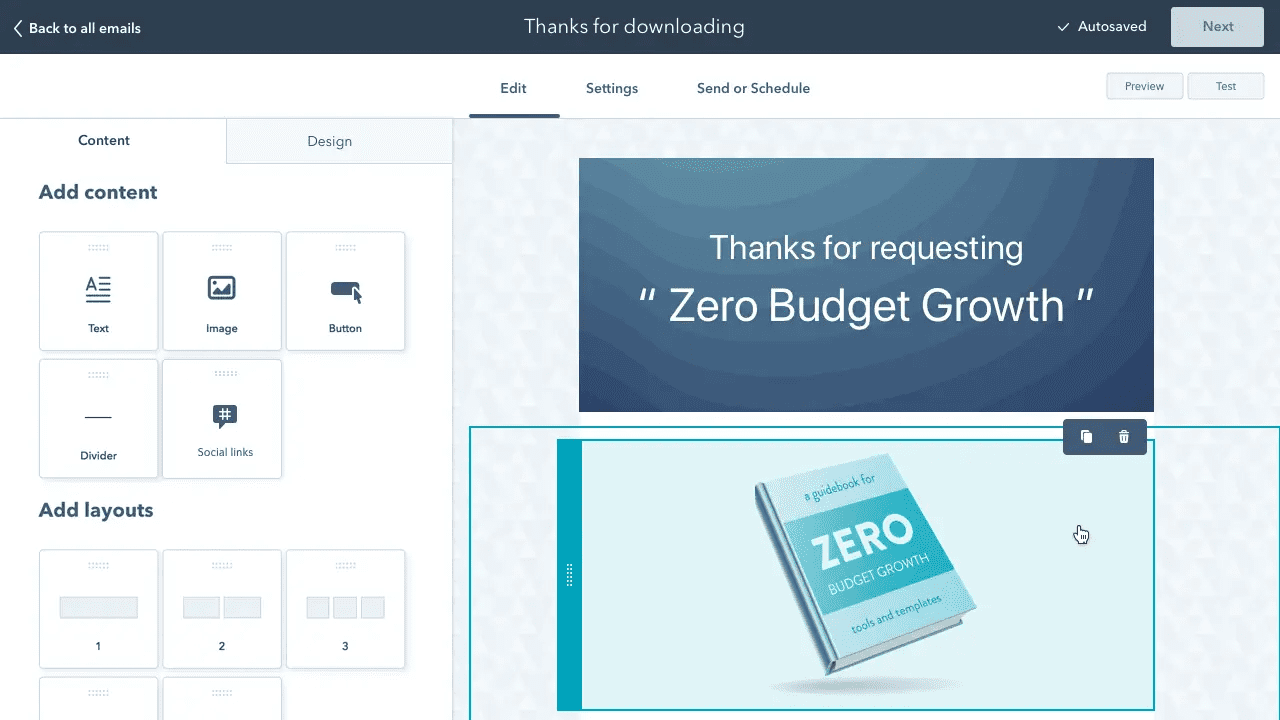
With HubSpot’s free plan, you get access to essential email marketing features such as:
-
-
-
Drag-and-drop email editor
-
Pre-built email templates
-
CRM-powered personalization
-
Built-in reporting dashboards
-
-
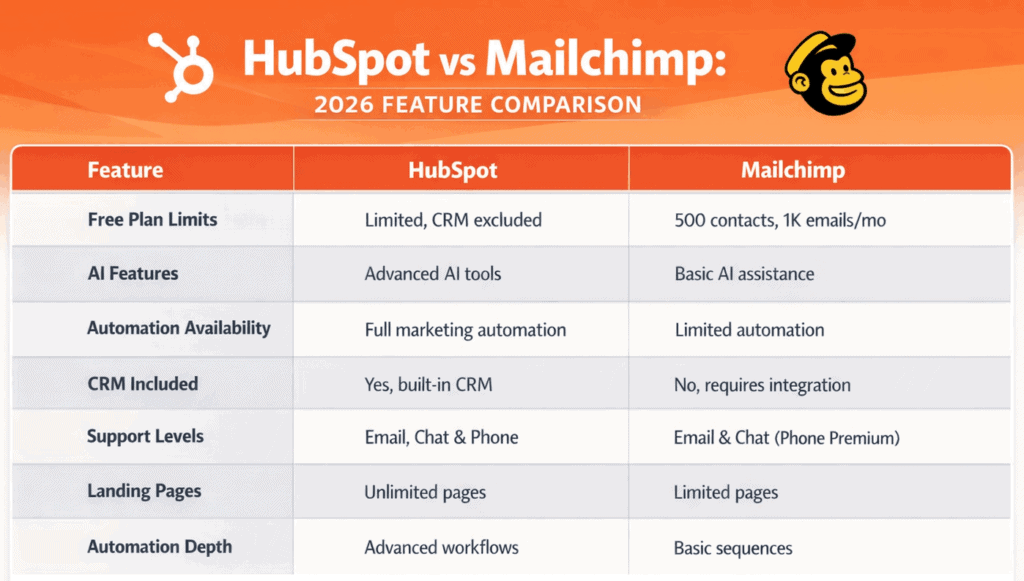
Free users can send up to 2,000 emails per month, which is suitable for early-stage businesses or testing campaigns.
Paid Marketing Hub plans significantly increase sending limits and unlock deeper automation:
-
-
-
Starter: higher send limits and basic automation
-
Professional & Enterprise: advanced workflows, unlimited automation, and sophisticated reporting
-
-
While HubSpot’s free plan offers limited automation, its paid plans are designed for teams that rely heavily on multi-step email nurturing, lifecycle marketing, and revenue attribution.
Parisa H. (Senior Campaign Manager) says HubSpot is a true “one-stop shop,” praising its integrated funnels, email, and customer history—and notes support/account management is easy to reach when needed. (G2)
Mailchimp Email Marketing (2026)
Mailchimp remains one of the most popular email-first marketing platforms, with a strong focus on usability, creative tools, and high-volume sending.
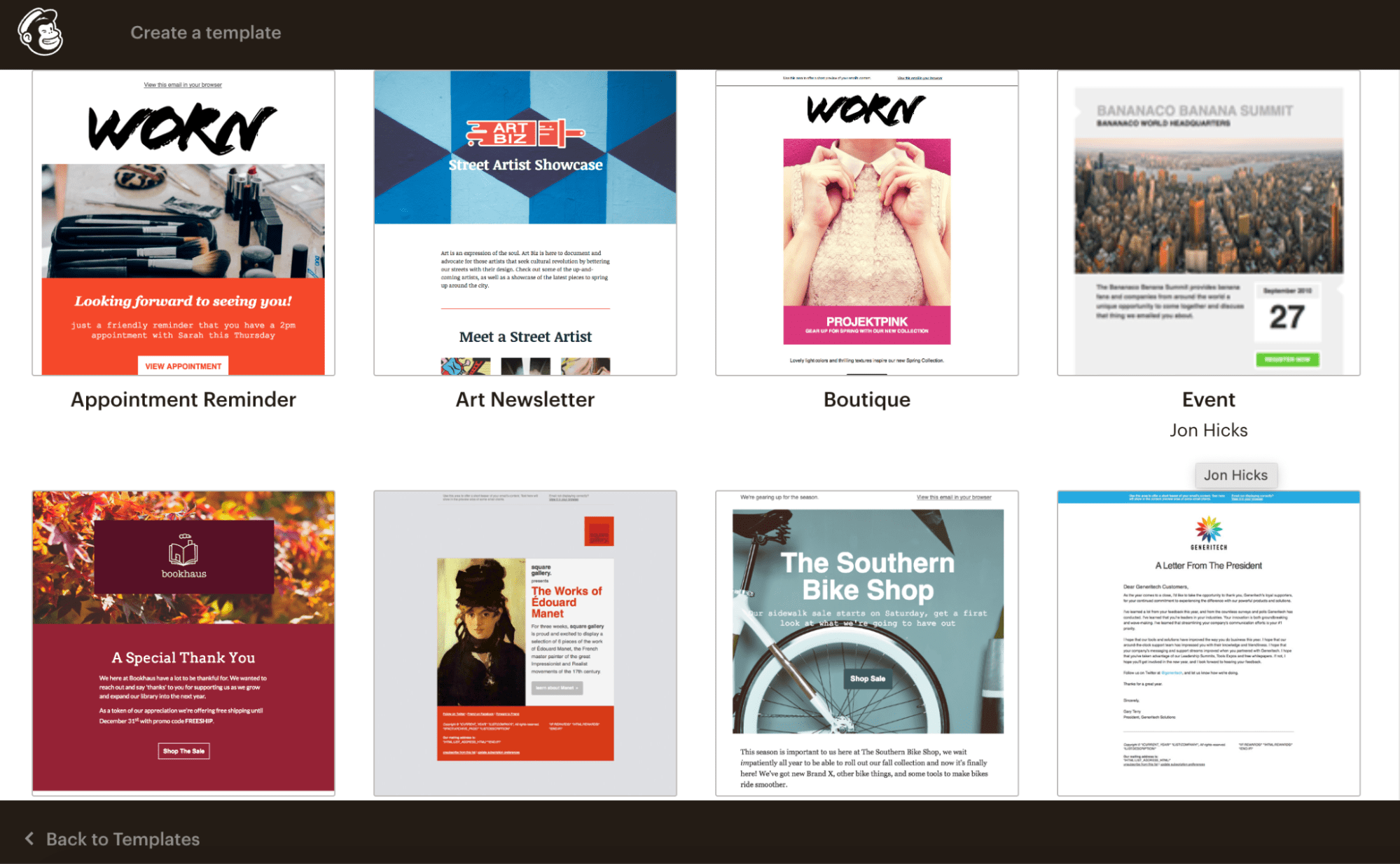
Mailchimp’s email marketing includes:
-
-
-
Intuitive drag-and-drop email builder
-
Professionally designed templates
-
Visual automation builder
-
Strong eCommerce integrations
-
-
However, Mailchimp’s free plan has changed significantly. As of recent updates, free users are limited to:
-
-
-
500 contacts
-
Approximately 1,000 monthly email sends
-
No multi-step automation
-
-

Mailchimp’s paid plans dramatically increase send limits—scaling into the hundreds of thousands or more per month—often at a lower entry price than HubSpot’s comparable tiers.
Mailchimp also allows single-step automation on lower plans, with advanced multi-step journeys available on higher tiers.
Tim W. (General Manager – E-commerce) highlights Mailchimp’s updated visual builder for faster branded emails, strong analytics, and smooth e-commerce automations; he calls deliverability “consistently strong.” (G2)
Here’s a side-by-side comparison of some email marketing features of HubSpot and Mailchimp:
| Email Marketing Features | HubSpot | Mailchimp |
|---|---|---|
| Drag-and-drop editor | ✔ | ✔ |
| Personalized emails | ✔ | ✔ |
| Custom templates | ✔ | ✔ |
| Email scheduling | ✔ | ✔ |
| A/B testing | ✔ | ✔ |
| Reporting & analytics | ✔ | ✔ |
Read also: HubSpot vs Insightly: Pricing, Functionality, Features & More
Bottom line:
Mailchimp excels at affordable, high-volume email marketing, especially for content creators and eCommerce brands.
HubSpot stands out for businesses that need CRM-driven personalization, advanced automation, and full-funnel visibility—making email marketing part of a larger growth engine rather than a standalone tool.
It’s a long article, for sure 😅
Want to watch a video instead? Here’s the marketer Megan Grant on the HubSpot vs Mailchimp comparison:
2. Landing pages
If you run multiple campaigns throughout the year—product launches, webinars, lead magnets, or seasonal promos—having a built-in landing page builder inside your marketing platform is a big advantage.
In the HubSpot vs Mailchimp 2026 comparison, both platforms offer landing pages, but the limits, pricing triggers, and testing capabilities differ in meaningful ways.
So, what do you get with each solution?
HubSpot Landing Pages (2026)
HubSpot includes landing pages as part of its Marketing Hub, tightly connected to CRM, forms, analytics, and automation.
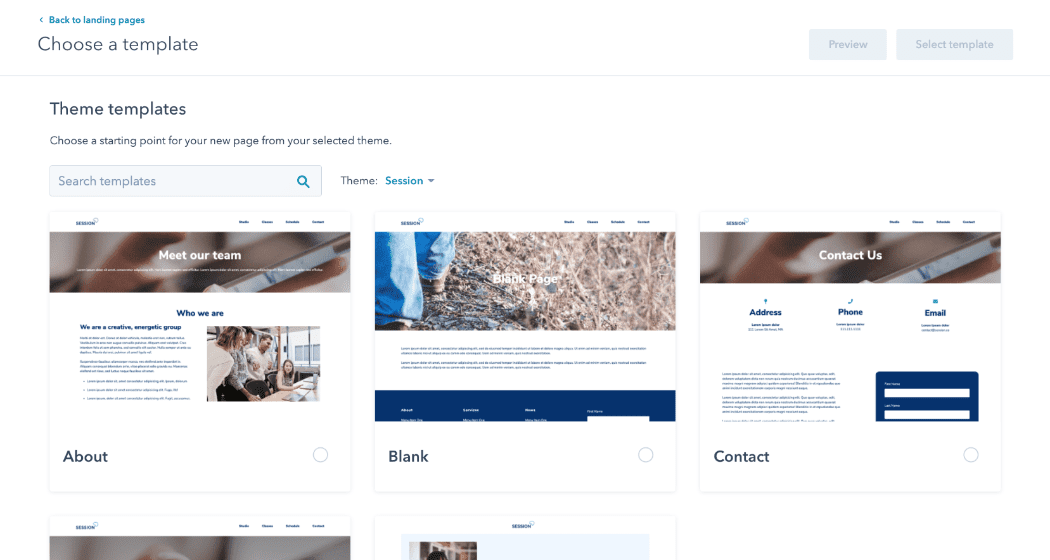
On HubSpot’s free CRM plan, users can:
-
-
-
Build up to 20 landing pages
-
Use basic, responsive templates
-
Customize pages with a drag-and-drop editor
-
Track performance with built-in analytics
-
-
To create more than 20 landing pages, you’ll need to upgrade to a paid Marketing Hub plan.
A/B testing for landing pages is available only on higher-tier plans (Professional and above), making HubSpot better suited for teams that run conversion-optimized, data-driven campaigns at scale rather than high-volume one-off pages.
HubSpot also supports:
-
-
-
Custom domains
-
Scheduled publishing
-
Deep CRM-based reporting tied to contacts and lifecycle stages
-
-
See our Landing Page Builder Guide for best practices.
Mailchimp Landing Pages (2026)
Landing pages work very differently in Mailchimp—and this is one area where Mailchimp remains especially attractive for smaller teams.
With Mailchimp’s free plan, you can:
-
-
-
Create an unlimited number of landing pages
-
Use pre-designed landing page templates
-
Customize pages using a visual editor
-
Track page performance with basic analytics
-
-
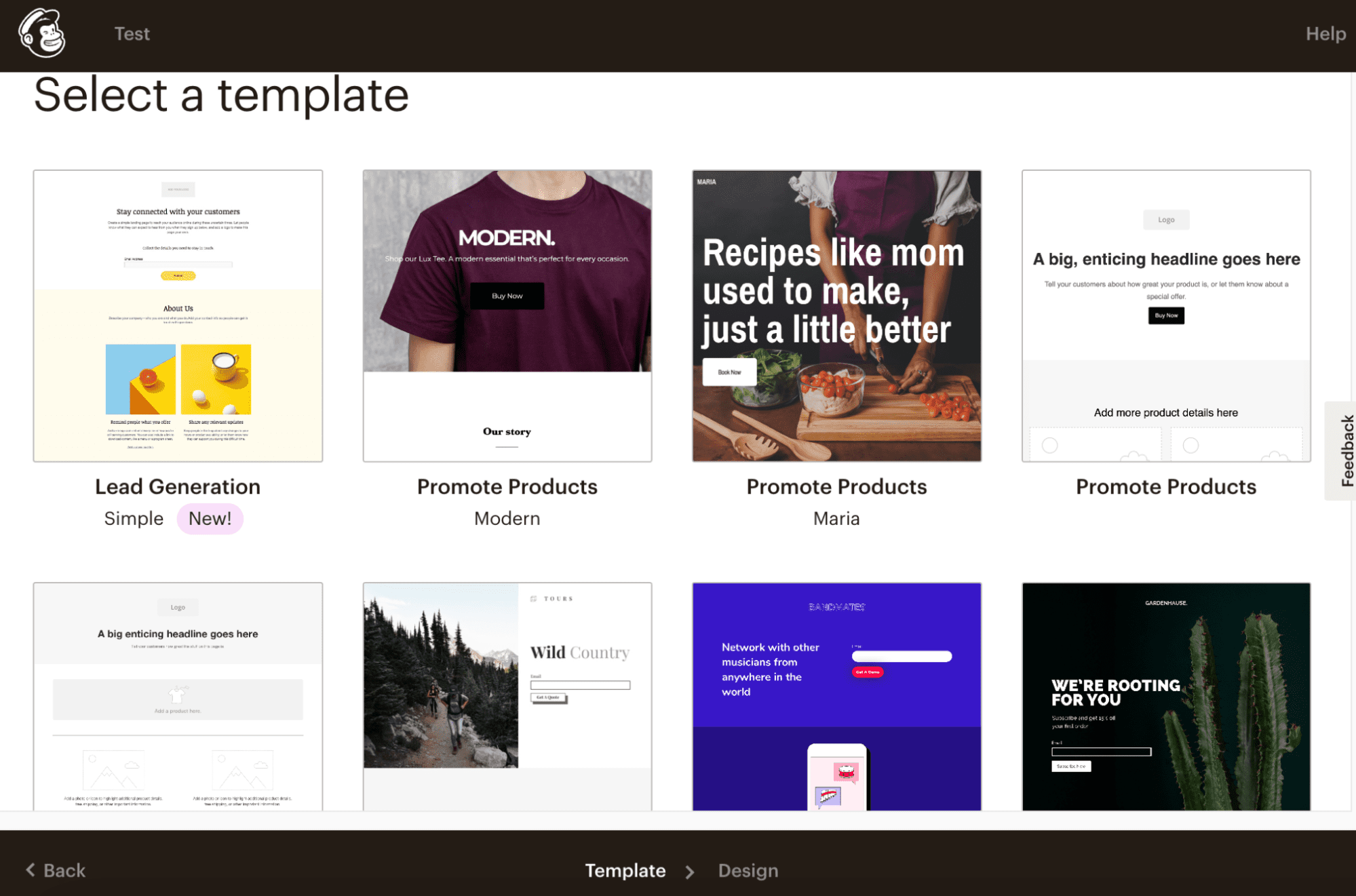
Mailchimp allows A/B testing for landing pages starting on paid plans, which come in at a much lower entry cost compared to HubSpot’s advanced tiers.
This makes Mailchimp a popular choice for creators, ecommerce brands, and marketers who rely on frequent campaign-specific landing pages without needing advanced CRM logic.
Both HubSpot and Mailchimp support on-page SEO optimizations, including SEO titles, meta descriptions, and indexing controls—making them suitable for paid traffic and organic campaign pages alike.
Here’s a quick head-to-head comparison of HubSpot vs Mailchimp landing page features in 2026:
| Landing Page Features | HubSpot | Mailchimp |
|---|---|---|
| Drag-and-drop landing page builder | ✔ | ✔ |
| On-page SEO optimizations | ✔ | ✔ |
| Landing page templates | ✔ | ✔ |
| Scheduled publishing | ✔ | ✖ |
| Use custom domain | ✔ | ✔ |
| Analytics & reporting | ✔ | ✔ |
Read also: Constant Contact vs Mailchimp and Other Email Tools [Tables]
3. Forms
Forms are a core component of any modern marketing stack.
Whether you’re capturing leads from landing pages, blog posts, pop-ups, or embedded website forms, your form builder must be flexible enough to collect data, segment contacts, and trigger automated follow-ups.
In the HubSpot vs Mailchimp 2026 comparison, both platforms offer form-building tools—but they differ significantly in customization depth, CRM integration, and advanced logic.
HubSpot Forms (2026)
HubSpot offers a powerful, CRM-connected form builder as part of its free CRM and Marketing Hub.
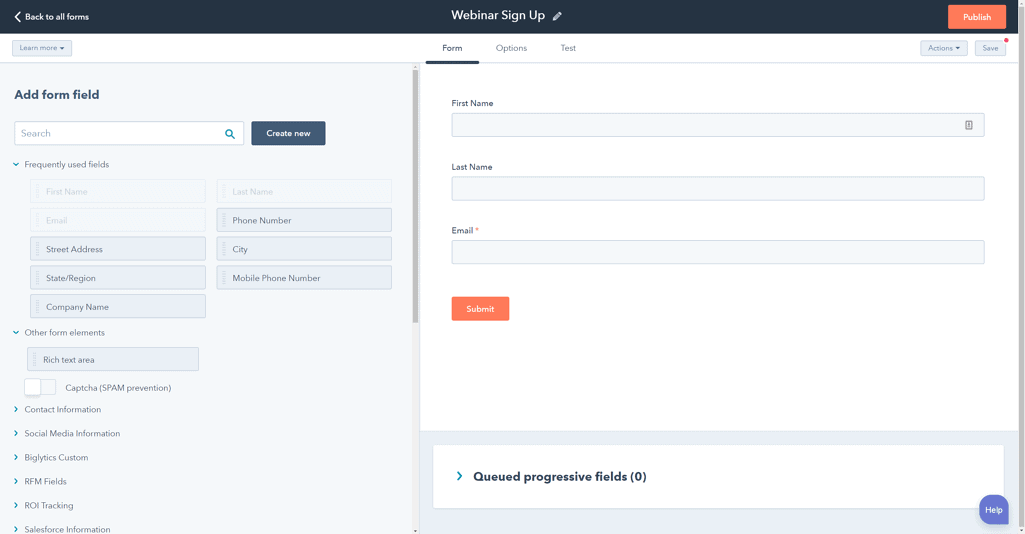
On HubSpot’s free plan, you get access to:
-
-
-
Standalone forms
-
Embedded website forms
-
Pop-up and slide-in forms
-
Built-in GDPR compliance options
-
Automatic contact creation inside the CRM
-
-
Upgrading to HubSpot’s Starter plan unlocks additional customization, including improved styling and branding controls.
For businesses that need advanced data capture and personalization, Professional and Enterprise plans offer:
-
-
-
Dependent (conditional) form fields
-
Smart fields that adapt based on known contact data
-
Advanced targeting and segmentation
-
Custom email validation and logic rules
-
Code-level customization for complex use cases
-
-
These features make HubSpot’s forms ideal for companies running multi-offer campaigns, B2B lead qualification flows, and personalized user journeys.
Mailchimp Forms (2026)
Mailchimp also provides form-building capabilities designed for simplicity and speed, especially for email list growth.
With Mailchimp, you can create:
-
-
-
Embedded website forms
-
Signup forms and pop-ups
-
Mobile-responsive form layouts
-
GDPR-compliant opt-in fields
-
-
Mailchimp’s form builder supports standard customization and segmentation but does not include dependent (conditional) fields.
This means all users see the same form fields regardless of how they respond.
For simpler use cases—such as newsletter signups or basic lead capture—Mailchimp forms are more than sufficient.
However, for marketers who need dynamic forms that change based on user input, HubSpot provides significantly more flexibility.
Why Dependent Fields Matter
Dependent fields allow you to display form questions based on a visitor’s previous response, creating a smoother and more relevant experience.
For example, a marketer offering both blog writing services and ebook creation can:
-
-
-
Ask visitors which service they’re interested in
-
Show follow-up questions specific to blog posts or ebooks
-
Capture cleaner, more relevant data without overwhelming users
-
-
This type of conditional logic is especially valuable for B2B marketing, service-based businesses, and high-intent lead qualification—areas where HubSpot’s form builder clearly stands out in 2026.
Bottom line:
Mailchimp forms are best suited for simple list building and quick lead capture, while HubSpot’s forms excel in advanced segmentation, personalization, and CRM-driven workflows—making them a better fit for growing businesses that rely on data-rich marketing automation.
Read also: EngageBay vs HubSpot — Market Leader or Emerging Powerhouse?
4. Contact management
Effective contact management is the foundation of successful email marketing, automation, and personalization.
In the HubSpot vs Mailchimp 2026 comparison, both platforms allow you to store and manage contacts—but the depth of CRM functionality and segmentation flexibility differs significantly.
HubSpot Contact Management (2026)
HubSpot is built around a full-featured CRM, making contact management one of its strongest areas.
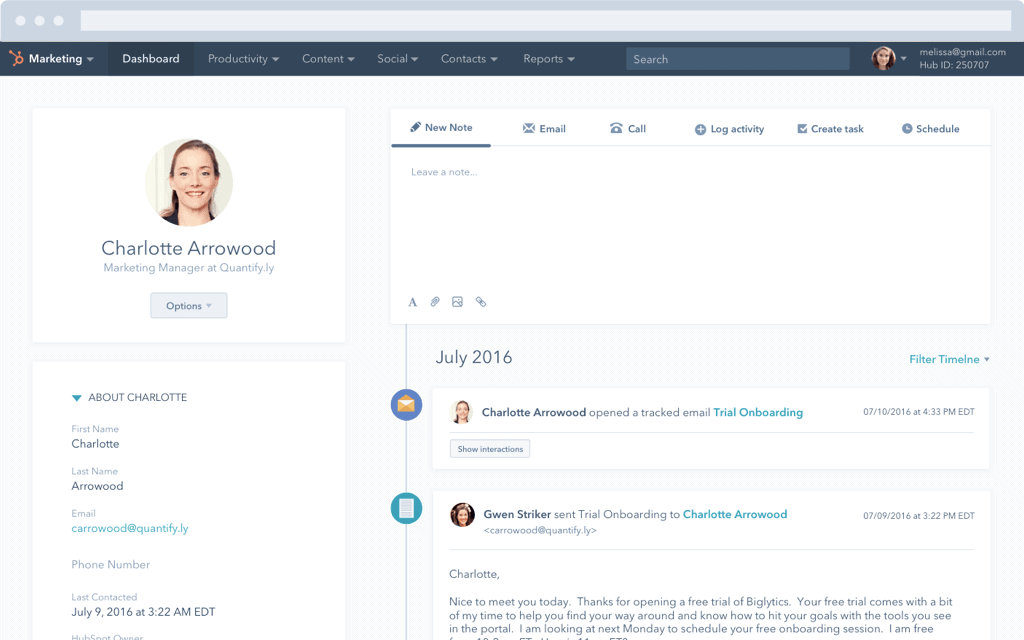
With HubSpot, you can:
-
-
-
Create, update, and delete contact records individually or in bulk
-
Maintain detailed contact profiles with activity history, lifecycle stages, and engagement data
-
Use powerful filtering and segmentation tools to build dynamic lists
-
Add custom contact properties to track business-specific data
-
-
Each contact profile acts as a single source of truth, showing emails opened, pages visited, forms submitted, and interactions across marketing, sales, and support—making HubSpot ideal for teams that rely on CRM-driven marketing and personalization.
Mailchimp Contact Management (2026)
Mailchimp offers contact management designed primarily for email campaigns rather than full CRM use cases.
Mailchimp allows you to:
-
-
-
Store and organize contacts into audiences and segments
-
Manage list subscriptions and opt-in status
-
Create custom fields for contact data
-
-
However, there are notable limitations. Bulk contact updates typically require re-importing lists, and advanced filtering and segmentation tools are available only on paid plans.
Contact profiles are focused mainly on campaign engagement rather than full customer lifecycle tracking.
HubSpot vs Mailchimp: Contact Management Features Comparison (2026)
| Contact Management Features | HubSpot | Mailchimp |
|---|---|---|
| Update contacts in bulk | ✔ | Via import |
| Filtering options for list segmentation | ✔ | ✔* |
| List & audience management | ✔ | ✔ |
| Custom contact properties | ✔ | ✔ |
Read also: How Does Mailchimp’s Pricing Compare To Its Competitors?
5. Automation tools
As your business scales in 2026, marketing automation becomes essential—not just for sending emails, but for orchestrating customer journeys across channels, teams, and lifecycle stages.
In the HubSpot vs Mailchimp automation comparison, both platforms offer automation tools, but they differ greatly in scope, flexibility, and business impact.
HubSpot Marketing Automation (2026)
HubSpot offers one of the most comprehensive marketing automation engines available today, built on top of its CRM.
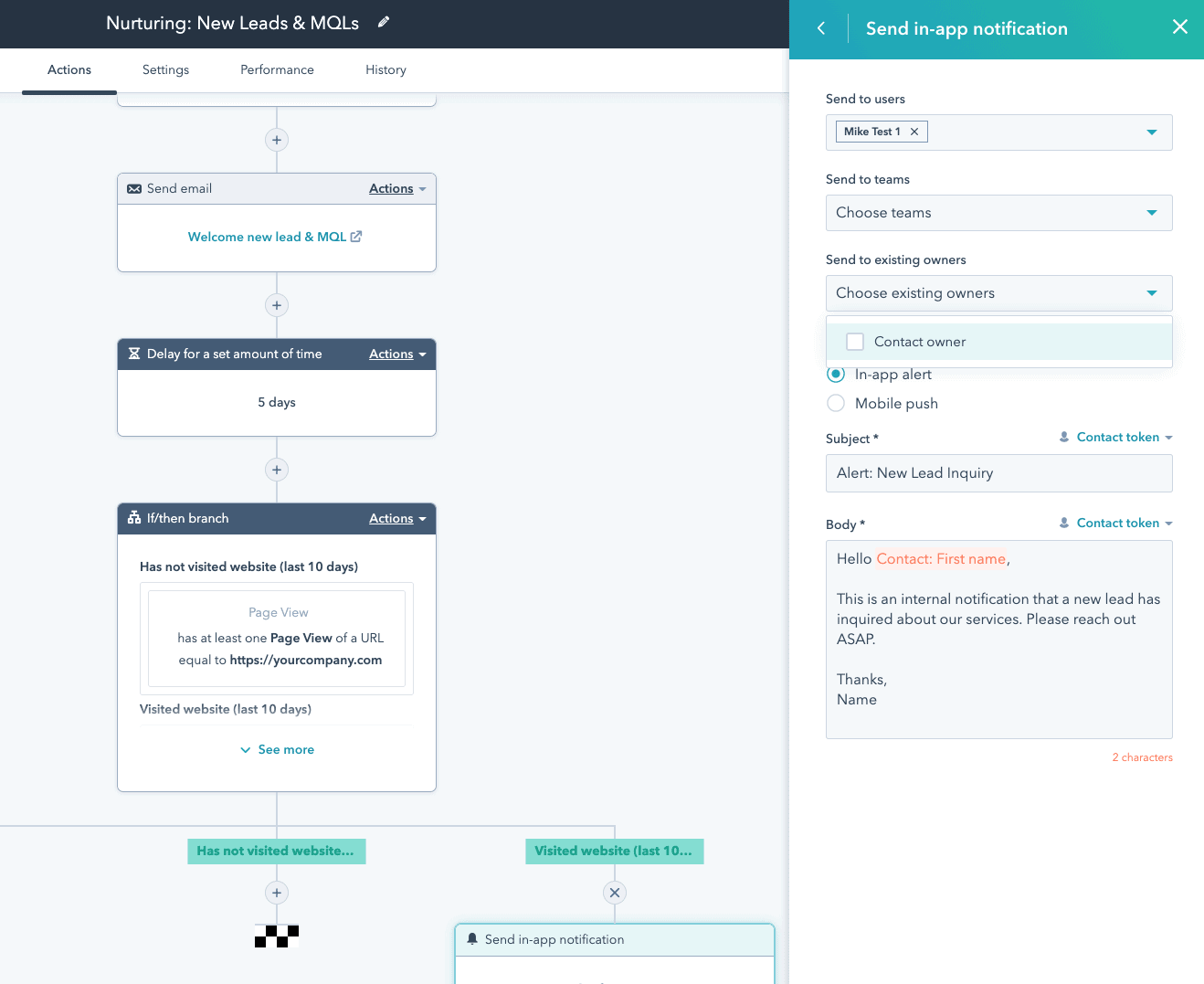
With HubSpot, you can:
-
-
-
Send behavior-triggered emails based on user actions
-
Create multi-step automated email sequences
-
Build advanced workflows using conditions, delays, and branching logic
-
Automatically update contact properties and lifecycle stages
-
Trigger actions across marketing, sales, and support
-
-
Unlike email-only automation tools, HubSpot enables omnichannel automation—including email, CRM updates, internal notifications, task creation, and lead assignment.
It also supports account-based marketing (ABM) automation, making it a strong choice for B2B teams managing complex sales cycles.
Mailchimp Marketing Automation (2026)
Mailchimp focuses primarily on email-centric automation, with tools designed for ease of use and quick setup.
Mailchimp’s automation features include:
-
-
-
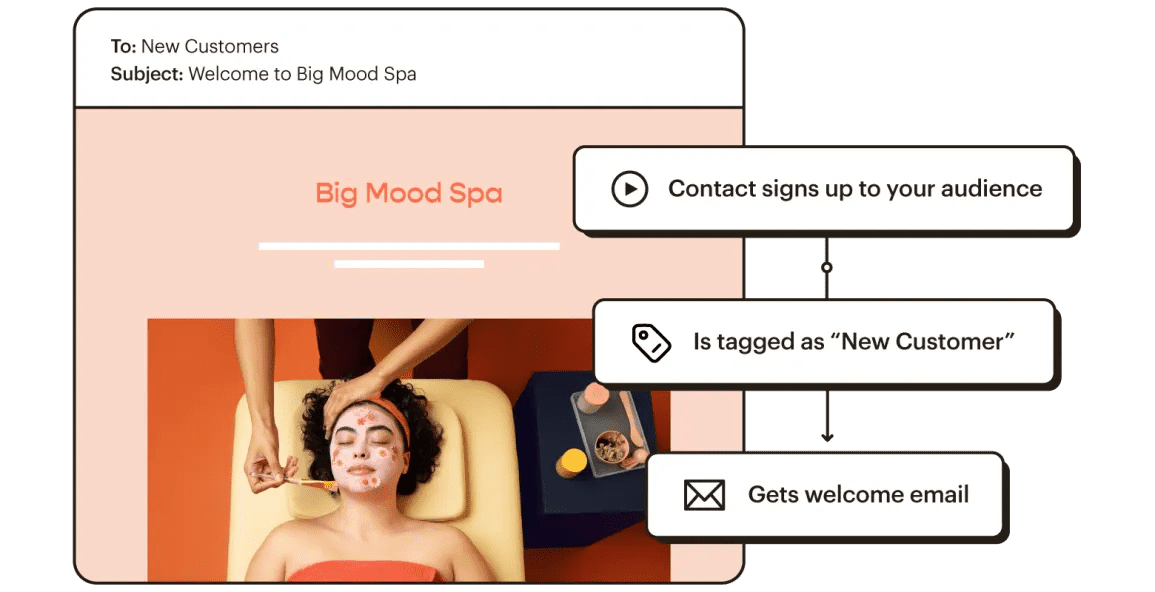
Automated welcome and onboarding email sequences
-
Date-based and event-triggered emails
-
E-commerce automations such as abandoned cart and product retargeting
-
Basic audience segmentation triggers
-
-
While Mailchimp’s automation is effective for email marketing and ecommerce workflows, it does not support omnichannel automation or advanced CRM-based logic.
Automation actions are largely limited to email campaigns, without deeper integration into sales or support processes.
Head-to-head comparison of HubSpot vs Mailchimp automation features (2026):
| Marketing Automation Features | HubSpot | Mailchimp |
|---|---|---|
| Email sequences | ✔ | ✔ |
| Email scheduling | ✔ | ✔ |
| Omnichannel marketing automation | ✔ | ✖ |
| ABM tools & automation | ✔ | ✖ |
| Contact management automation | ✔ | ✔ |
| Email & chat support | ✔ | ✔ |
Note: Both HubSpot and Mailchimp offer additional marketing automation capabilities beyond what’s summarized here. HubSpot’s automation extends into AI-powered workflows, lead scoring, omnichannel journey orchestration, and CRM-triggered actions, while Mailchimp provides flexible email automation templates, predictive segmentation, SMS automation in select regions, and e-commerce triggers—features that evolve with each platform’s roadmap.
Read also: Convertkit vs Mailchimp vs EngageBay — Which Tool is the Best for Small Businesses?
6. Pricing
Pricing is often the deciding factor in the HubSpot vs Mailchimp debate—especially as your contact list grows.
In 2026, both platforms use contact-based pricing, meaning your costs increase as your audience expands.
However, how those costs scale—and what you get for them—differs significantly.
HubSpot Pricing (Marketing Hub — 2026)
HubSpot continues to position itself as a premium, all-in-one growth platform.
Alongside its free CRM, HubSpot’s Marketing Hub paid tiers scale based on contacts and required access levels.
Marketing Hub plans (monthly, billed annually):
-
-
-
Starter: ~$20/month (1,000 marketing contacts included)
-
Professional: ~$890/month (2,000 marketing contacts included)
-
Enterprise: ~$3,600/month (10,000 marketing contacts included)
-
-
Additional marketing contacts are billed separately as your database grows.
Michael G. (Owner & Marketing Director) likes HubSpot’s power and integrations but calls the menus/navigation “confusing” and says pricing is high for smaller teams (Capterra)
You can also bundle Marketing Hub with Sales, Service, CMS, or Operations Hub, which increases flexibility—but also total cost.
HubSpot Seat-Based Pricing Changes (Still Relevant in 2026)
HubSpot’s seat model update—introduced in 2024—remains in effect and continues to impact pricing clarity.
-
-
View-Only seats:
-
Free and unlimited
-
Access to reports, records, and dashboards only
-
-
Core seats (paid):
-
Required for users who need to edit records, send emails, manage automation, or approve workflows
-
Previously included for free on some plans, now billed separately
-
-
This shift added flexibility for large teams but increased costs for small businesses that previously relied on free edit access.
HubSpot Seat Structure Comparison:
| User requirement | Previous pricing structure | Current pricing structure |
|---|---|---|
| View-only access to reports & records | Included in free plan | Free View-Only seat |
| Edit access to records, emails & automation | Included in free plan | Paid Core seat |
| Sales & Service features | Dedicated Sales/Service seat | Dedicated Sales/Service seat |
Bottom line: HubSpot delivers enterprise-grade value—but startups and SMBs may find the cost per contact and per seat difficult to justify early on.
Mailchimp Pricing (2026)
Mailchimp takes a more accessible approach, especially for email-first teams and ecommerce businesses.
Mailchimp’s paid plans (starting at ~500 contacts) include:
-
-
Essentials: from ~$13/month
-
Basic email automation
-
A/B testing
-
Higher send limits
-
-
Standard: from ~$20/month
-
Advanced automation
-
Customer journey builder
-
Behavioral targeting
-
-
Premium: from ~$350/month
-
Advanced segmentation
-
Multivariate testing
-
Dedicated onboarding
-
Custom contact limits
-
-
Mailchimp’s pricing scales primarily by contacts and features, without seat-based complexity—making costs easier to predict for smaller teams.
HubSpot vs Mailchimp Pricing: Key Takeaways (2026)
-
-
-
HubSpot is significantly more expensive, but includes CRM, omnichannel automation, analytics, and sales alignment
-
Mailchimp offers lower entry pricing and simpler scaling for email and ecommerce marketing
-
Seat-based pricing makes HubSpot powerful—but costly for small teams
-
Mailchimp remains more budget-friendly for startups and SMBs focused on email marketing
-
-
Verdict:
Choose HubSpot if you need a unified CRM-driven growth platform and can support the investment.
Choose Mailchimp if you want cost-effective email marketing and automation without enterprise-level overhead.
Read also: An In-Depth Look At HubSpot vs Pipedrive
7. Contract & Billing Flexibility
Contract terms can be just as important as features and pricing—especially for growing businesses that need flexibility.
In the HubSpot vs Mailchimp contract comparison for 2026, the two platforms take very different approaches to commitments, cancellations, onboarding, and overage charges.
HubSpot Contract Terms (Marketing Hub — 2026)
HubSpot requires longer-term commitments on its higher-tier plans, which can be a sticking point for SMBs.
-
-
Starter plan:
-
Billed monthly (no annual lock-in)
-
You can cancel, but only at the end of the billing cycle
-
-
Professional & Enterprise plans:
-
Annual contract required
-
Downgrades are not allowed until the contract expires
-
Early cancellation does not waive remaining payments
-
-
Additionally, HubSpot may charge mandatory onboarding fees on Professional and Enterprise plans—often running into thousands of dollars—depending on region and package.
This contract structure works well for established teams committed to long-term growth but can feel restrictive for startups or companies experimenting with marketing automation.

Mailchimp Contract Terms (2026)
Mailchimp offers significantly more flexibility when it comes to contracts and billing.
-
-
-
All paid plans are month-to-month
-
You can cancel anytime without penalties
-
No mandatory onboarding fees
-
Optional pay-as-you-go credits for irregular email senders
-
-
However, Mailchimp enforces contact and send limits strictly.
If you exceed your plan’s thresholds, overage charges apply automatically, which can increase costs unexpectedly if lists aren’t managed carefully.
Here’s how HubSpot and Mailchimp stack up regarding contracts in 2026:
| Contract Terms | Mailchimp Standard Plan | HubSpot Starter Plan* | HubSpot Professional Plan* |
|---|---|---|---|
| Billing cycle | Monthly recurring | Monthly recurring | Annual commitment required |
| Cancellation flexibility | Cancel anytime | Cancel at end of billing cycle | Cancel only after contract term |
| Mandatory onboarding fee | ✖ | ✖ | ✔ |
| Overage charges | ✔ | ✔ | ✔ |
* The contract terms above apply to HubSpot Marketing Hub plans. Seat-based pricing, onboarding requirements, and overage policies may also apply across other HubSpot Hubs when bundled.
Bottom line:
Mailchimp offers maximum flexibility with minimal risk, making it ideal for businesses that want the freedom to scale up or down.
HubSpot’s contract model is better suited for companies ready to commit long-term to a full CRM-driven marketing ecosystem—but it can be limiting for smaller teams that need agility in 2026.
Read also: What is MailerLite? Reviews, Pricing, Pros and Cons, Alternatives
8. Customer support
Reliable customer support becomes increasingly important as your marketing operations grow more complex.
In the HubSpot vs Mailchimp customer support comparison for 2026, both platforms offer multiple support channels—but availability varies significantly by plan tier.
HubSpot Customer Support (2026)
HubSpot provides a structured, tiered support model designed to scale with your business.
-
-
Free plan users
-
Access to HubSpot Academy, documentation, and community forums
-
No direct email, chat, or phone support
-
-
Starter plan and above
-
Email and live chat support included
-
-
Professional and Enterprise plans
-
Email, live chat, and phone support
-
Faster response times and priority handling
-
-
HubSpot also differentiates itself with HubSpot Academy, offering certifications, courses, and in-depth training—making it easier for teams to onboard and upskill quickly without additional cost.
Mailchimp Customer Support (2026)
Mailchimp offers simpler support access but with more limitations at lower tiers.
-
-
Free plan users
-
Email support limited to the first 30 days only
-
Ongoing access to self-service guides and tutorials
-
-
Standard plan users
-
Email and live chat support
-
-
Premium plan users
-
Email, live chat, and phone support
-
-
Mailchimp maintains a comprehensive help center with step-by-step guides, how-to articles, and best practices—ideal for small teams that prefer self-service learning.
HubSpot vs Mailchimp: Customer Support Comparison (2026):
| Support Channels | HubSpot | Mailchimp |
|---|---|---|
| Email support | Starter plan & above | Standard plan & above |
| Live chat support | Starter plan & above | Standard plan & above |
| Phone support | Professional & Enterprise | Premium only |
| Knowledge base & community | ✔ | ✔ |
Bottom line:
HubSpot offers more comprehensive support access earlier, making it better suited for teams that need hands-on help as they scale.
Mailchimp’s support model works well for self-directed users, but phone support and extended assistance come only at the highest tier in 2026.
Read also: HubSpot vs Mailchimp vs EngageBay — Which Tool Worth Spending Money?
9. Customer reviews
User feedback plays a critical role in evaluating marketing software, especially when comparing enterprise-grade platforms with SMB-friendly tools.
In the HubSpot vs Mailchimp 2026 review comparison, both platforms receive strong overall ratings on G2—but for very different reasons.
HubSpot G2 Reviews (Marketing Hub)
HubSpot continues to receive high praise on G2 for its feature depth, CRM integration, and scalability.
Many users highlight HubSpot’s ability to unify marketing, sales, and service teams within a single platform.
That said, recurring feedback in 2026 points to complexity and cost as common drawbacks—especially for small teams that don’t need the full breadth of features.
Here’s what one user said:
“HubSpot is a really heavy tool that has far more functionality than I need and is fairly cumbersome to use. The price tag is eye-watering and I much prefer to use a combination of other specialty tools that get the job done more easily and at far lower cost.”
This sentiment is frequently echoed by SMB users who feel HubSpot is better suited for mid-market and enterprise organizations.
Mailchimp G2 Reviews
Mailchimp is widely regarded as one of the most user-friendly email marketing platforms available.
Reviewers consistently praise its intuitive interface, ease of setup, and large ecosystem of integrations.
However, some users note limitations in advanced automation, CRM depth, and customer support, particularly on lower-tier plans—areas where Mailchimp intentionally keeps things simple.
Below is a side-by-side comparison of HubSpot and Mailchimp G2 user ratings in 2026:
| G2 User Ratings | HubSpot | Mailchimp |
|---|---|---|
| Ease of use | 8.6 | 8.7 |
| Ease of setup | 8.0 | 8.6 |
| Quality of support | 8.8 | 8.0 |
*Ratings reflect long-term averages on G2 and may vary slightly by product category and plan level.
Mailchimp Free Plan Changes (2026): What’s Different Now?
Mailchimp’s Free plan has gone through major restrictions over the last few years, and by 2026 it looks very different from what long-time users may remember.
These updates significantly impact startups and small businesses comparing HubSpot vs Mailchimp free plans.
The most notable changes include a sharp reduction in contact limits, lower email send caps, and the removal of automation features—making the Free plan far less suitable for growing marketing teams.
Starting June 1, 2025, Mailchimp discontinued the Classic Automation Builder for Free plan users. This tool previously allowed automated workflows like welcome sequences, abandoned cart reminders, and follow-up emails.
Automation features are now only available on paid plans, making it harder for Free users to run effective drip campaigns or automated customer journeys.
What Changed in Mailchimp’s Free Plan?
As of the latest updates still in effect in 2026:
-
-
-
Maximum contacts were reduced from 2,000 to just 500
-
Monthly email sends are capped at 1,000, with a strict daily limit of 500
-
Automation features—previously available through the Classic Automation Builder—are no longer included
-
Automated workflows such as welcome sequences, abandoned cart emails, and drip campaigns are now locked behind paid plans
-
-
This means that even with the full 500-contact allowance, you can’t email your entire list more than twice per month, severely limiting campaign frequency and engagement.
Impact on Free Users
While the Free plan still includes:
-
-
-
Unlimited landing pages
-
Basic email templates
-
Essential design and branding tools
-
-
The combination of reduced contact limits, lower send thresholds, and no automation makes it difficult for businesses to run meaningful email marketing campaigns without upgrading.
Chelsea (Education Management) values Mailchimp’s free features for early-stage startups but notes that advanced capabilities are heavily paywalled and costs “grow quickly” as contacts increase. She also mentions that some customizations feel less intuitive than expected. (SoftwareAdvice)
While the Free plan still includes unlimited landing pages and basic design tools, the combination of reduced contact limits, lower send caps, and the removal of automation features makes it much more restrictive for growing businesses compared to earlier versions of the plan.
Mailchimp Free Plan: Before vs Now
| Feature | Before (Pre-2024) | Now (2026) |
|---|---|---|
| Max contacts | 2,000 | 500 |
| Monthly email sends | 10,000 | 1,000 |
| Daily email send limit | No strict limit | 500 |
| Automation (Classic Builder) | Included | Removed (paid plans only) |
| Landing pages | Unlimited | Unlimited |
| Segmentation | Basic | Basic |
| Support | Email support (first 30 days) | Email support (first 30 days) |
| Templates | Basic templates | Basic templates |
What to Consider Before Choosing Your Marketing Software in 2026
Choosing the right marketing automation platform in 2026 goes far beyond comparing features.
With evolving pricing models, contact-based billing, email send limits, automation restrictions, and landing page caps, it’s essential to align your choice with how your business actually markets and grows.
Before deciding between HubSpot vs Mailchimp, here are the most important factors to consider:
1. Size of Your Email List
Your total number of contacts directly impacts pricing on most marketing platforms.
Choose software that can handle your current list size and still remain affordable as your database grows—without forcing frequent plan upgrades.
2. Email Sending Frequency
How often you email your audience matters just as much as how many contacts you have.
A business sending daily or weekly campaigns needs far higher send limits than one that emails occasionally.
Make sure your platform’s sending caps align with your engagement strategy.
3. Monthly Email Send Limits
Most marketing tools impose monthly send limits, often tied to your plan or contact tier.
If your campaigns include newsletters, promotions, automated sequences, and transactional emails, ensure your chosen platform won’t throttle your outreach or charge unexpected overages.
4. Landing Page Requirements
If email campaigns are a core part of your strategy, dedicated landing pages are essential. Consider:
-
-
-
How many landing pages you’ll need per month
-
Whether A/B testing is required
-
If unlimited landing pages are available without expensive upgrades
-
-
This is especially important for businesses running multiple campaigns or lead magnets.
5. Automation Depth & CRM Integration
Simple autoresponders may be enough for some teams—but others need advanced automation, segmentation, and CRM-driven workflows.
Think about whether you need:
-
-
-
Multi-step customer journeys
-
Behavioral triggers
-
Sales and marketing alignment
-
-
Making the Right Choice
By now, you have a clear understanding of HubSpot’s enterprise-grade power and Mailchimp’s email-first simplicity—and where each excels in 2026.
But what if you’re a small business or startup that wants robust automation, CRM features, email marketing, and landing pages—without enterprise-level pricing?
Meet EngageBay — A Smart HubSpot & Mailchimp Alternative for SMBs
EngageBay delivers the core strengths of both HubSpot and Mailchimp—CRM, email marketing, automation, landing pages, and customer support—at a price point built specifically for small and growing businesses.
If HubSpot’s cost feels out of reach and Mailchimp’s limitations feel restrictive, EngageBay offers a balanced, affordable alternative designed to grow with you in 2026 and beyond.
Read also: MailerLite vs Mailchimp and Other Email Tools
HubSpot vs Mailchimp Alternative for SMBs 2026: Why EngageBay Stands Out
If you like HubSpot’s all-in-one approach but find its pricing overwhelming—or if Mailchimp’s email-first model feels limiting—there’s a third option built specifically for growing teams in 2026: EngageBay.
Like HubSpot, EngageBay goes beyond email marketing. It’s a complete marketing, sales, and support platform designed for small and mid-sized businesses that want powerful tools without enterprise complexity or costs.
Here’s why EngageBay is the best marketing platform for small businesses in 2026:
Built for Small Businesses, Not Enterprises
EngageBay is purpose-built for SMBs, which reflects in three key areas:
-
-
-
Affordable, predictable pricing
-
Hands-on customer support
-
Feature-rich plans—even at the free tier
-
-
Unlike HubSpot and Mailchimp, EngageBay avoids confusing contact-based or seat-based pricing models, making it easier for small teams to budget and scale confidently.
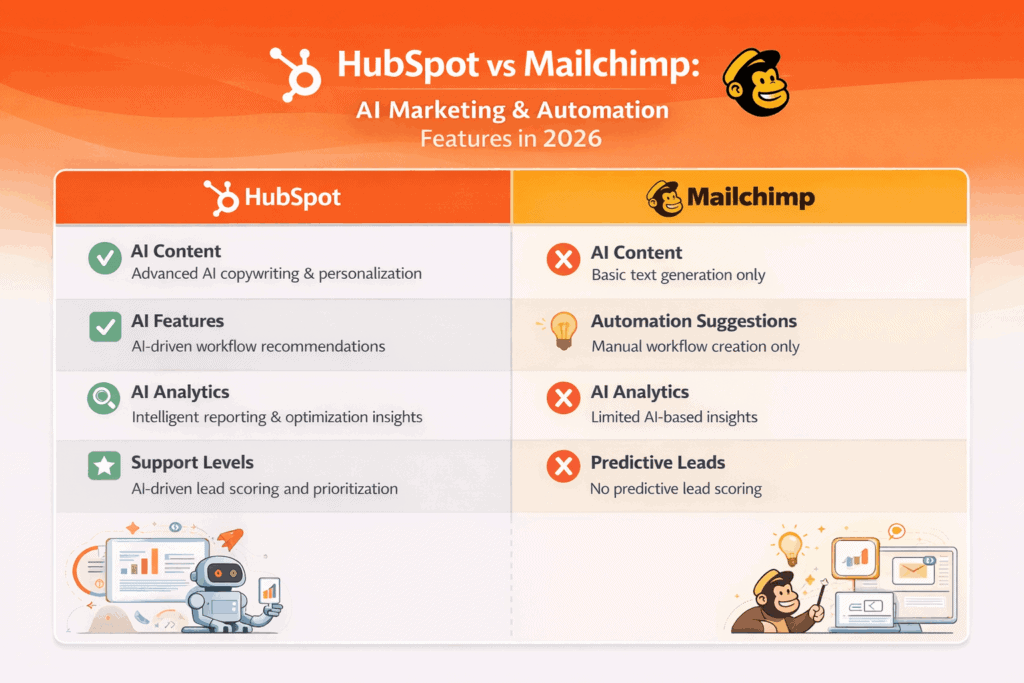
AI-Powered Marketing for SMBs (2026)
In 2026, EngageBay integrates practical AI features designed to save time—not overwhelm users.
With EngageBay, you get:
-
-
-
AI-assisted email writing to generate subject lines, body copy, and follow-ups
-
Smart automation suggestions to streamline customer journeys
-
AI-powered contact insights to help segment and personalize campaigns faster
-
Intelligent support workflows that help prioritize and route conversations efficiently
-
-
These AI capabilities bring enterprise-level efficiency to small teams—without the steep learning curve.
Affordable pricing with No Hidden Scaling Costs
EngageBay offers flat, transparent pricing that unlocks all features at each tier:
-
-
-
Free plan ($0):
-
Live chat with transcripts
-
Conversation routing
-
CRM, email marketing, and basic automation
-
-
Marketing Bay paid plans:
-
Basic: $12.99/month
-
Growth: $49.99/month
-
Pro: $79.99/month
-
-
-
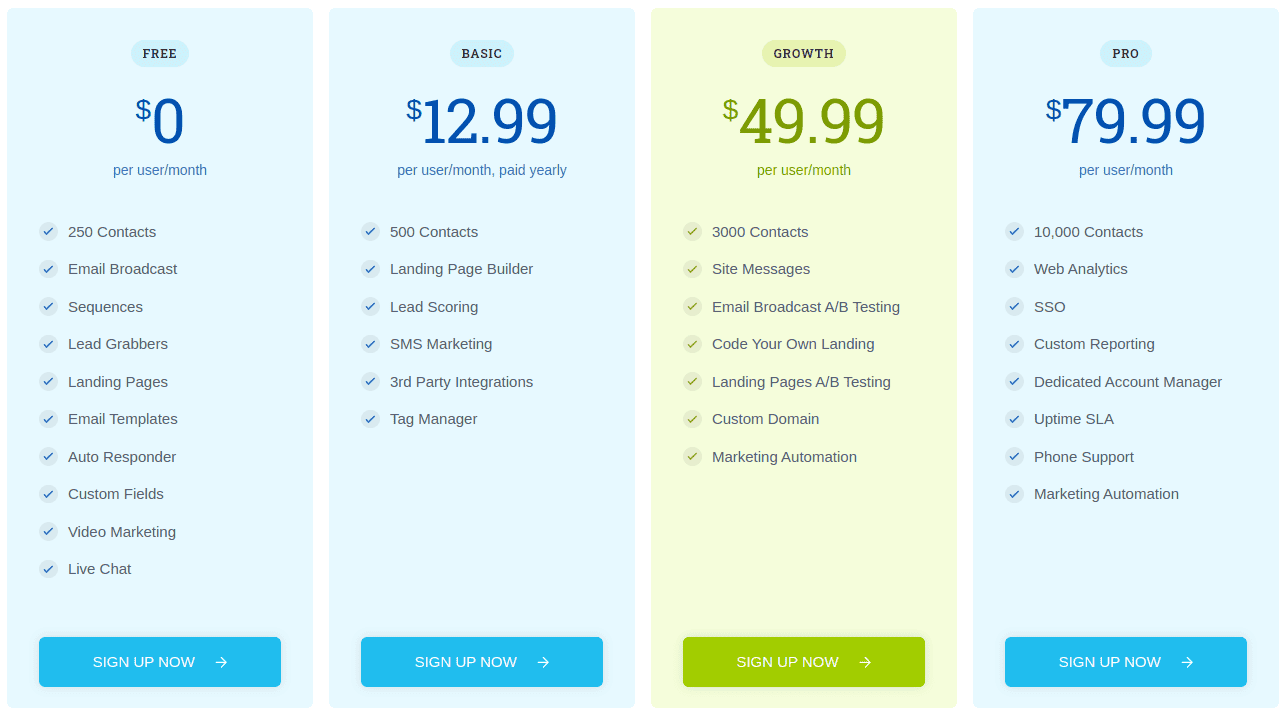
Unlike HubSpot and Mailchimp, EngageBay does not charge extra based on contact count or email send volume within reasonable usage—making it far more cost-effective for growing lists.
Why EngageBay Is the Best HubSpot & Mailchimp Alternative in 2026
-
-
-
All-in-one marketing, sales, and support platform
-
AI-powered features tailored for SMBs
-
Predictable, flat pricing with no surprise overages
-
Generous free plan with real business value
-
Designed to grow with small businesses—not penalize them
-
-
Bottom line:
If you’re an SMB looking for the power of HubSpot, the simplicity of Mailchimp, and modern AI capabilities—all without enterprise pricing—EngageBay is one of the strongest alternatives available in 2026.
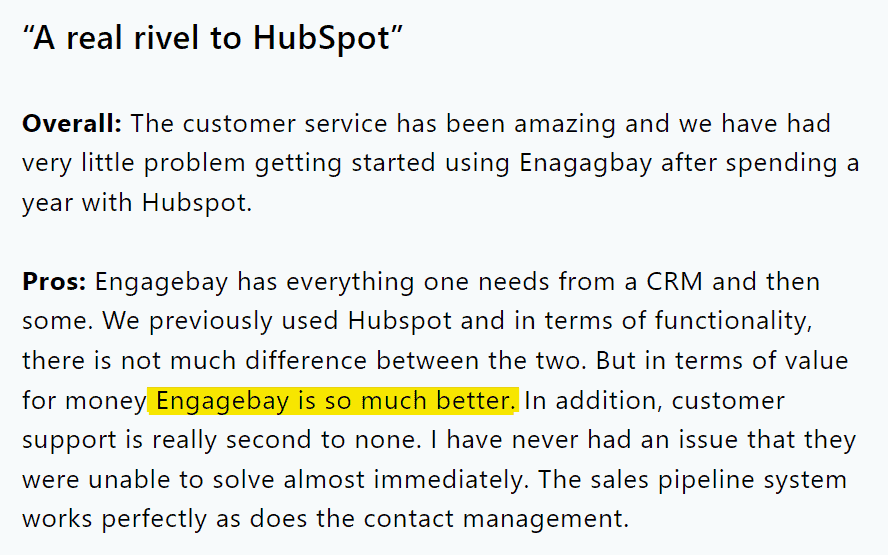
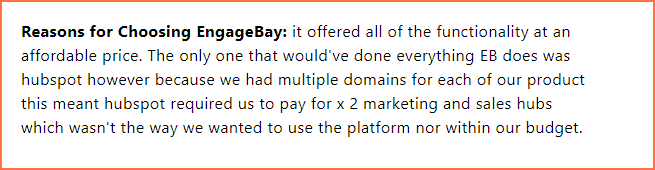
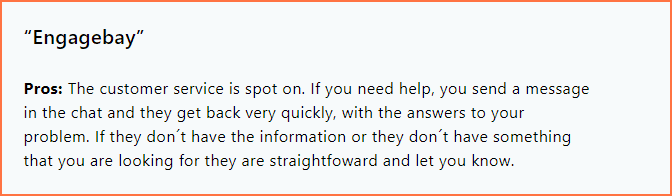
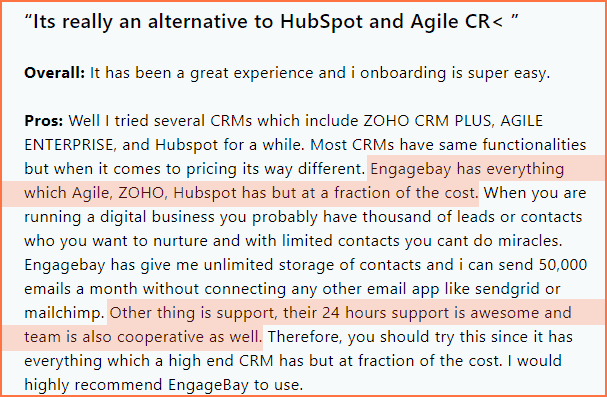
See what an EngageBay user says:
Read also: How To Move From Mailchimp to EngageBay: An Exhaustive Guide
No annual contracts — Built for SMB Flexibility (2026)
Unlike enterprise platforms that lock you into long-term commitments, EngageBay offers 100% contract-free pricing.
-
-
-
Pay month-to-month
-
Cancel anytime—no penalties, no questions
-
Upgrade or downgrade plans as your business evolves
-
-
This flexibility makes EngageBay an ideal alternative to HubSpot and Mailchimp for small businesses that value agility and predictable costs in 2026.

Rich functionality, quality support
EngageBay delivers enterprise-grade marketing functionality, without the enterprise complexity or price tag.
Small businesses get everything they need to manage the entire customer lifecycle from one platform, including:
-
-
-
Email marketing and AI-assisted campaign creation
-
Multi-step visual automation workflows
-
Lead management, segmentation, and personalization
-
Customer journey tracking and behavioral insights
-
Landing pages, email templates, and form builders
-
Sales pipelines and deal management
-
Performance dashboards for teams and campaigns
-
Built-in social media suite and engagement tools
-
-
On top of that, EngageBay’s AI-powered automation and insights help teams work faster—suggesting workflows, improving targeting, and streamlining customer engagement.
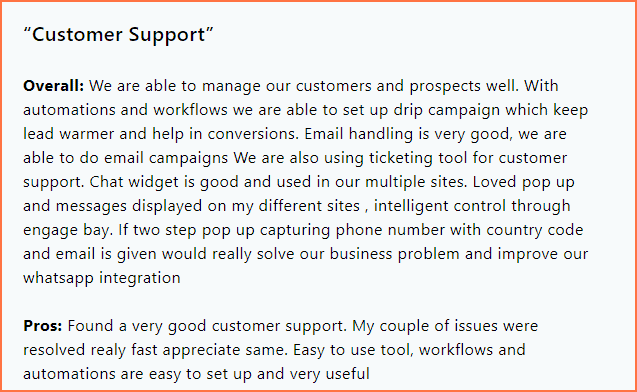
And yes—quality support is a core promise, not an upsell.
If you ever need help, EngageBay offers real human support, not just help docs.
-
-
-
Email support
-
Live chat
-
Phone support
-
Dedicated account manager (on higher tiers)
-
-
This level of accessibility is rare among SMB-focused marketing platforms—and a key differentiator when compared to HubSpot and Mailchimp.
Fist bump for our quality support, too.
Easy to use — No Learning Curve Required
EngageBay is designed with simplicity at its core.
-
-
-
Clean, intuitive interface
-
Fast onboarding for non-technical users
-
No steep learning curve—even for first-time marketers
-
-
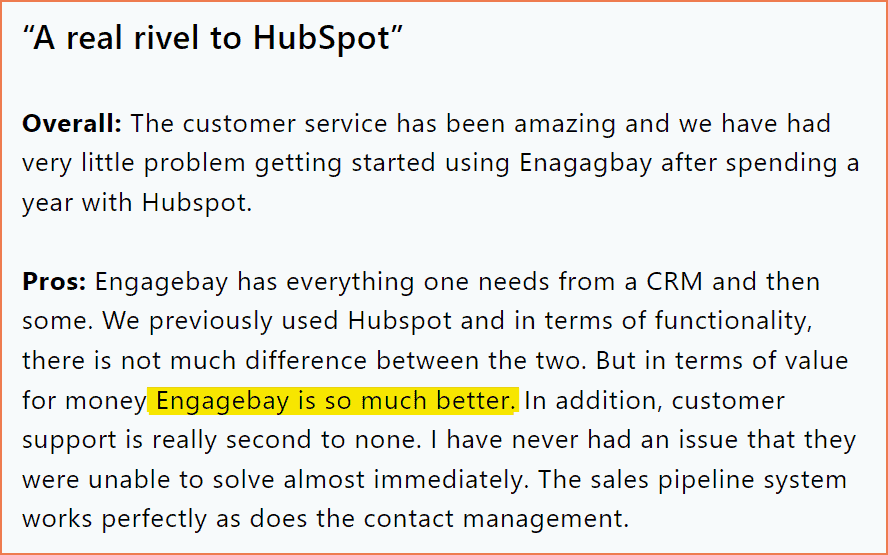
Most users are able to launch their first campaign within minutes of signing up, making EngageBay especially attractive for founders, solopreneurs, and lean teams in 2026.
Free Plan Access & Hassle-Free Onboarding
Getting started with EngageBay doesn’t cost a thing.
-
-
-
Free forever plan with meaningful features
-
No onboarding or setup fees
-
Explore the platform before upgrading—at your own pace
-
-
Learn more about EngageBay:
Sign up with EngageBay for free
Conclusion: HubSpot vs Mailchimp — What’s the Right Choice in 2026?
You’ve now seen a complete, up-to-date comparison of HubSpot Marketing Hub and Mailchimp—covering features, pricing, automation, support, and real-world usability in 2026.
Both platforms remain strong contenders in the marketing software landscape:
-
-
-
Mailchimp continues to be a cost-effective, easy-to-use option for email-first marketing—especially for small lists and straightforward campaigns.
-
HubSpot delivers a powerful, CRM-driven growth platform with advanced automation and analytics, ideal for businesses that need scale and cross-team alignment.
-
-
However, the gap between capability and cost has widened.
Many businesses now want the functionality of HubSpot without enterprise pricing—or the simplicity of Mailchimp without restrictive limits and paywalls.
That’s where EngageBay stands out.
EngageBay brings together email marketing, automation, CRM, landing pages, customer support, and AI-powered tools—all at a predictable, affordable price with no long-term contracts.
Final takeaway:
If you’re an SMB looking for modern marketing capabilities in 2026 without complexity or inflated costs, EngageBay offers a balanced, future-ready alternative to both HubSpot and Mailchimp.
Want to try the all-in-one marketing software that’s specifically built for small business owners?
 Explore the most potent HubSpot competitors in our insightful blog post. Understand their strengths, weaknesses, and pricing. Dive in today!
Related reading:
- The best CRM Tools for Small Businesses
- The 14 Best CRM Automation Software in 2024
- 15 Best Marketing Automation Tools for Small Businesses
- Is HubSpot Worth It? In-Depth Review for Small Businesses
HubSpot’s Free plan allows up to 2,000 email sends per month, with automation limited to just one workflow. Mailchimp’s Free plan originally matched this, but now caps free users at 500 contacts, with equivalent send limits only for that smaller list.
HubSpot offers free users access to its landing page builder with a limit of 20 landing pages, albeit using simple templates. Mailchimp provides more flexibility, offering unlimited landing pages on its Free plan, which gives greater creative freedom for campaign pages.
HubSpot’s Free plan includes one automation, offering basic workflow capability without the need for upgrades. Mailchimp’s Free plan now only supports single-step automation, with multi-step workflows reserved for higher-tier Standard and Premium plans.
HubSpot’s Free plan imposes a strict cap of 100 marketing contacts. Meanwhile, Mailchimp’s Free plan initially allowed 2,000 contacts, but now only permits up to 500 contacts—a significant reduction that impacts list growth potential.
Mailchimp remains more cost-effective for expanding businesses due to cheaper scaling options and higher send limits across its paid tiers. HubSpot, while feature-rich, becomes expensive as contact counts rise, making it less budget-friendly for startups or lean businesses.