
HubSpot and Zoho CRM remain two of the most widely compared CRM platforms in 2026, trusted by growing businesses and enterprise teams alike.
If you’re evaluating either platform, you’ve likely hit the same roadblock: both come with impressive feature lists, but the differences that matter: pricing cliffs, learning curves, AI capabilities, and support quality — are buried deep in documentation and sales calls.
This article cuts through the noise. We put HubSpot and Zoho CRM side by side across every major category: pricing, ease of use, automation, AI features, integrations, and more; so you can make a confident decision without booking a demo first.
So, I signed up for the free trials of both platforms to test the core features, and in this detailed HubSpot vs Zoho CRM comparison article, you’ll learn about:
-
-
- HubSpot vs Zoho differences
- What makes the two platforms different and similar in different categories
- The pricing difference between HubSpot and Zoho
- A more affordable and better alternative
-
TL;DR: Skip to the verdict: Choose HubSpot if you want an all-in-one platform that is easy to set up and your team doesn’t mind premium pricing.
Choose Zoho CRM if you need a deeply customizable sales CRM at a fraction of the cost and are willing to invest time in configuration.
Not happy with either? EngageBay gives you everything both offer: marketing, sales, and support — starting free.
Note: This comparison is for marketing managers, sales leads, and business owners evaluating CRM options who want an honest, side-by-side breakdown without vendor bias.
Table of Contents
HubSpot vs Zoho CRM at a Glance
|
Category |
HubSpot |
Zoho CRM |
|
Best for |
All-in-one marketing, sales & service teams |
Sales-focused teams needing deep customization |
|
Ease of use |
Very easy — intuitive, guided interface |
Moderate — powerful but steeper learning curve |
|
Starting price |
$50/month (Starter CRM Suite) |
$18/user/month (Standard) |
|
Free plan |
Yes — generous free CRM tier |
Yes — up to 3 users free |
|
Customization |
Moderate out of the box |
Highly customizable modules and workflows |
|
AI tools |
Breeze AI (content, workflows, summaries) |
Zia AI (predictive analytics, pipeline alerts) |
|
Marketing tools |
Built-in (Marketing Hub) |
Via Zoho ecosystem integrations |
|
Customer support |
Strong — live chat, help center |
Below average — slow response times reported |
|
Best alternative |
→ EngageBay |
→ EngageBay |
HubSpot vs Zoho CRM: Key Differences
Before diving into the feature-by-feature breakdown, here’s the core philosophical divide between these two platforms:
HubSpot is an all-in-one suite. Marketing, sales, and customer service data live under one roof, sharing a unified contact record.
Everything is designed to work together out of the box, which is why it’s often the first CRM choice for teams that want speed of deployment over maximum flexibility.
Zoho CRM is a sales-first platform. It is extraordinarily configurable — you can reshape nearly every module, workflow, and data field to match your exact process.
But this power comes with complexity: the interface has 80+ sections in the main sidebar, and new users typically require dedicated setup time or a Zoho admin to unlock its full value.
The right choice for your business hinges on one question: do you value ease of use and unified data, or deep customization and cost efficiency?
HubSpot CRM: Overview
HubSpot launched its free CRM in 2014 and has since grown into one of the most recognized names in the industry. The platform organizes its tools into ‘Hubs’ — Marketing Hub, Sales Hub, Service Hub, CMS Hub, and Operations Hub — all connected through a shared contact and company database.
Key features of HubSpot CRM include:
-
-
- Contact and company management with a unified activity timeline
- Email tracking, templates, and sequences for sales outreach
- Deal pipeline management with drag-and-drop interface
- Built-in live chat, chatbots, and meeting scheduling
- Marketing email, forms, and landing pages on paid tiers
- Reporting dashboards across all hubs
- Breeze AI for content drafting, workflow automation, and data cleanup
- 2,000+ native integrations via the HubSpot App Marketplace
-
HubSpot Pros & Cons
Pros:
-
-
- All-in-one platform — marketing, sales, and service hubs are natively connected
- Very clean, intuitive interface with a short learning curve
- Excellent help center with live chat, step-by-step guides, and a large community
- Generous free CRM tier with useful features for small teams
- 2,000+ native integrations in the HubSpot App Marketplace
- Strong AI tools (Breeze AI) for content drafting, workflow automation, and data cleanup
-
Cons:
-
-
- Steep price jump from Starter ($50/month) to Professional ($1,780/month)
- 12-month commitment required regardless of payment cycle — no month-to-month flexibility
- Key features like automation sequences are locked behind higher-tier plans
- March 2024 pricing changes moved previously free ‘edit access’ seats behind a paywall
- Per-user costs add up fast — $25/user/month on Starter, $100/user/month on Pro
-
HubSpot is best for: Growing businesses that want a ready-to-use, all-in-one CRM and don’t mind paying a premium for it. It’s especially well-suited for marketing-led teams, companies scaling from 5 to 50+ users, and businesses that want marketing, sales, and customer service data in one place without managing multiple tools. First-time CRM buyers will also appreciate HubSpot’s guided onboarding and extensive help resources.
Zoho CRM: Overview
Zoho CRM has been a staple of the SMB and mid-market CRM landscape since 2005.
It sits within the broader Zoho ecosystem of 55+ business applications — from Zoho Books (accounting) to Zoho Desk (customer support) — making it an attractive option for businesses already invested in the Zoho stack.
Key features of Zoho CRM include:
-
-
- Fully customizable modules, fields, layouts, and record types
- Blueprint — a visual, step-by-step process builder for enforcing sales workflows
- Zia AI for predictive lead scoring, best-time-to-contact alerts, and pipeline anomaly detection
- Multichannel communications: email, phone, social media, and live chat in one view
- Advanced analytics and custom report builder
- Deep integration with the Zoho ecosystem (Books, Desk, Campaigns, etc.)
- Canvas — a drag-and-drop CRM UI builder for teams that want a fully custom interface
-
Zoho CRM Pros & Cons
Pros:
-
-
- Highly affordable — Standard plan starts at $18/user/month
- Advanced workflow builder (Blueprint) included in cheaper plans than HubSpot
- Deep customization: custom modules, fields, layouts, and process logic
- Zia AI provides predictive analytics and pipeline anomaly detection
- Good fit for teams already using other Zoho products (Zoho Books, Zoho Desk, etc.)
-
Cons:
-
-
- Below-average customer support — G2 rating of 7.4 vs. the CRM industry average of 8.6
- Steeper learning curve — the interface has 80+ sections in the main sidebar
- Not a unified platform — connecting Zoho CRM to other Zoho apps requires integration steps
- Mobile app reported as buggy and slow by field sales teams
- Performance can degrade with large data volumes
-
Zoho CRM is best for: Budget-conscious businesses that need a powerful, flexible sales CRM and are willing to invest time in setup and configuration. It works well for operations-minded teams with non-standard sales processes, companies already using other Zoho products, and businesses that want to scale without steep per-user costs. Technical teams or those with dedicated CRM admins will get the most from Zoho.
👉Looking for the perfect HubSpot competitors? Our in-depth guide covers the top alternatives.😊
Comparing HubSpot vs Zoho
I used the two platforms to give you a detailed and first-hand review of their performances. We’ll look at how each tool stacks up against the other based on eight key factors.
Ease of use
Your team will be more productive and efficient if they can get started with the software faster and with ease. So, when comparing HubSpot vs Zoho:
-
-
- Evaluate how difficult it is to configure the CRM to your needs
- Test their customer support on the free trials to see if they are fast enough to respond to issues
- Create automations and play with their features to see if they fit your needs
-
HubSpot
HubSpot has a cleaner and more intuitive user interface compared to Zoho. It links all the hubs and ensures data is shared seamlessly across the team.
The navigation bar at the top makes it easy to access each hub with only a few clicks. Each hub also has a dropdown menu for its main features. For example, when you hover over the sales hub button, the drop-down menu includes deals, forecasts, tasks, documents, and meetings. This makes it easy to jump to specific features.
As Aneesha Nair, account manager at Survey Sparrow, says:
“HubSpot helps us make things organized and as everything is one tool, it becomes easy to navigate and reach out to the right leads and update things accordingly.”
HubSpot has a resourceful help center. You’d have access to step-by-step guides to each feature, live chat with customer support, create tickets, and get instant answers from the community page.
Marketing Madness: HubSpot vs EngageBay Face-Off
Read also: 8 Incredible Ontraport Alternatives & Their Key Features
Zoho
While Zoho has a number of tools ranging from marketing to customer support platforms, its CRM connects to these platforms through integrations like any other third-party application.
This might make it hard for your team to provide a seamless customer experience since the data shared might not be in real-time.
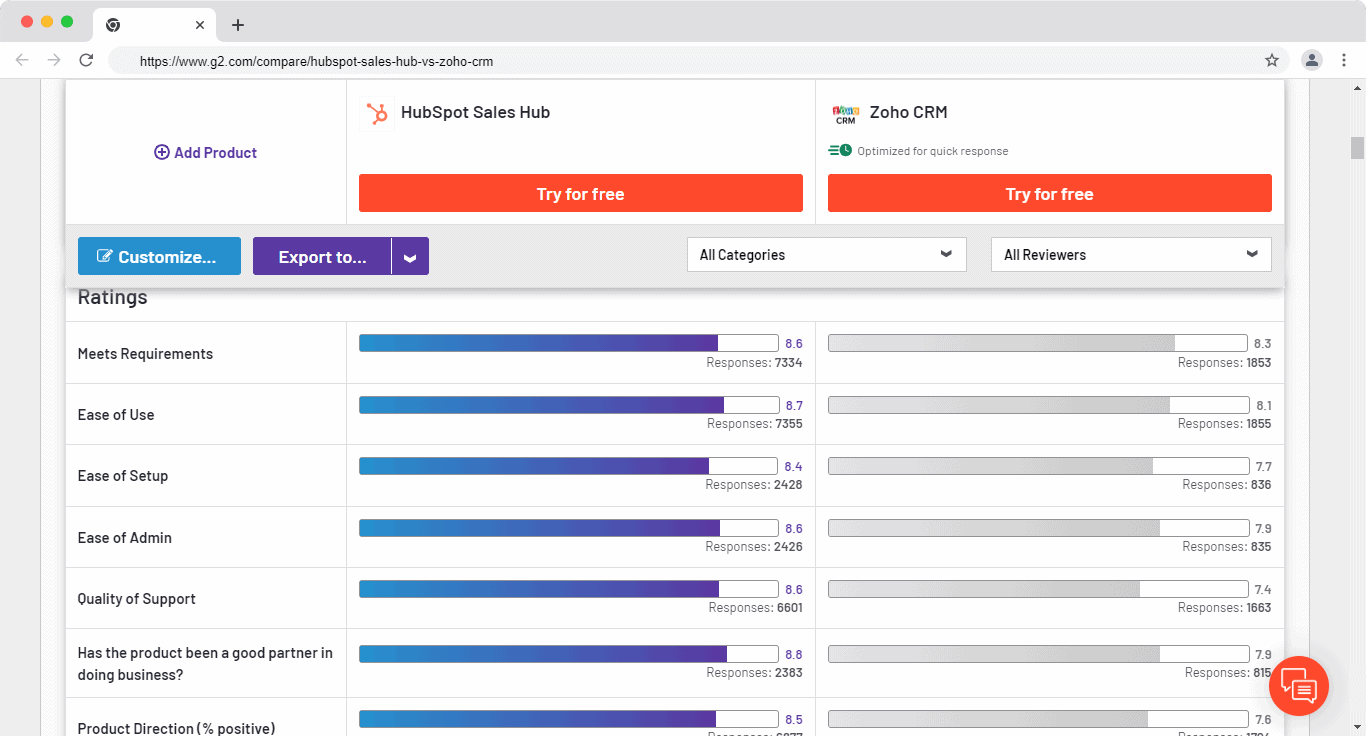
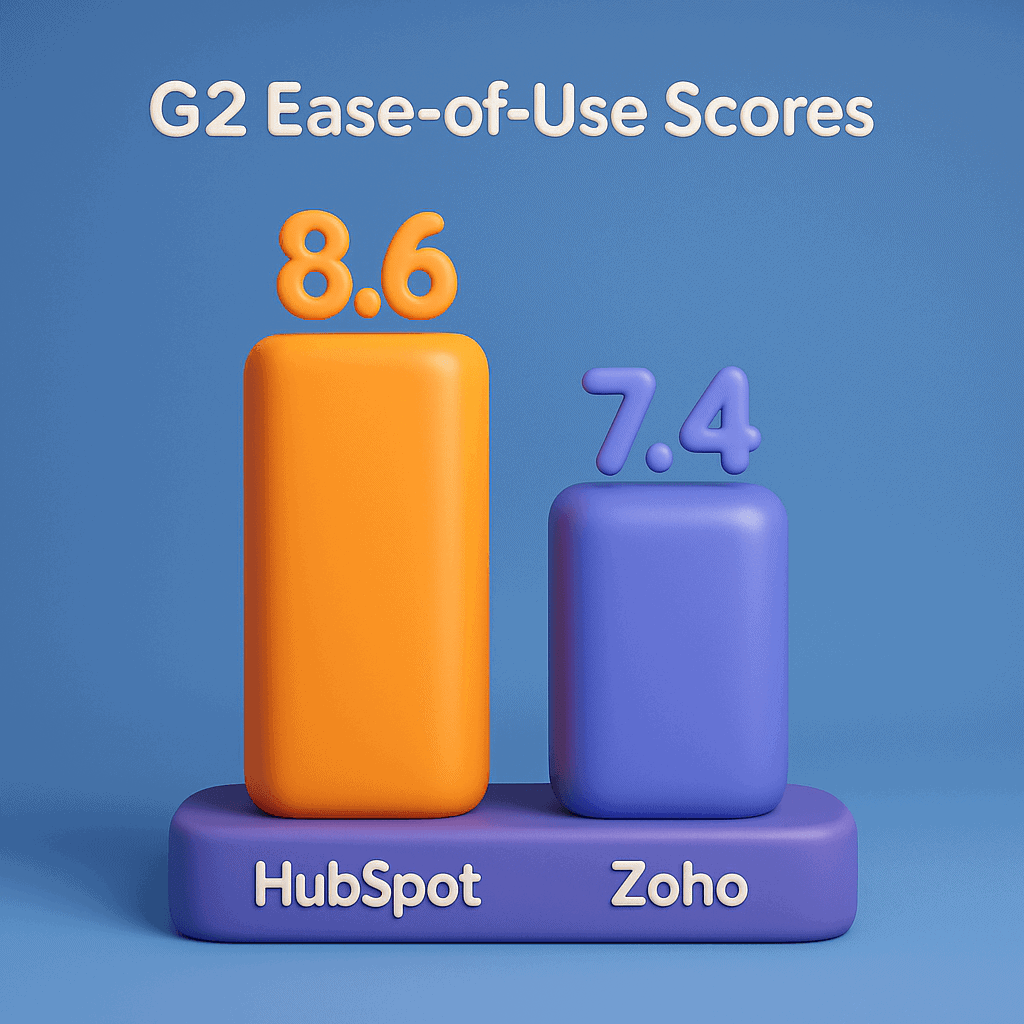
According to G2 ratings, its customer support is one of the worst among CRMs. The average rating among CRMs is 8.6 but Zoho CRM has a rating of 7.4 compared to HubSpot’s 8.6.
Here’s how Lisa Parshan, a content manager, summed up her experience with Zoho’s customer support:
“As we began to onboard, we had a few questions. Googling helped, but when we needed customer service (which we did once or twice) it took a very long time for anyone to get back to us.”
Ease of use verdict:
HubSpot wins. Its interface is cleaner, its customer support is faster, and new users can get started in minutes rather than days. Zoho offers more power, but that power comes with complexity.
Read also: HubSpot Pros And Cons — A Candid Assessment
Pricing
Pricing is where the two platforms diverge most dramatically — and where many buyers get caught off guard.
TL;DR — HubSpot vs Zoho Pricing
| Vendor | Plan | Base Price | Notes |
|---|---|---|---|
| HubSpot CRM Suite | Starter | $50 / month | 2 users included; each additional user $25/mo |
| Professional | $1,780 / month | 5 users included; each additional user $100/mo | |
| Enterprise | $5,000 / month(billed $60,000/yr) | 10 users included; each additional user $120/mo | |
| Zoho CRM | Standard | $18 per user / month | — |
| Professional | $30 per user / month | — | |
| Enterprise | $45 per user / month | — | |
| Ultimate | $55 per user / month | — |
Zoho CRM pricing is different from HubSpot’s –HubSpot is an all-in-one platform while Zoho is just a sales CRM. So, the pricing mainly differs because of this. HubSpot has a bundled pricing plan and individual pricing for each ‘Hub’ while Zoho CRM pricing has a tier-based plan.
How much does HubSpot cost?
Here’s HubSpot’s CRM suite pricing plan:
Starter–$50 per month
This plan includes the marketing, sales, service, CMS, and operations hub starter packages which have the essential marketing, sales, and service features for your team.
Professional–$1,780 per month
This plan includes all the hub’s professional packages which you can use to personalize your outreach and optimize campaign conversion.
Enterprise–$5,000 per month (billed at $60,000/year)
This plan includes all the hub’s enterprise packages which you can use to create advanced marketing reports and use AI to get insights into your team’s sales calls.
Here are a few things that quickly become clear from their pricing structure:
-
-
- The steep price jump from the starter plan to the professional plan–$50/month to $1,780/month–makes it hard to upgrade when you only need one feature which isn’t in the starter plan
- You must make a 12-month commitment plan whether you pay monthly or annually. This locks you into paying for the software for the whole year
- The Starter plan by default starts with 2 users, the Professional plan 5 users, and the Enterprise plan starts with 10 users
- If you want to add additional users, the Starter plan costs $25/month/user, the Pro plan $100/month/user, and the Enterprise plan at $120/month/user
-
HubSpot’s pricing gets expensive very fast and lacks some key features on some plans.
As Daniel Fernandez, account executive at Lotus Connect, says:
“I think that the pricing structure could work differently. Luckily, I work at a company that can afford the professional accounts, but I do think that the price increase is way too steep and some of the features, namely sequences, should be available on the less expensive plans.”
HubSpot also introduced major changes to its pricing model in March 2024, making its already expensive plans even more expensive.
Let’s take a look.
Two new seats were added, namely, the free ‘View-Only’ seat, and the paid ‘Core’ seat.
The View-Only seat is unlimited and offers view-only access to all core functionalities.
The Core seat offers users edit access to all of HubSpot’s core functionalities of that particular plan tier. This seat is useful for CEOs, managers, and team leaders who want to review and manage crucial data.
Here’s the catch: The paid ‘Core’ edit access seats were previously part of the free plan. HubSpot just moved it behind a paywall.
This table puts the new pricing changes into perspective:
| User requirement | Previous pricing structure | New pricing structure |
| Users requiring view-only access to reports, records, and other data | Included in the free plan | Now offered in the free, View-Only seat |
| Users requiring edit access to records and reports, email tracking, and other editable tasks | Included in the free plan | Now offered in the paid, Core seat |
| Users requiring sales and service-specific features | Dedicated Sales and Service seat | Dedicated Sales and Service seat |
Read also: HubSpot Pricing and Comparison with Affordable Alternatives
How much does Zoho CRM cost?
Zoho CRM pricing has four plans:
-
-
-
- Standard–$18/user/month
-
-
This is the cheapest plan. You can manage your deals and leads, create reports and run simple automations.
-
-
-
- Professional–$30/user/month
-
-
Some key features included in this plan include Macros, sale signals, unlimited custom reports, and webhooks.
-
-
-
- Enterprise–$45/user/month
-
-
Some key features include integration with other Zoho products, web form analytics, web form A/B testing, workflow usage report, segmentation, and access to multiple scoring rules.
-
-
-
- Ultimate–$55/user/month
-
-
This Zoho CRM pricing plan includes an increase in limits on most features. For example, you get 100 blueprints and 5 journeys compared to 50 blueprints and 5 journeys on the enterprise plan.
EngageBay vs Zoho – Features Comparison (2025)
If you’re considering switching from Zoho, don’t make a move until you read our article on the best Zoho alternatives.
Pricing verdict:
Zoho wins on cost; significantly. Unless your team needs HubSpot’s seamless multi-hub integration, Zoho’s pricing is more predictable and scales far more affordably for growing teams.
Read also: Is HubSpot CRM Free? An Unbiased Guide (with User Reviews)
AI Features: HubSpot Breeze vs Zoho Zia
Both platforms have invested heavily in AI capabilities, and in 2026 these tools are becoming a meaningful differentiator for buyers. Here’s how each platform’s AI layer works in practice.
HubSpot — Breeze AI
-
-
- Breeze AI is HubSpot’s native AI layer, built across all hubs
- It can draft follow-up emails, summarize meeting notes, and flag duplicate contacts automatically
- The Prospecting Agent uses AI to identify and suggest new leads from your existing data
- Content suggestions help sales reps craft personalized messages faster
- For teams that want automation without needing a developer, Breeze makes it genuinely accessible
-
Zoho CRM — Zia AI
-
-
- Zia is Zoho’s AI assistant, built into the CRM as a data analyst
- It predicts the best times to contact specific leads based on past engagement patterns
- Zia surfaces pipeline anomalies before they become missed targets, alerting managers to at-risk deals
- The Blueprint feature works alongside Zia to enforce step-by-step process compliance across the sales team
- Best for teams that want data-driven insights over ease of use
-
AI verdict:
HubSpot’s Breeze AI is easier to use and more content-focused, making it great for marketing and sales alignment. Zoho’s Zia AI is more analytical and process-focused, better for sales managers who want predictive visibility into their pipeline.
Customization and pipeline management
Both HubSpot and Zoho have great customization capabilities and a simple pipeline management interface. The main difference is in which pricing plan some customization features are included.
HubSpot
You can customize every field possible from deals, contacts, and quotes to products. You can customize reports and forecasting and choose from the pre-built reports, to begin with.
But when you want to custom-create an object relevant to your specific business needs, you’d have to be on the Enterprise plan, which costs $5,000 per month (billed at $60,000/year).
Its pipeline management could be improved. Its bad UX, for example, makes it hard to push a deal to a customer.
Here’s how Damien Frye, an enterprise sales representative at WordRake, sums it up:
“The way deals and pipelines are used don’t help the salesperson, they help the manager. It is designed for the marketing side. I feel like we need a revenue management solution where both are considered and it is easy to progress a lead to a customer.”
Zoho
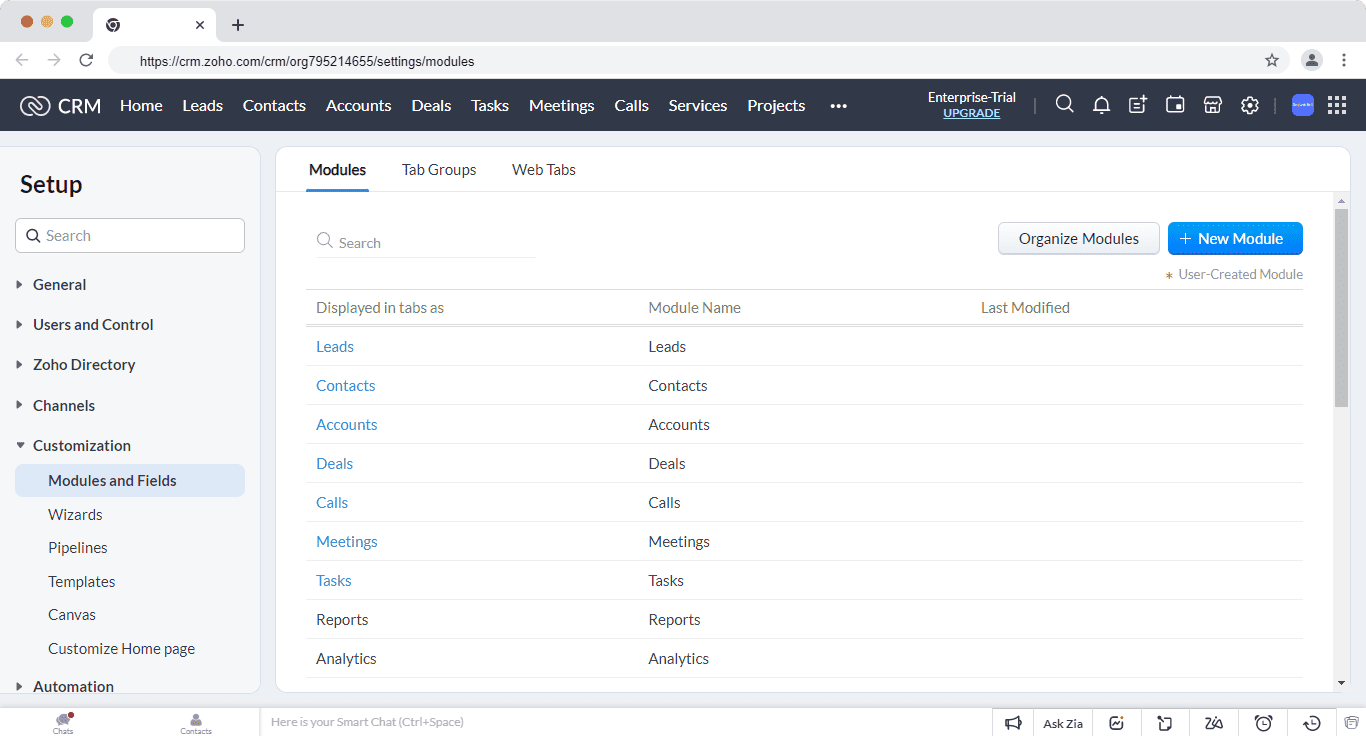
You can customize Zoho to fit your needs using its custom modules which are only available starting from the enterprise plan billed at $45/user/month. This Zoho CRM pricing is cheaper than HubSpot’s pricing.
Zoho workflow builder lets you customize the view and filter fields so each member of the team can focus on what matters the most to them. You can also duplicate the custom setting across other accounts in the team and link your records in custom modules to provide more context to your sales team.
Pipeline management in Zoho is table stakes; it does what a CRM software is supposed to do.
You can follow up with leads, score leads, and the interface is designed to help you close more deals by showing you more details in a deal’s card.
Customization and pipeline management verdict:
Zoho is better than HubSpot in terms of customization and pipeline management functionality.
Read also: 9 Sales Pipeline Tools for Power Sellers (Pricing, Features)
Marketing and campaign management
Both HubSpot and Zoho have campaign management features but the main difference lies in the product offerings. HubSpot has more of an all-round package, and is therefore a better marketing solution, while Zoho is mainly a sales CRM solution with basic marketing features for sales teams.
HubSpot
It has a fully featured marketing platform with advanced tools. You can create blog posts, track your ads, manage social media accounts, build landing pages, A/B test emails, and run marketing automation.
Its campaign feature lets you link different marketing assets like ads, emails, and workflows to work towards one common goal and allocate a total budget. You’ll be able to track the metrics of the entire campaign and the individual assets.
For example, if you have a Black Friday campaign, you can create blogs, ads, landing pages, and emails to work towards achieving the goals of the Black Friday campaign.
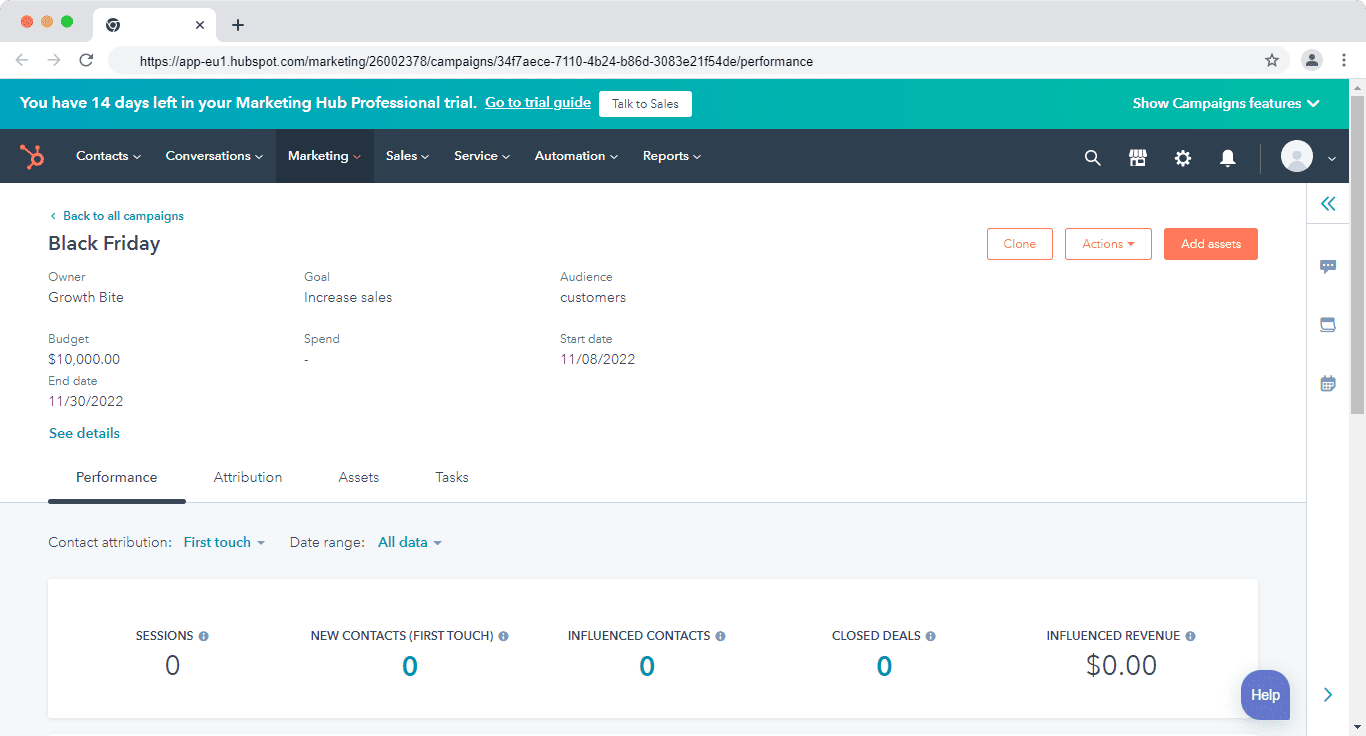
Here’s how Krishna Raj, a digital marketing strategist, summed up his experience of using HubSpot:
“Before the implementation of HubSpot, we were using multiple tools for all marketing activities, now with this single platform we can have email marketing, marketing & sales automation, social media posting analysis, website analytical reporting, and leads nurturing everything can be done under this single platform.”
Zoho
Zoho has only two marketing features: campaign modules and web forms. You can use both features to improve your lead generation process.
The campaign module basically helps you plan marketing campaigns like trade shows, Google Ads, and events. This module helps you track these activities by filling in details such as expected revenue, budget, actual cost, and the duration of the campaign.
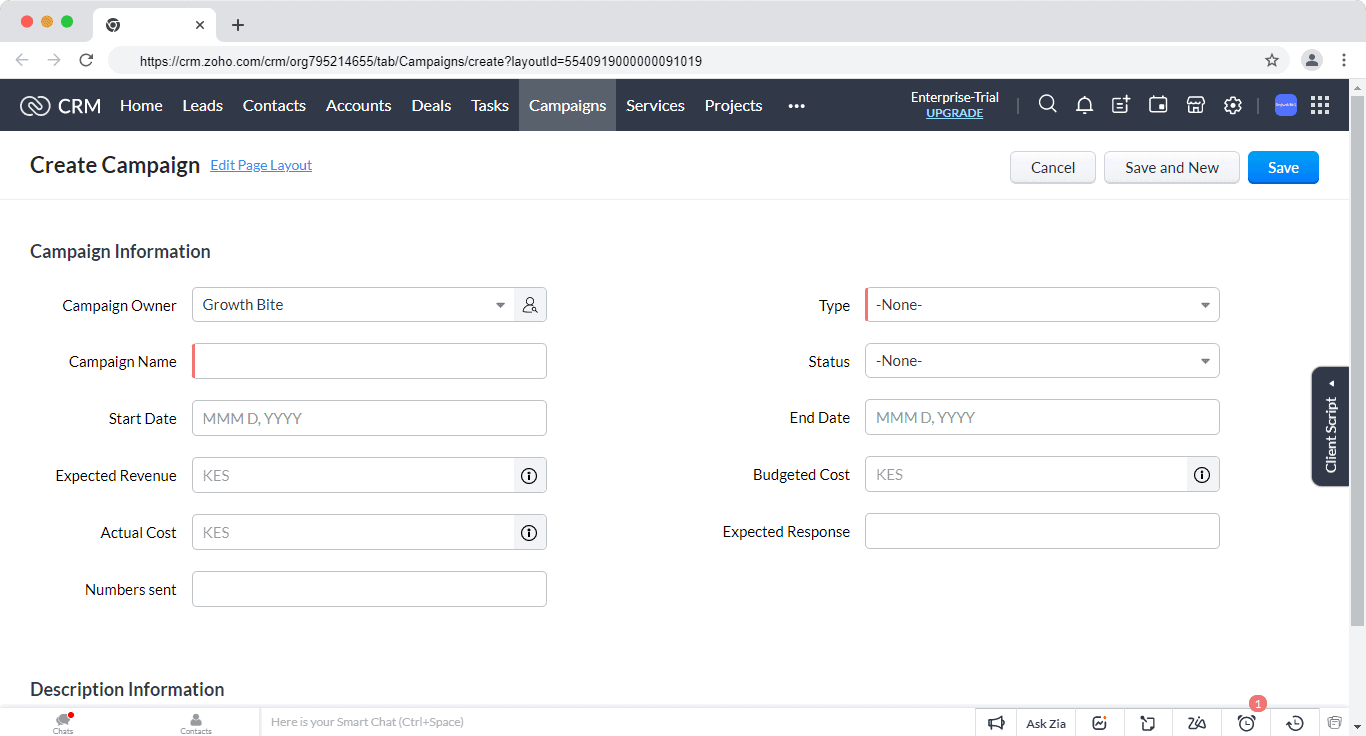
This module is very different from campaign management in other CRMs where you can create email campaigns and nurture leads through a drag-and-drop automation builder. Zoho’s campaign only lets you report, for example, the status of offline events.
The web forms are also simple with minimal to no design interface to work with. You can customize the fields, send automated emails and import the data into the CRM.
Marketing and campaign management verdict:
HubSpot has better marketing and campaign management features. You can run email marketing campaigns, attract leads with landing pages and web forms, and nurture them with marketing automation.
Read also: HubSpot vs. Mailchimp vs. EngageBay — Which Tool Worth Spending Money?
Integrations
Integrating a CRM platform with your current tech stack gives you a complete picture of your business without working in silos.
See all EngageBay integrations here.
HubSpot
HubSpot has over 1,000 integrations in categories like customer service, sales enablement, scheduling, project management, and many more.
It even offers integration with other CRMs like Pipedrive, Copper, Insightly, and Salesforce.
Zoho
Zoho integrates with software in different categories like marketing, customer service, sales telephony, and many more.
But when I looked into the reviews, most users either complained of the lack of some major integrations or integrations not working well.
For example, Nabab Sharif, a senior manager at Vantage Circle, says:
“They need to strengthen their telephony integration because we occasionally run into problems dialing leads and receiving missed call alerts. Due to delays when a chat request is received, they might also make the chat platform more robust.”
Integration verdict:
HubSpot has better and well-functioning integrations compared to Zoho.
Read also: EngageBay vs HubSpot: Market Leader or Emerging Powerhouse?
Sales automation
Automations and workflows improve your team’s productivity by eliminating manual work and repetitive tasks.
HubSpot
HubSpot automation is based on two features–sequences and workflows.
Sequences ensure no deal falls through the crack. You can create a series of timed emails to nurture leads and follow up with deals.
Personalize the sequence emails using contact and company data from HubSpot CRM and Salesforce.
Workflows automate manual and time-consuming activities. Some tasks you could automate include nurturing leads, updating leads’ lifecycle stages, and handing off leads to sales.
HubSpot also has seven types of triggers that start a workflow–contact-based trigger, company-based, deal-based, ticket-based, quote-based, conversation-based, and feedback-submission based.
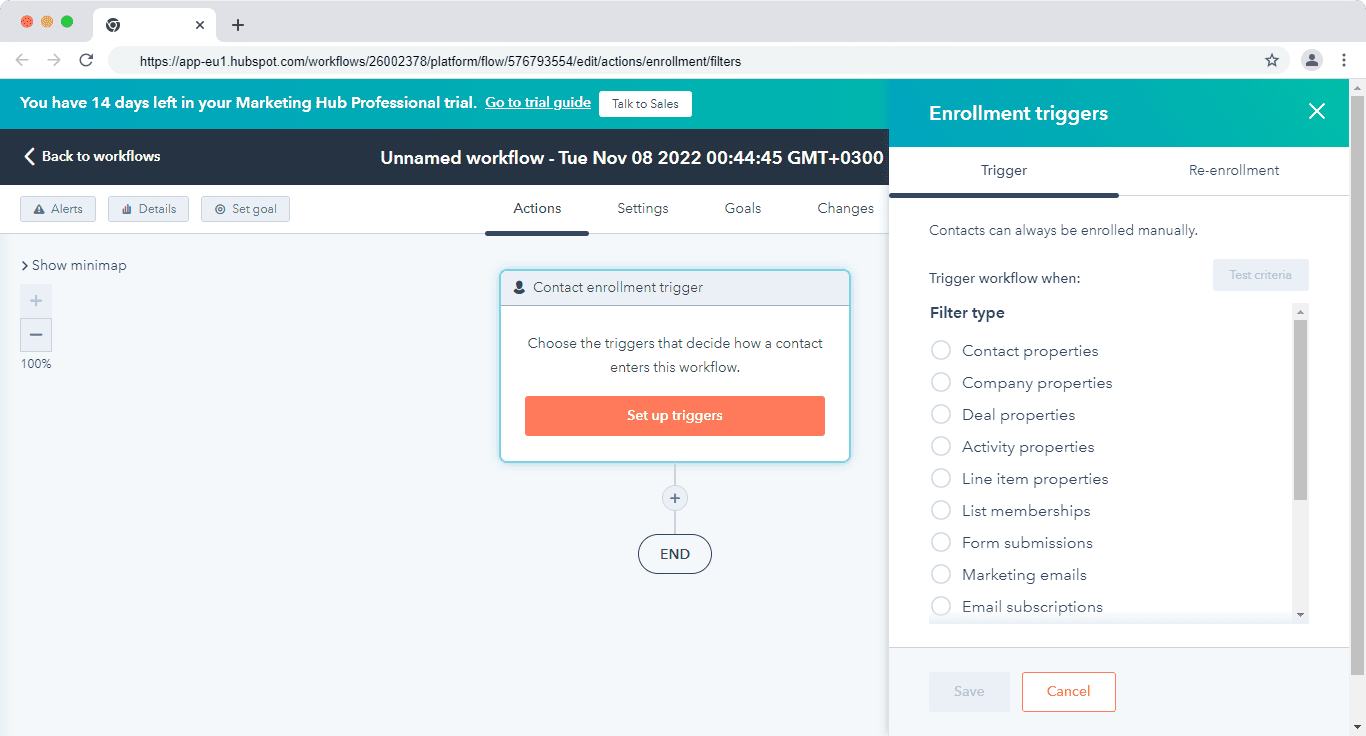
You can also pick automation from the pre-built list. This list has automations for converting leads, sharing meeting details, promoting something, and many more.
Zoho
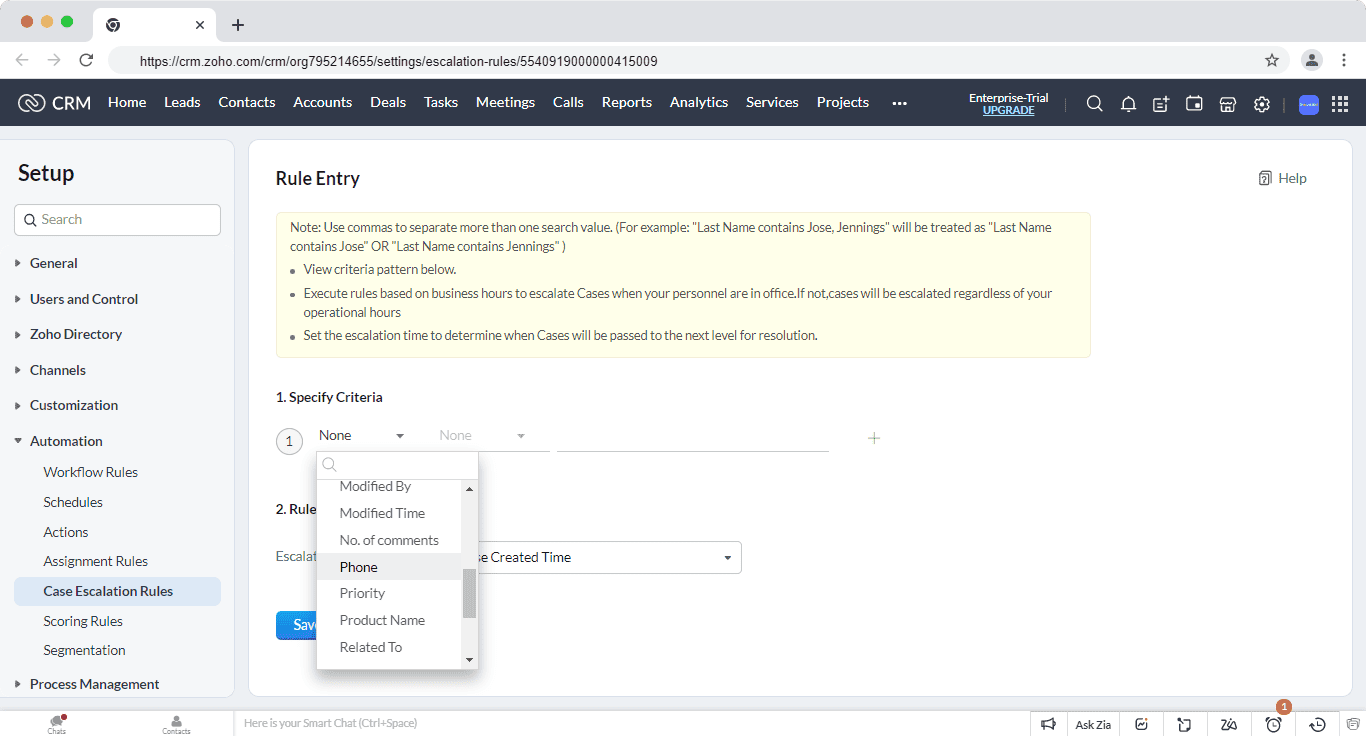
You can automate routine tasks with Zoho’s workflow rules. This workflow builder lets you automate updating of fields, following up with leads, or assigning a deal to a rep. When certain conditions are met, these workflows automatically trigger the actions.
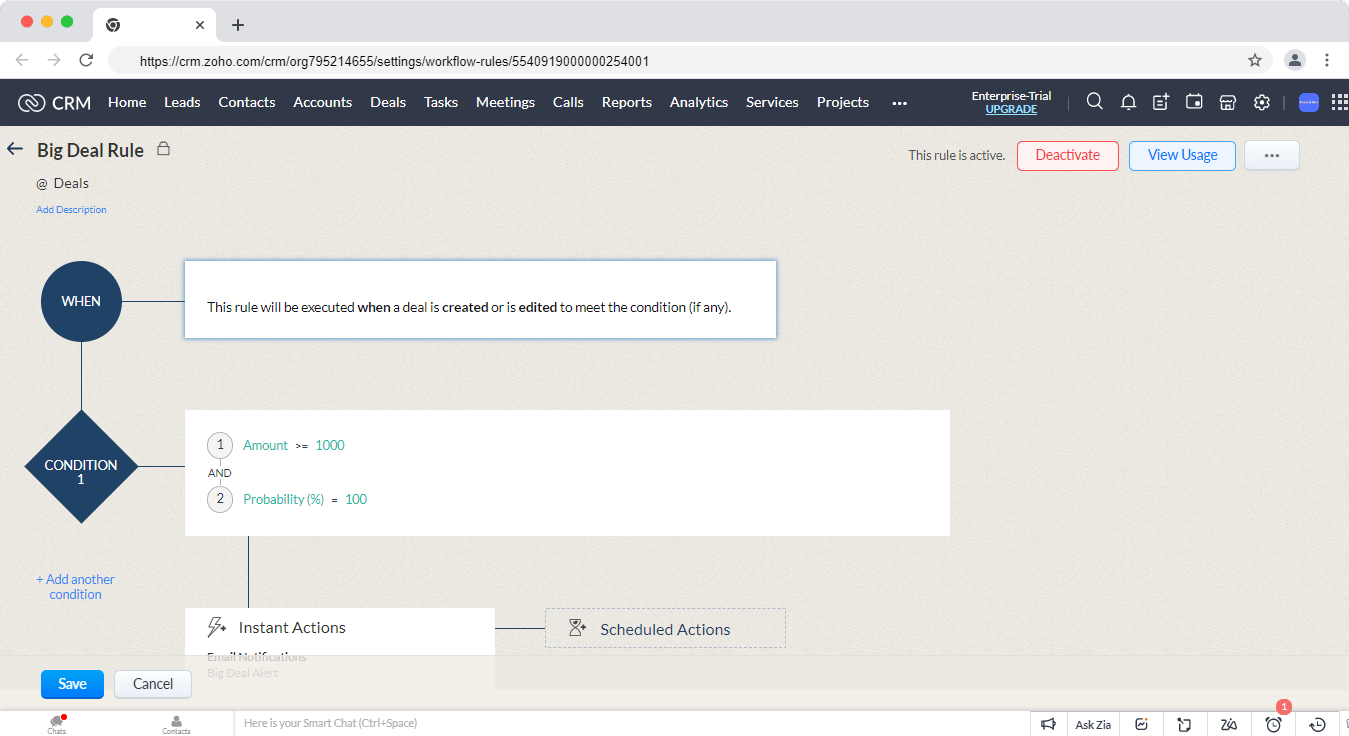
The case escalation feature lets you set a rule where a case can be distributed to other members of your team when it’s not attended to by the specified person.
You can set the rule depending on different criteria such as case number, account name, or priority.
Sales automation verdict:
Tie. They both have great automation capabilities but HubSpot is slightly better in terms of ease of use and user interface.
Reporting & Analytics
CRM reporting helps you know what’s happening across your sales process and how each team member is performing.
Here are some details you can look out for:
-
-
- How easy it is to create reports and dashboards
- The type of reports available
- How presentable and easy to understand the reports are
-
HubSpot
Its reports and dashboards are comprehensive and use the data from the CRM and marketing hub to provide insights into your pipeline, forecast revenue, and coach your team.
HubSpot has a list of 90+ pre-built reports built into dashboards. For example, the sales manager dashboard has eight pre-built reports. Here are some of the reports:
-
-
- Deal closed total vs goal
- Deal leaderboard – all-time amount closed by rep
- Activity leaderboard by rep with type breakdown
- Deals open by close date of this month
- And many others
-
Some dashboards that you might find useful are the sales opportunity review with nine reports on the overall performance of your sales for the month and the sales dashboard, which has five reports that focus on your deals and sales.
You can also gain insights into the progress of deals and contacts in their respective life cycle stages using the funnel reports.
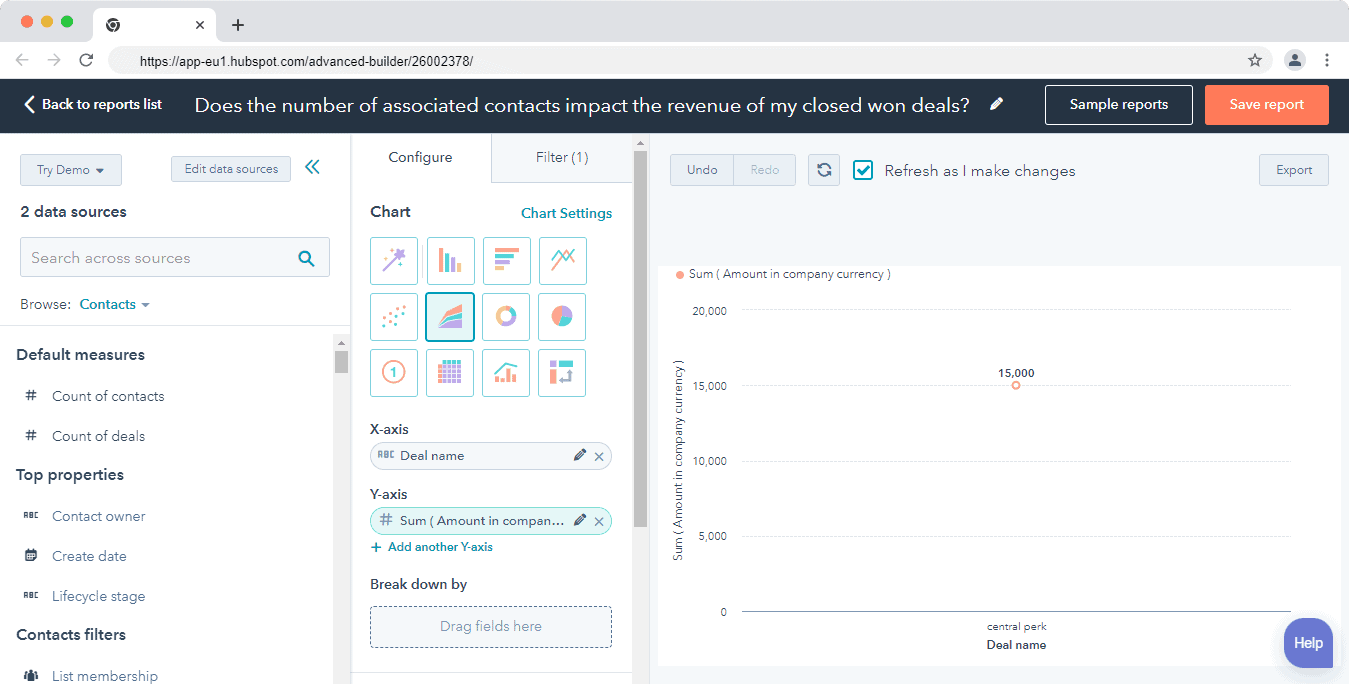
You can also build custom reports to get insights based on your specific needs and help in presenting them to stakeholders.
Zoho
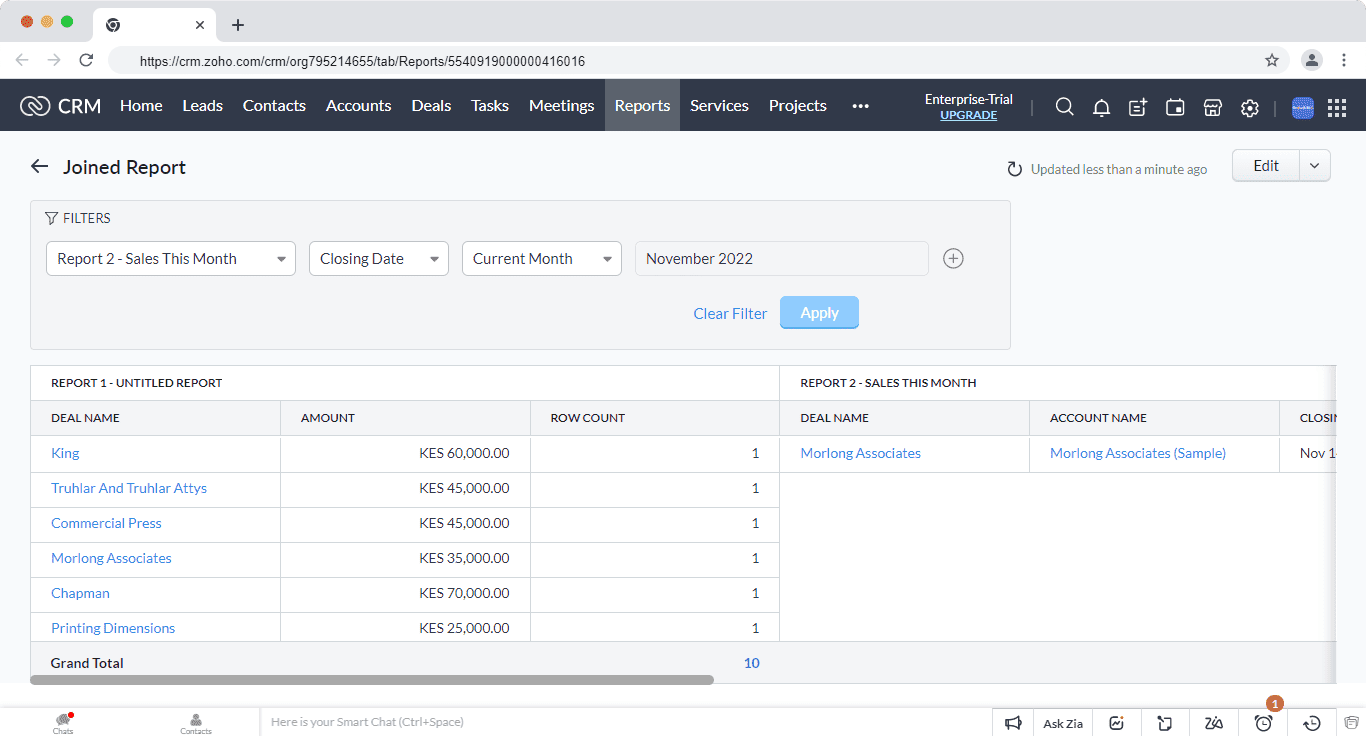
Zoho’s reporting function is comprehensive enough. The visual builder lets you build custom reports by picking the modules you want to import data from and selecting the fields you want in the final reports.
You can combine multiple reports to get deeper insights into your sales process and track your team’s performance.
For example, you can combine your deals report with your sales for this month to analyze your team’s progress.
Choose who to share the reports with. You can choose to share based on user roles, groups, or territory and schedule the reports to be sent weekly, monthly, yearly, or based on your own timing.
Reporting verdict:
Tie. They both have powerful reporting functions and the ability to customize reports based on your needs.
Lead management
Both HubSpot and Zoho have table stake lead management features. Here’s my review of each platform’s capabilities.
HubSpot
Its lead management software lets you view communication history, manage leads, and prioritize your leads all in one dashboard.
HubSpot’s smart contact database lets you see every detail about a lead from the contact’s profile.
You can track the conversations and every touchpoint between them and the company, such as social media, tickets, and email.
Attract leads and nurture them using forms, live chat, and chatbots.
Manage conversations with your leads in the universal conversation inbox that gives your sales, marketing, and support teams a place to engage with leads and customers.
Zoho
Its lead management platform allows you to attract, qualify, analyze and nurture leads into deals.
Some of the lead generation tools at your disposal are web forms, live chat, and social media integration. These tools help you attract leads that interact with your brand on your website or on social media platforms.
Once you attract leads, you can score them to identify which ones are most likely to close and put your team’s focus on.
You can assign leads based on a number of criteria such as demographics and behavior such as email interactions and responses to surveys.
Lead management verdict:
Tie. Both tools cover the entire lead management process from attracting leads to passing them to sales.
G2 Ratings Comparison (2026)
Below is a summary of G2 ratings for both platforms as of 2026.
|
Rating Category |
HubSpot CRM |
Zoho CRM |
CRM Industry Average |
|
Customer Support |
8.6 |
7.4 |
8.6 |
|
Ease of Use |
8.7 |
8.3 |
8.5 |
|
Ease of Setup |
8.5 |
7.9 |
8.2 |
|
Overall |
4.5★ |
4.1★ |
— |
Capterra data (early 2026):HubSpot CRM — 4.5 stars from 4,453 reviews. Zoho CRM — 4.3 stars from 6,964 reviews.
HubSpot vs Zoho: Overall Verdict
Overall Verdict:
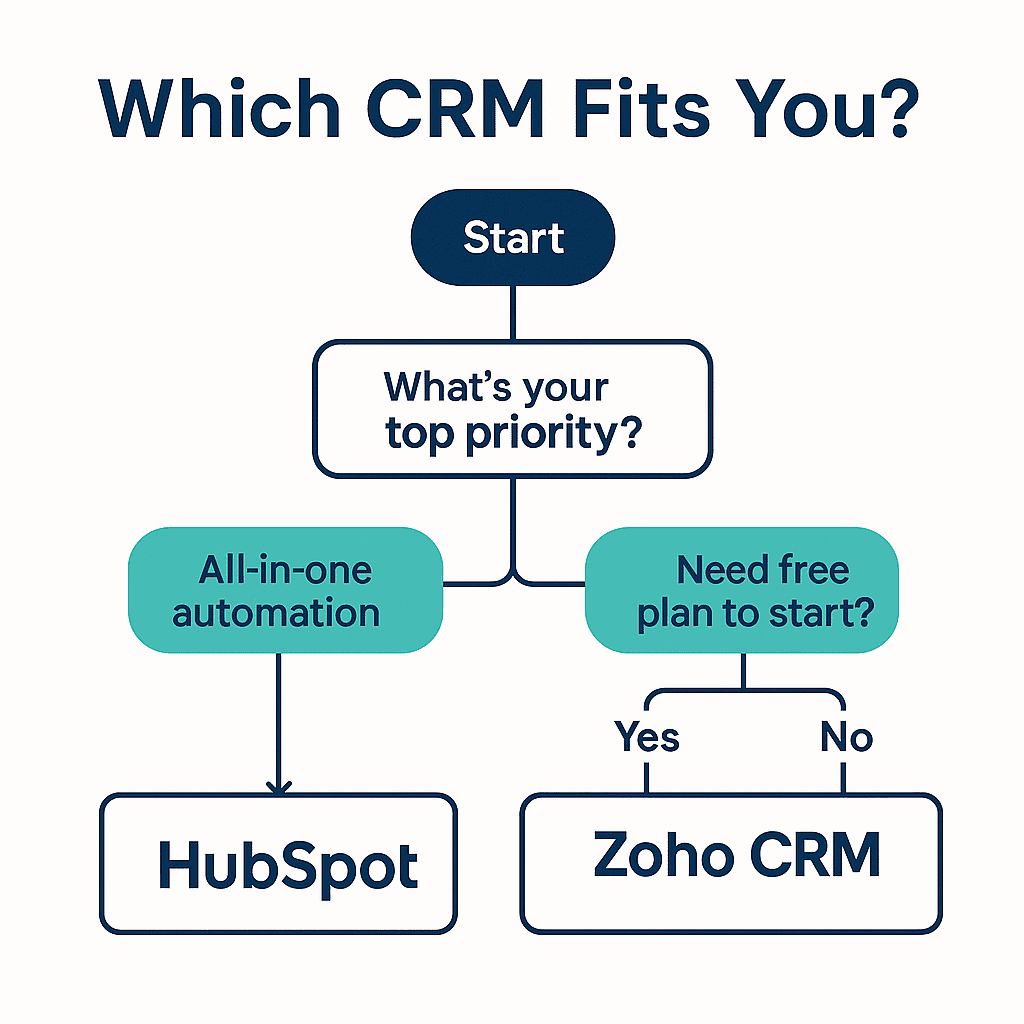
HubSpot is the better all-in-one platform for teams that prioritize ease of use, marketing-sales alignment, and fast deployment — and can absorb the cost.
Zoho CRM is the better choice for teams that need deep customization, affordable scaling, and a sales-focused workflow, and have the technical capacity to configure it.
|
If you… |
Choose… |
|
Want marketing + sales + service under one roof |
HubSpot |
|
Need deep customization on a budget |
Zoho CRM |
|
Have a small team just getting started |
Either (both have free plans) |
|
Require AI-powered content assistance |
HubSpot (Breeze AI) |
|
Need predictive pipeline analytics |
Zoho CRM (Zia AI) |
|
Want automation without a high price tier |
Zoho CRM (Blueprint) |
|
Need 2,000+ native integrations out of the box |
HubSpot |
|
Want the best value all-in-one alternative to both |
EngageBay |
Read also: HubSpot vs Mailchimp — A Complete Product Comparison
Not Sold on Either? Meet EngageBay
EngageBay is an all-in CRM powering sales, marketing, and support teams. It’s ideal for small businesses that are starting out or those that are scaling.
HubSpot Competitors: 3 Key Players (2026)
HubSpot packs advanced features and replaces standalone apps like marketing automation software, but it’s expensive. Zoho is cheaper, but it lacks key marketing features and it’s only suitable as a sales CRM.
EngageBay packs the best of both worlds. It’s affordable like Zoho and has advanced marketing, sales, and support features like HubSpot.
Here’s how Edo Modun, a sales specialist, summed up EngageBay:
“It’s very useful that you have a package with the most important tools such as CRM and email marketing as one service. Workflow is much easier, data flow is simpler and results are more visible. CRM has many options that you can only dream about in some other online solutions. The file repository is a nice touch.”
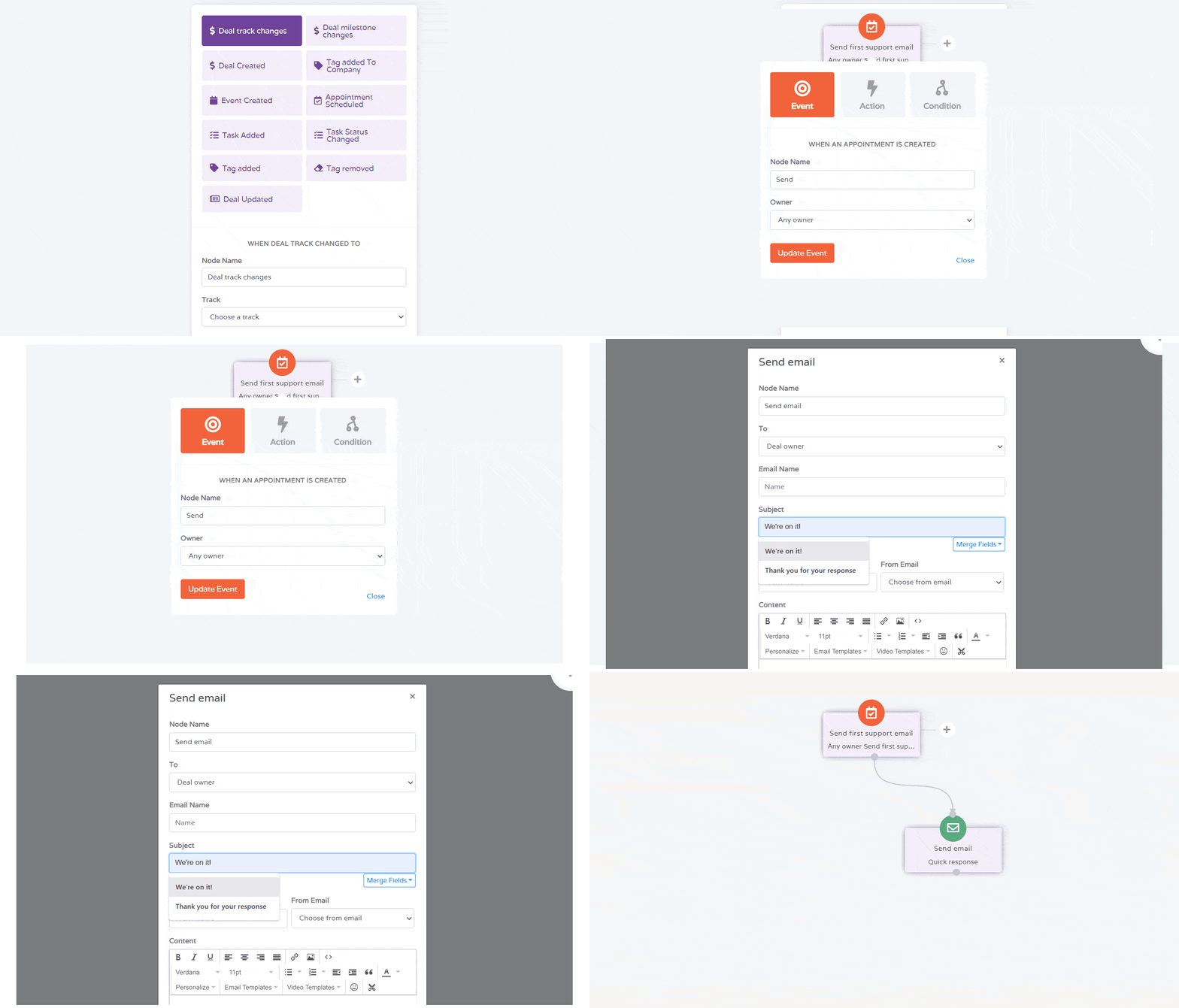
You can create multiple deal pipelines for different products, run automations with multiple triggers, and get deeper customer insights with a bird’s-eye view of the entire customer journey touchpoints.
The marketing automation platform lets you run drip campaigns, build forms and landing pages, automate lead scoring, and segment customers based on their activities and behavior.
The free help desk and live chat software lets you engage with customers and provide contextual support. You get to run ticket automations, assign tasks to reps and view customer interactions with the company in one dashboard.
HubSpot vs Zoho CRM vs EngageBay: Three-Way Comparison
|
Category |
HubSpot |
Zoho CRM |
EngageBay |
|
Starting price |
$50/mo |
$18/user/mo |
$12.74/user/mo |
|
Free plan |
Yes |
Yes (3 users) |
Yes (unlimited users) |
|
Marketing tools |
Built-in (paid tiers) |
Separate product |
Built-in, all plans |
|
Sales CRM |
Yes |
Yes |
Yes |
|
Helpdesk / Support |
Service Hub (paid) |
Zoho Desk (sep) |
Built-in |
|
AI tools |
Breeze AI |
Zia AI |
Automation + AI features |
|
Ease of use |
⭐⭐⭐⭐⭐ |
⭐⭐⭐ |
⭐⭐⭐⭐⭐ |
|
Best for |
Larger teams, budgets |
Ops-heavy teams |
SMBs wanting all-in-one |
EngageBay user on G2: “EngageBay gives us everything HubSpot offered at our old company — without the five-figure annual bill. The transition took less than a week.”
Want to find a HubSpot alternative that’s better suited to your needs? Check out our article on the top HubSpot alternatives.
Learn more about EngageBay:
Sign up with EngageBay for free
Wrapping Up
Zoho CRM is great for you if you are using one of their apps and looking for a sales CRM with powerful automation.
As David Begin puts it:
“I like the integrations with the entire Zoho ecosystem and the marketplace is huge. Zoho CRM offers powerful features with Automations, blueprints, and great reporting.”
HubSpot is suitable for you if you need something for your entire organization to use.
The marketing, sales, and support teams can use HubSpot and have clear visibility into customers’ data. But it gets expensive as you scale.
Final thoughts: HubSpot and Zoho CRM are both excellent platforms, but for very different buyers.
HubSpot is the right choice if your team values simplicity, marketing-sales alignment, and fast time-to-value, and your budget can support it. Zoho CRM wins if your team is cost-conscious, technically capable, and needs a sales CRM you can shape entirely to your process.
If you’re on the fence — or if both platforms feel like a compromise; EngageBay is worth a serious look.
It was built for exactly the gap between “too expensive” and “too complex,” and the free plan lets you test it without a credit card.
That’s why EngageBay is a better alternative. It’s cheaper, has the same functionality as HubSpot, and has better customer support.
Related reading:
- The best CRM Tools for Small Businesses
- The 14 Best CRM Automation Software in 2024
- 15 Best Marketing Automation Tools for Small Businesses
- Is HubSpot Worth It? In-Depth Review for Small Businesses
No—HubSpot’s starter bundle costs $50 per month for two users, then $25 per extra seat. Zoho’s Standard tier begins at $18 per user and even its Ultimate plan tops at $55. With HubSpot’s onboarding fees and pricier add‑ons, Zoho remains cheaper for every common team size, making it the overall value leader for cost‑conscious small and mid‑market teams today.
Yes, but there’s no native bridge. You need a connector like Zapier, PieSync or a HubSpot Operations Hub custom integration. These middle‑layers sync basic contacts, activities and deals between the two CRMs, yet advanced elements—workflows, email templates, reports—don’t port over perfectly. Expect manual mapping and extra subscription costs if you run both side by side overall today.
HubSpot wins on onboarding polish. Its UI guides you through checklists, pre‑built dashboards and drag‑and‑drop automation that feel intuitive even for non‑tech teams. Zoho’s interface is more configurable but also more cluttered; menu sprawl and inconsistent terminology slow new reps. If you want a gentler learning curve, HubSpot’s guided workflows save hours for most newcomers.
HubSpot’s Marketing Hub delivers visual journey builders, A/B email testing, ad tracking and dynamic personalization—all baked into the core CRM. Zoho offers Campaigns and Marketing Automation as add‑ons; they live in separate consoles and connect via APIs, not natively. Power users can reach parity in Zoho with customization, yet the experience is less seamless out of the box.
EngageBay bundles marketing, sales and service tools similar to HubSpot’s suite but starts free and caps its all‑in‑one plan at just $119 a month for unlimited users, with no onboarding fees. Compared to Zoho, it offers deeper automation and live‑chat at lower total cost. Teams needing full‑funnel features without enterprise pricing often find EngageBay a happy medium option today.
