

Last updated: October 1, 2026
The short answer: Salesflare is a good fit if you want a B2B CRM that fills itself in from your inbox, calendar and email signatures. If you want a permanent free plan, lower per-user costs, or marketing and support in the same tool, there are strong options below. For most small teams, the shortlist is EngageBay, HubSpot CRM, Pipedrive and Zoho CRM.
Stay with Salesflare if:
-
-
- Your team sells B2B and wants contacts, emails and meetings logged automatically, with very little typing.
- You like paying per user and are happy with a 30-day trial instead of a free plan.
- Your needs are mostly sales: pipeline, email tracking, sequences and lead finding.
-
Switch if:
-
-
- You want a permanent free plan to start on, or a lower price per user as the team grows.
- You need marketing automation, landing pages or a helpdesk in the same platform as your CRM.
- You mainly need cold email outreach, conversation intelligence or proposals rather than a full CRM.
-
A team-based CRM can put your business in the driver’s seat. You may be using or considering Salesflare, which is known for its small business focus and simplicity. Still, another tool may suit you better. It might offer a free plan, deeper workflows, or a lower price once you add more users.
To help you decide, here are 15 Salesflare alternatives we compared:
-
-
- Salesforce
- HubSpot CRM
- EngageBay
- Pipedrive
- Zoho CRM
- Saleshandy
- Salesmate
- io
- Mixmax
- Mailshake
- Outreach
- Gong
- Chorus (by ZoomInfo)
- PandaDoc
- Proposify
-
Salesflare Alternatives Pricing in 2026
Prices are in US dollars and were checked in October 2026. Each row shows the billing basis, so annual and monthly prices are never mixed. Salesflare is listed first as the reference point.
| Tool | Best for | Starting price (billing basis) | Free plan or trial | Standout feature |
|---|---|---|---|---|
| Salesflare (reference) | Small B2B teams | $29/user/month, billed annually ($39 monthly) | No free plan; 30-day trial | Automatic contact-data capture |
| Salesforce | Larger teams, complex setups | $25/user/month (Starter Suite) | No free plan | Deep customization and AI (Agentforce) |
| HubSpot CRM | Marketing and sales alignment | Free for up to 2 users; paid Starter from about $15–$20/seat/month [VERIFY] | Free plan | Free CRM that grows into a full platform |
| EngageBay | Small teams wanting CRM, marketing and support in one | $11.95/user/month, billed yearly (CRM & Sales Bay Basic) | Free plan (up to 15 users, 250 contacts) | All-in-one platform with a free-forever plan |
| Pipedrive | Pipeline-focused sales teams | $14/seat/month, billed annually (Lite) | No free plan; 14-day trial | Visual pipelines and 500+ integrations |
| Zoho CRM | Customizable CRM on a budget | $14/user/month, billed annually (Standard) | Free edition (up to 3 users) | Wide customization and Zia AI |
| Saleshandy | Cold email teams | $25/month, billed annually (Outreach Starter; not per user) | Free trial | Unlimited email accounts and warm-up |
| Salesmate | Small and midsize sales teams | $12/user/month, billed annually (Starter) | No free plan; 15-day trial | Calling, email and CRM in one |
| SmartReach.io | Multichannel outreach | $29/month (Email Outreach Basic) [VERIFY billing basis] | No free plan; 14-day trial | Email, LinkedIn, calls and WhatsApp |
| Mixmax | Gmail-based prospecting | $29/user/month, billed annually (SMB) | Free plan; 14-day paid-plan trial | Sequences and scheduling inside Gmail |
| Mailshake | Email-first outreach | $25/user/month, billed annually (Starter) | Free trial [VERIFY] | Email, phone and LinkedIn outreach |
| Outreach | Revenue teams at scale | Custom pricing (quote required) | Demo only | Sales execution platform with AI agents |
| Gong | Conversation intelligence | Custom pricing (quote required) | Demo only | Call recording and deal insights |
| Chorus (by ZoomInfo) | Sales coaching | Custom pricing (quote required) | Demo only | Conversation intelligence inside ZoomInfo |
| PandaDoc | Proposals and e-signatures | $19/user/month, billed annually (Starter) | Free eSign plan; 14-day paid-plan trial | Document builder and e-signatures |
| Proposify | Designed proposals | $19/user/month, billed annually (Basic) [VERIFY] | Free trial [VERIFY] | Design editor for proposals |
Whether you want better pipeline management, email outreach, sales enablement, or sales quoting tools, there is something on this list that may suit you better than Salesflare. Many tools overlap, so judge each one against your own needs before you decide.
Let’s get going.
Table of Contents
How We Chose and Checked These Tools
We kept the same 15 tools as the earlier version of this guide and grouped them by the job they do best: CRM and pipeline management, email outreach, sales intelligence, and proposals and quoting.
Then we re-checked every plan name, price, free plan, trial length and limit against each vendor’s published pricing in October 2026.
Where a vendor does not publish prices, as with Outreach, Gong and Chorus, we say “Custom pricing (quote required)” instead of repeating figures from third-party sites.
We also removed performance claims we could not confirm from an official source. Always confirm the price on the vendor’s own page before you buy, because plans change often.
EngageBay is our product. We have kept its section factual and listed its limits next to its strengths, the same way we treat every other tool here.
What Is Salesflare?

Salesflare is a B2B CRM built for small and medium-sized businesses. It aims to be simpler than other CRM tools on the market.
It connects to your inbox and calendar, captures contact data for you, and adds sales tracking and email sequences on top. Salesflare says more than 10,000 companies use it.
Salesflare Features
Salesflare is built around one idea: your CRM should fill itself in. Here is what that looks like in practice.
Automatic Contact and Company Updates
Salesflare gathers contact and company details from emails, email signatures, social profiles and other sources, so you do not have to type them in. That saves time every day, especially for reps who handle many leads at once.
Lead Finder and Business Email Finder
If you have a name and a company but no email address, Salesflare’s lead search can help you find one. Each plan includes a monthly allowance of lead credits, and you can buy more credits if you run out.
Automatic Call and Meeting Logging
Salesflare logs your meetings and phone calls for you, so the timeline for each contact stays complete. Your team can look back at the full history before the next conversation.
Sales Opportunity Identification
Salesflare offers AI suggestions and relationship intelligence that point you to the contacts worth following up next. If now is not the right moment, you can leave a lead for later and come back to it. The sales opportunities stay in your pipeline.
Tracking
Email, link and website tracking show you who opened a message, who clicked, and which pages a visitor viewed. With these signals, you can time your follow-ups better. Our guide to email tracking explains how this works.
Collaboration
Everyone on the team sees the same contact history, and Salesflare’s relationship metrics show who in your team knows whom. That makes hand-offs and coaching easier than with separate inboxes.
Integrations
Salesflare works inside Gmail and Outlook, has a LinkedIn sidebar, and offers iOS and Android apps. It also has a separate integrations directory. If you need a connector it does not list, tools like Zapier can help.
Salesflare Pricing
Salesflare has three plans. You can pay monthly or annually, and a 30-day free trial is available without a credit card. All prices below are per user per month in US dollars, as of October 2026.
Growth
$29 per user per month, billed annually ($39 billed monthly)
-
-
- Automatic capture of contact and company data
- Email, link and website tracking
- LinkedIn sidebar, email sidebar and mobile app
- Personalized email campaigns
- 5 lead credits per month
-
Pro
$49 per user per month, billed annually ($64 billed monthly)
-
-
- Everything in Growth
- Workflows of multiple emails (sequences)
- User permissions and custom dashboards
- 100 lead credits per month
-
Enterprise
$99 per user per month, billed annually ($124 billed monthly), with a minimum of 5 users
-
-
- Everything in Pro
- Full setup and tailor-made training
- Data migration done for you
- A dedicated account manager
- 250 lead credits per month
-
Extra lead credits are sold in packs: 250 for $39, 500 for $69 and 1,000 for $129. Salesflare says it does not charge for onboarding, and it does not cap contacts, users, templates or pipelines. You can cancel at any time and there is no multi-year contract.
Read also: Top 11 Sales Tools For Effective Lead Generation
Salesflare – Pros & Cons
Salesflare is a smart CRM for small businesses. However, it has trade-offs like any tool. Here is a fair look at both sides.
Pros
-
-
- Automatic data capture cuts manual entry for B2B sales teams.
- Simple to set up, with free onboarding and a 30-day trial.
- No limits on contacts, users, templates or pipelines.
- Monthly or annual billing, with no long contract.
- Covers the sales basics well: pipeline, tracking, sequences and lead finding.
-
Cons
-
-
- No permanent free plan, only a 30-day trial.
- Pricing is per user, so costs rise as the team grows, and Enterprise needs at least 5 users.
- Multi-email workflows, user permissions and custom dashboards start on the Pro plan.
- Lead credits are limited on lower plans, and extra credits cost more.
- It focuses on B2B sales. Marketing automation, landing pages and a helpdesk are not part of the product.
-
Read also: 10 Free Sales Tools That You Won’t Mind Paying For
Why People Look for Salesflare Alternatives
Teams rarely leave Salesflare because it does not work. They usually leave because their needs change. These are the most common reasons.
-
-
- Cost per user. Pricing is per seat, so a growing team pays more every time it adds a rep.
- No free plan. If you want to start free and upgrade later, you need a different tool.
- One platform for everything. Some teams want marketing automation, landing pages and a helpdesk next to the CRM.
- Heavier workflows and reporting. Multi-email workflows, permissions and custom dashboards need the Pro plan or above.
- A different job. Some teams only need cold email outreach, call analysis or proposals, not a full CRM.
-
If none of these apply, staying put may be the right call. If one or two do, the next section shows where to look.
Top CRM Alternatives to Salesflare in 2026
You have seen what Salesflare offers. If it does not match your goals or your budget, these 15 tools cover the main alternatives. We group them by the job they do best.
CRM and Pipeline Management Tools to Replace Salesflare
The following five tools are adept alternatives if you want pipeline management and full CRM features.
#1. Salesforce
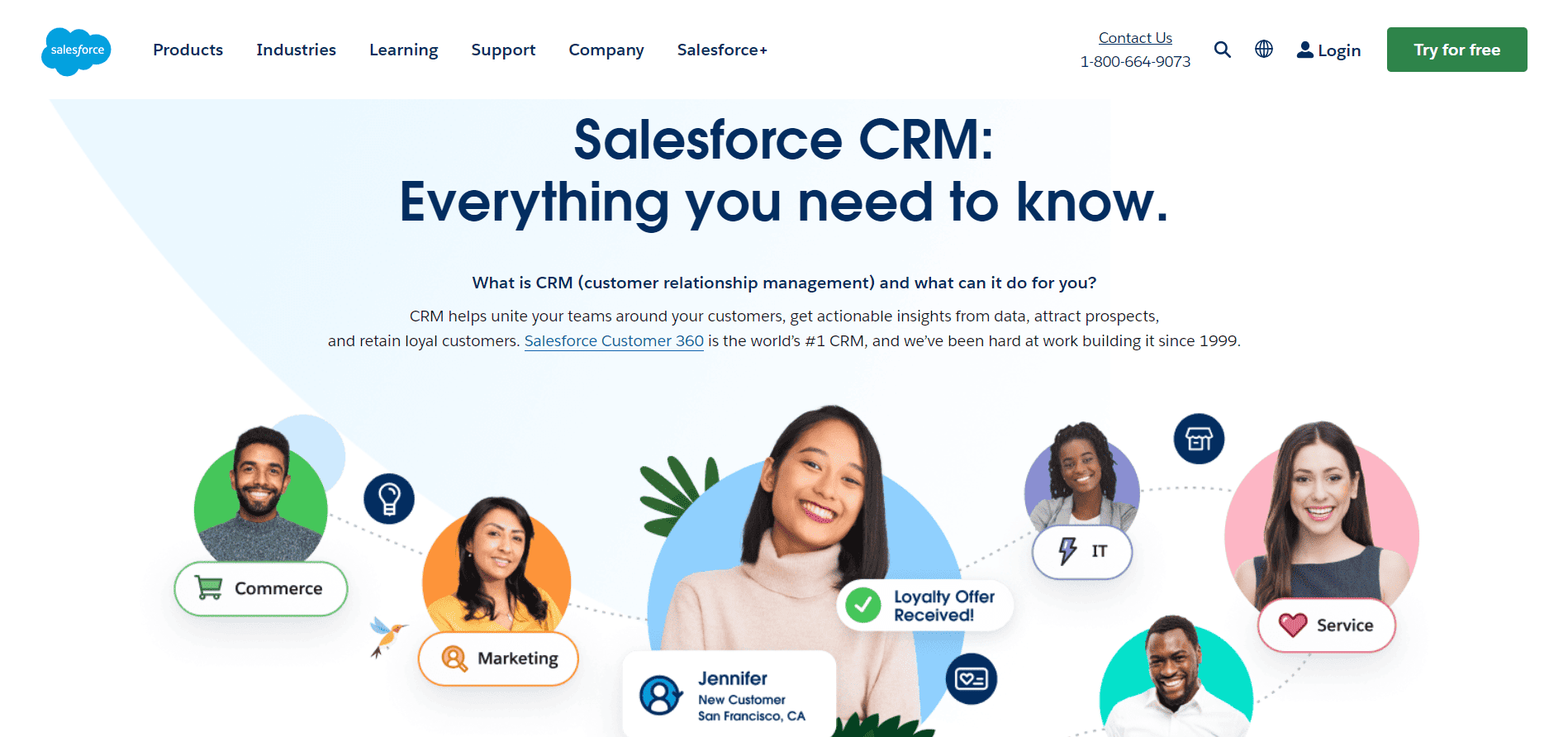
Best for: enterprise teams | complex customization | large sales operations.
Salesforce is one of the best-known names in CRM, and it led the shift from on-premise software to the cloud. It is a strong match if you have a larger team, complex sales processes, and the budget and admin time to configure it.
See our guide to Salesforce competitors for more context.
Salesforce now sells its CRM as Sales Cloud editions and has added AI features through Agentforce. Salesflare also offers AI suggestions, so the real difference is scale. Salesforce is built for deep customization, while Salesflare focuses on automatic data capture for small B2B teams.
Advantages
-
-
- Scales from a small Starter Suite to large, heavily customized setups
- AI and automation features that increase with each edition, including Agentforce
- Connects sales, service, marketing and commerce teams on one platform
- Large app marketplace and partner network for third-party tools
-
Salesforce Pricing
Salesforce sells Sales Cloud in five editions. All prices are per user per month in US dollars, as of October 2026.
-
-
- Starter Suite: $25 per user per month, billed monthly or annually
- Pro Suite: about $100 per user per month, billed annually
- Enterprise: about $175 per user per month, billed annually
- Unlimited: about $330 per user per month, billed annually
- Agentforce 1 Sales: about $550 per user per month, billed annually
-
There is no permanent free plan. Add-ons, implementation help and extra products such as Sales Engagement cost more.
Consider something else if you have a small team, a tight budget, or nobody to administer a highly configurable system.
Read also: Is Salesforce a CRM? A Simple, In-Depth Guide
#2. HubSpot CRM
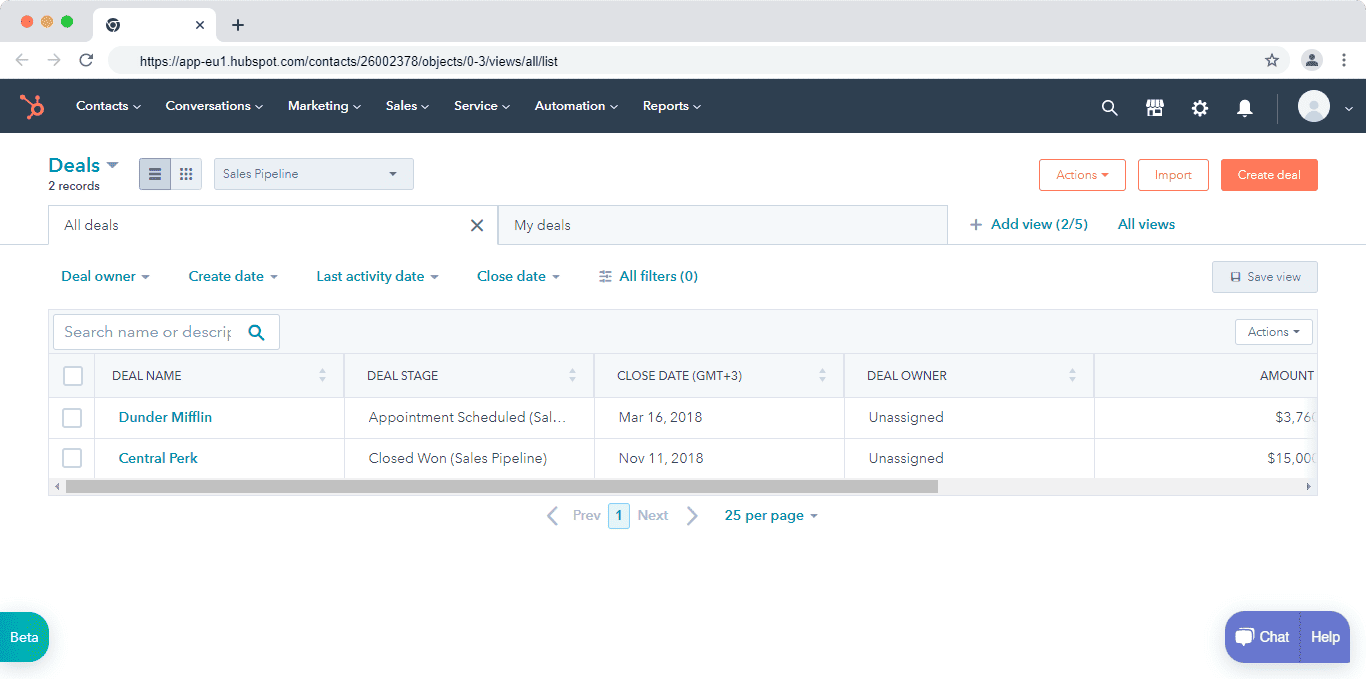
Best for: business owners | marketing & sales alignment | scalable all-in-one CRM
HubSpot CRM is a popular Salesflare alternative because you can start free and add tools as you grow. HubSpot covers CRM, marketing, sales, customer service and content, so marketing and sales can work from one set of data. It also has a helpdesk and ticketing.
The trade-off is cost. The free tools are generous, but paid plans add up quickly once you need automation, extra seats or more marketing contacts. HubSpot says more than 306,000 customers use its platform.
Advantages
-
-
- Free CRM with contact management, deal pipelines, email tracking and reporting
- Review company insights, manage your sales pipeline, track deals in progress, and see metrics in a sales dashboard to drive your sales
- Free landing page, form and live chat tools
- Breeze AI assistant and more than 2,000 marketplace integrations
- Upgrade within the same account, with no data migration
-
HubSpot CRM Pricing
HubSpot prices vary by product and plan. These figures are per seat per month in US dollars, as of October 2026.
-
-
- Free tools: $0, for up to 2 users and 1,000 contacts, with no time limit
- Starter: about $15–$20 per seat per month, with new-customer promotional pricing from $7 per seat
- Smart CRM Professional: $45 per seat per month billed annually ($50 billed monthly)
- Smart CRM Enterprise: $75 per seat per month
-
Sales Hub, Marketing Hub and other products are priced separately, and marketing plans are metered by contacts. The old $1,600 and $5,000 monthly figures in our earlier version were for Marketing Hub, not the CRM.
Consider something else if you need more than 2 users on a free plan, or you want predictable costs without metered contacts.
Read also: HubSpot Pros And Cons: A Candid Assessment
#3. EngageBay

Best for: small businesses | startups | cost-conscious teams seeking all-in-one CRM
EngageBay is an all-in-one CRM software for sales and marketing teams, and it offers customer support features too, like HubSpot. EngageBay’s CRM & Sales Bay is more tailored for small business needs though, and that’s how it differentiates from industry giants like Salesforce and HubSpot.
The company was created to position more affordable sales and marketing tools for startups, small business owners, solopreneurs, and agencies.
EngageBay’s CRM & Sales Bay offers 360-degree customer views, appointment scheduling, contact management, project management, lead scoring, lead management, in-app telephony, deal management, and CRM text messaging.
The free plan is free forever for teams of up to 15 users, so you only need to upgrade if you outgrow it. EngageBay also offers a free migration service from other platforms.
Advantages
-
-
- One platform for sales, marketing and support, with a free CRM to start
- Free forever plan for up to 15 users, with no credit card required
- Visual workflow builder for sales automation on Growth and above
- Free onboarding sessions and email and chat support on every plan
- Integrations include Zapier, Shopify, Xero, SendGrid, Mailgun, Mandrill and Postmark, plus Gmail, Outlook and Office 365
- EngageBay lists G2 2026 badges and a Capterra “#1 CRM for small business” rating on its pricing page
-
EngageBay Pricing
The CRM & Sales Bay has four plans. These prices are per user per month in US dollars, as of October 2026. Highlighted figures differ from the earlier version of this blog and need pricing-team sign-off.
-
-
- Free: $0 per user per month. 250 contacts and companies, free for up to 15 users. Includes contact management, 360-degree view, deals, tasks, email tracking, appointment scheduling, G Suite integration and live chat.
- Basic: $11.95 per user per month, billed yearly ($12.99 billed monthly; $11.04 billed every two years). 500 contacts and companies, multiple deal tracks, calling, predictive lead score, third-party integrations and tag manager.
- Growth: $45.99 per user per month, billed yearly ($49.99 billed monthly; $42.49 billed every two years). 3,000 contacts and companies, email scheduler, leaderboard, multi-currency, sales automation, products and proposals.
- Pro: $73.59 per user per month, billed yearly ($79.99 billed monthly; $67.99 billed every two years). 5,000 contacts and companies, auto dialer, proposal analytics, role management, call records, call scripts, goals, custom reporting and conversational inbox.
-
If you want CRM, marketing and support together, the All-in-One plans are priced separately: Basic $13.79, Growth $59.79 and Pro $110.39 per user per month billed yearly (lower if billed every two years, higher if billed monthly). The earlier version of this blog listed $12.74, $55.24 and $101.99 under CRM & Sales Bay. Those are the All-in-One biennial prices, so they have been replaced.
The free plan limits advanced features such as sales automation, proposals, call scripts and custom reports to paid plans. Contact limits are 250 on Free, 500 on Basic, 3,000 on Growth and 5,000 on Pro, and you can talk to the team about more contacts.
Consider something else if you need a very large contact database on a low plan, or a dedicated enterprise-scale CRM with deep custom objects.
Read also: EngageBay vs HubSpot: Market Leader or Emerging Powerhouse?
#4. Pipedrive

Best for: teams focused on pipeline management | straightforward CRM usage
If Salesflare hasn’t grown your business as you had hoped, perhaps you should consider switching to Pipedrive. This pipeline management and CRM tool is favored by more than 100,000 companies. You can use tools like lead management, automation, and email segmentation within Pipedrive.
Advantages
-
-
- Simple, visual pipeline that is quick for reps to learn
- Email sync with tracking, plus marketing automation and nurturing sequences from the Growth plan
- Forecast reports and subscription reports on Growth and above
- More than 500 integrations
- A 14-day free trial with no credit card required
-
Pipedrive Pricing
Plans have been renamed since our last version. Pipedrive now sells Lite, Growth, Premium and Ultimate, and each plan now includes AI features.
Pipedrive has four pricing plans. These prices are per seat per month in US dollars, billed annually, as of October 2026. Monthly billing costs more.
-
-
- Lite: $14 per seat per month
- Growth: $39 per seat per month
- Premium: $59 per seat per month
- Ultimate: about $79 per seat per month
-
Lite includes lead, calendar and pipeline management, AI-powered report creation and a real-time sales feed. Growth adds full email sync with tracking, automations and sequences, revenue forecasts, a meeting scheduler and live chat support. Premium adds lead generation and routing, custom scoring, data enrichment, AI multi-email tools and e-signature contracts.
Consider something else if you want a free plan, or you need marketing and support tools in the same platform.
Read also: 13 Perfect Pipedrive Alternatives That Can Do More
#5. Zoho
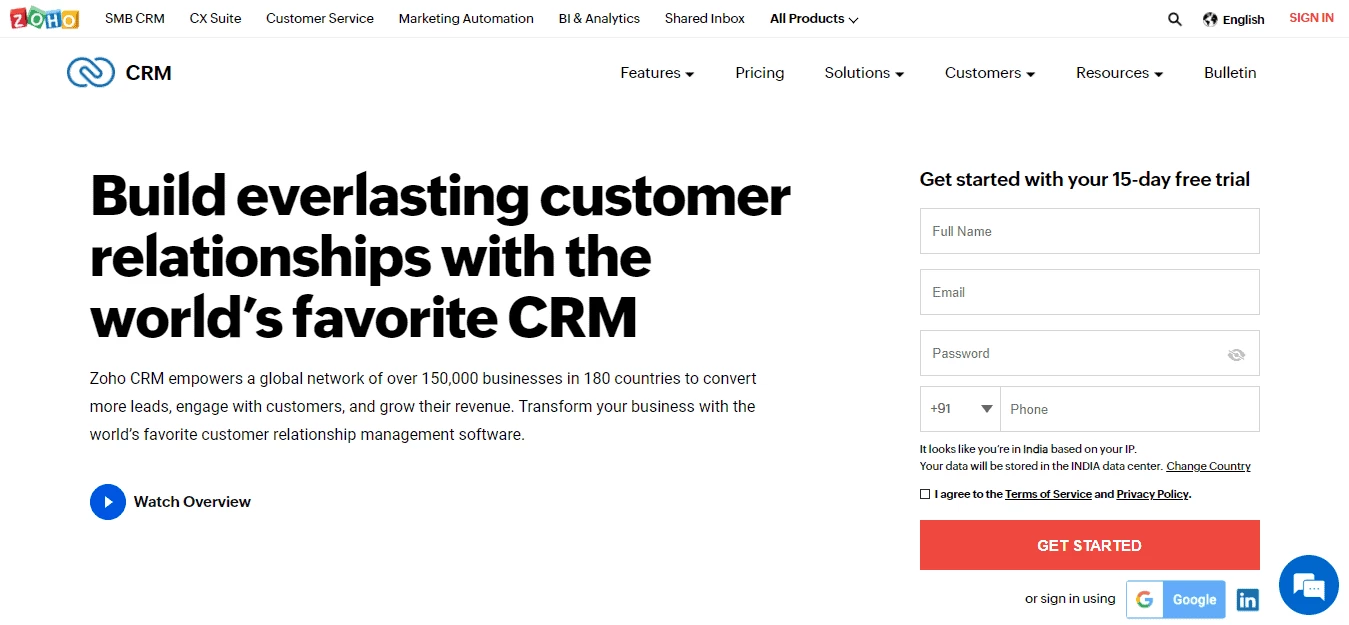
Best for: customizable CRM | businesses needing sales automation and process management
Zoho CRM is a flexible CRM with a free edition and four paid editions. It covers sales automation, process management, multiple pipelines, scoring rules and sales forecasting, and it connects to the wider Zoho app family.
It suits teams that like to tailor modules, layouts and workflows. That flexibility can mean more setup time than a simpler tool.
Advantages
-
-
- Free edition for up to 3 users, with no expiry
- Custom modules, layouts and forms
- Workflow rules and scoring rules from the Standard edition
- Zia, Zoho’s AI assistant, for predictions and suggestions
- Mobile apps for iOS and Android
-
Zoho Pricing
Zoho CRM has a free edition and four paid editions. These prices are per user per month in US dollars, billed annually, as of October 2026.
-
-
- Free edition: $0, up to 3 users
- Standard: $14 per user per month
- Professional: $23 per user per month
- Enterprise: $40 per user per month
- Ultimate: $52 per user per month
-
Monthly billing costs more, and a free trial is available for the paid editions.
Consider something else if you want a simple setup out of the box, or you need more than 3 users on a free plan.
Read also: Zoho Alternatives: 15 CRM Solutions For Smart Sales Teams
Email Outreach and Automation Tools to Replace Salesflare
If you mainly want to automate email outreach and related tasks, these five tools are built for that job. Several are not full CRMs, so check whether you would still need one.
#6. Saleshandy

Best for: email outreach teams | cold email automation | deliverability focus
The cold email software Saleshandy uses automation to personalize the cold emails you send so they feel a little less, well, cold.
It is a cold email platform that automates sequences and follow-ups, and it is priced by plan rather than per user. That can be a big saving for teams with many reps. It also sells a lead finder, which is billed separately.
Plans have been renamed since our last version. The entry plan is now Outreach Starter, and there is a fourth tier called Outreach Scale Plus.
Advantages
-
-
- Unlimited email accounts and unlimited warm-up on every plan
- Automated follow-ups and sequences, with A to Z variant testing on higher plans
- Unified inbox so replies do not get lost
- Built-in email verification credits
- Flat plan pricing, not per user
-
Saleshandy Pricing
Saleshandy prices each plan per month, not per user. These prices are in US dollars, billed annually, as of October 2026.
-
-
- Outreach Starter: $25 per month ($36 billed monthly). 2,000 active prospects and 6,000 emails per month
- Outreach Pro: $69 per month ($99 billed monthly). 30,000 active prospects and 150,000 emails per month
- Outreach Scale: $139 per month ($199 billed monthly). Up to 240,000 emails per month
- Outreach Scale Plus: from $209 per month ($299 billed monthly). Up to 300,000 emails per month
- Custom plans for larger needs
-
An optional email infrastructure add-on costs about $4 per account per month, and the lead finder is billed separately. A free trial is available, but there is no permanent free plan. The earlier version listed these as per-user prices, which was incorrect.
Consider something else if you need a full CRM with deal tracking, because Saleshandy focuses on outreach.
Read also: 5 Sales Tools and 6 Sales Techniques That Always Work
#7. Salesmate
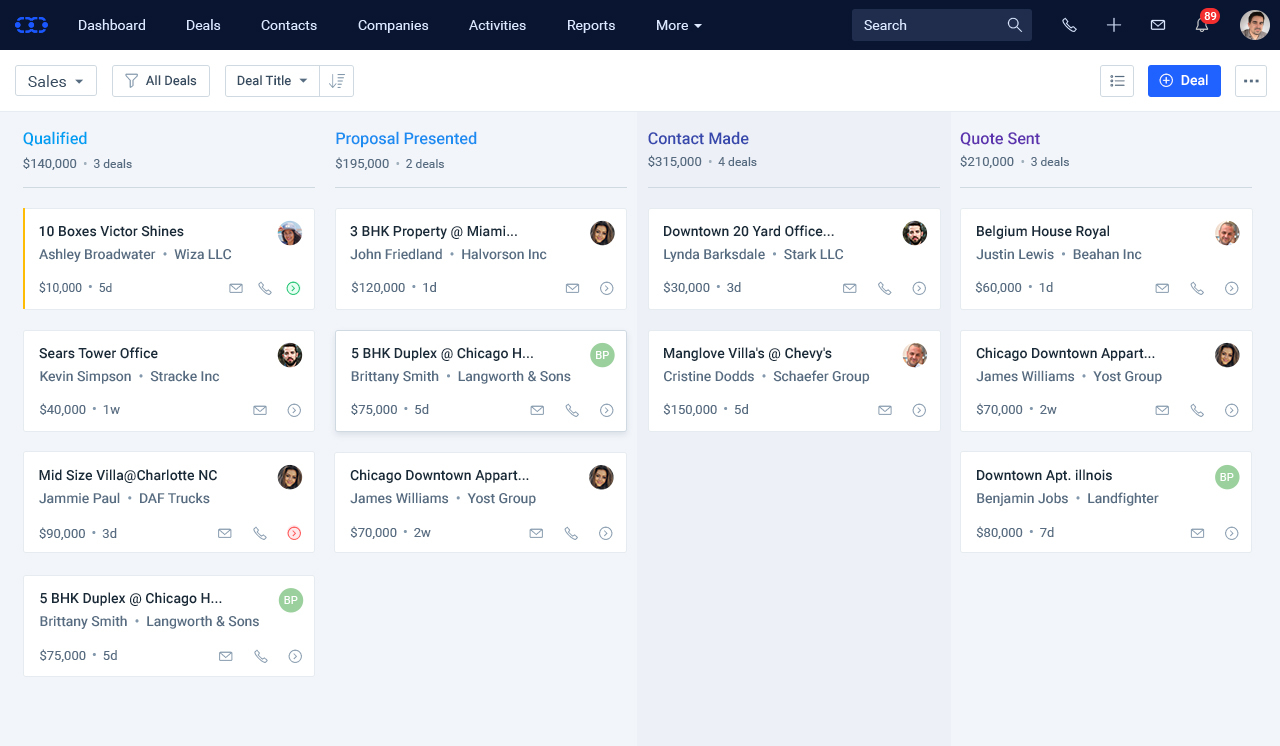
Best for: small to midsize sales teams | sales activity tracking | ease of use
Salesflare
is a sales CRM with calling, email and automation in one place. It is a fair option if Salesflare’s workflows feel limited and you want a sales pipeline with a built-in dialer.
It includes web forms, activity tracking, a built-in pipeline and plenty of customization, and it has no free plan, only a trial.
Advantages
-
-
- Mobile CRM app with notifications, customer and lead data, and team collaboration
- Shared team inbox to keep conversations in one place
- Drag-and-drop email builder for tailored messages
- Sales forecasting to plan ahead
- Built-in calling, with a power dialer on higher plans
-
Salesmate Pricing
Salesmate bills per user. These prices are per user per month in US dollars, billed annually, as of October 2026.
-
-
- Starter: $12 per user per month
- Growth: $24 per user per month
- Boost: $40 per user per month
- Enterprise: custom pricing
-
Boost is the most popular plan. It includes features such as voicemail drops, a power dialer, team management, workflows and IP restriction. A 15-day free trial is available on all plans, and there is no free plan.
Consider something else if you want a free plan, or you need marketing automation and support in the same tool.
Read also: The Definitive Pipedrive vs Salesmate Review
#8. SmartReach.io

Best for: multichannel outreach teams | cold email automation | AI-powered sales engagement
SmartReach.io is a cold email software platform that adds LinkedIn, calls, WhatsApp and SMS to the same outreach sequence. It is built for teams that prospect at scale and care about deliverability, with AI warm-up, inbox rotation and sending controls.
It is an outreach tool, not a CRM, but it connects to popular CRMs and lead sources.
Advantages
-
-
- Multichannel sequences across email, LinkedIn, calls, WhatsApp and SMS
- AI help with writing, personalization and follow-ups
- Email warm-up, inbox rotation and deliverability checks
- Unified inbox for conversations from several channels
- Built-in prospect finder and free email verification
-
SmartReach Pricing
SmartReach.io prices by plan per month, not per user. Prices below are in US dollars, as of October 2026.
-
-
- Email Outreach: Basic $29, Plus $89, Pro $199 and Scale $499 per month
- Sales Engagement: Basic $39, Plus $99, Pro $249 and Scale $599 per month
- LinkedIn automation add-on: priced per LinkedIn account per month
-
Basic plans are limited to 1 user, 1,000 active prospects and 10,000 emails per month. Higher plans add users, prospects and credits. A 14-day free trial is available with no credit card, but there is no free plan, so the earlier table was wrong on this point.
Read also: 10 Sales Productivity Tools That You’d Want To Buy Today
#9. Mixmax

Best for: Gmail-centric prospecting | automated engagement workflows
If your small business relies on Gmail, it’s only natural to incorporate Mixmax into your workflow. This Gmail-centric prospecting and sales engagement tool is a good alternative to Salesflare, and features appointment scheduling, email sequences, reporting, and so much more.
Mixmax also has a free plan.
Advantages
-
-
- Free plan with email tracking, scheduling and templates
- Email sequences and shared calendars from the SMB plan
- AI Compose, reporting and Round Robin scheduling on Growth
- Salesforce or HubSpot integration on Growth + CRM
- A 14-day free trial of paid plans, with no credit card required
-
Mixmax Pricing
Mixmax prices per user. These prices are per user per month in US dollars, as of October 2026.
-
-
- Free: $0
- SMB: $29 per user per month billed annually ($34 billed monthly)
- Growth: $49 per user per month billed annually ($65 billed monthly)
- Growth + CRM: $69 per user per month, billed annually only (monthly listed at $89)
- Team plans: Essentials $199, Startup $499 and Scale $899 per month, billed annually
-
On the SMB plan you get sequences, scheduling on shared calendars, shared email templates, CRM auto-BCC, Sidechat and the option to remove the Mixmax signature. A dialer add-on is available for an extra monthly fee per user.
Consider something else if you do not use Gmail or Outlook, or you need a standalone CRM.
Read also: 8 Of The Most Clever Brand Extension Examples
#10. Mailshake

Best for: email engagement | sales communication automation
Mailshake is a sales engagement tool for email, phone and social outreach. It helps you automate sequences, personalize messages and track replies. It also has an AI email writer.
It is simpler and cheaper than enterprise engagement platforms, and the entry plan is now called Starter.
Advantages
-
-
- Automate email sequences, personalization and follow-ups
- Track opens, clicks and replies for each lead
- Unlimited email warm-up and email verification
- Phone and LinkedIn outreach on the top plan
- Integrate with popular software tools like Salesforce, Pipedrive, HubSpot, GSuite, Outlook, Calendly, LinkedIn, Twilio, Zoho, Salesmate, Facebook, and more
-
Mailshake Pricing
Mailshake prices per user. These prices are per user per month in US dollars, as of October 2026.
-
-
- Starter: $25 billed annually ($29 billed monthly). 1 email address per user and 1,500 emails per month
- Email Outreach: $45 billed annually ($49–$59 billed monthly)
- Sales Engagement: $85 billed annually ($99 billed monthly). Adds up to 10 email addresses per user, LinkedIn automation, a power dialer and Data Finder credits
-
Data Finder, Mailshake’s lead database, is sold separately.
Consider something else if you need CRM features such as deal tracking and reporting.
Read also: 10 Top Sales Analysis Software for Small Business Owners
Sales Enablement and Intelligence to Replace Salesflare
If your sales team is growing, you may need call analysis, coaching and forecasting. These three tools are built for larger teams, and none of them publishes prices.
#11. Outreach

Best for: revenue teams | large sales engagement programs
Outreach is a sales execution platform, not a CRM. It helps teams run sequences, calls, deal management and forecasting, and it relies on AI agents and insights. It is aimed at larger revenue teams and usually sits on top of a CRM. Outreach’s old outreach.io address now redirects to outreach.ai.
Like Salesflare, it focuses on B2B sales. Outreach is much bigger in scope, and usually in cost.
Advantages
-
-
- Sales engagement with sequences, a dialer and activity tracking
- Sales forecasting and deal insights on higher plans
- Deal management tools that flag at-risk deals
- AI agents that help with prospecting and follow-up
- Built for sales goals and large team workflows
-
Outreach Pricing
Outreach does not publish prices. It sells four packages, called Amplify Essentials, Core, Plus and Pro, and each one requires a quote.
-
-
- All Outreach packages: Custom pricing (quote required)
-
The earlier $80 per user per month figure was removed because Outreach does not publish it. There is no self-serve trial, and you start with a demo.
Consider something else if you want transparent pricing, a free plan, or a CRM rather than an engagement layer.
Read also: How to Build the Perfect Sales Enablement Strategy
#12. Gong

Best for: conversation intelligence | coaching and sales insights
Gong records and analyzes sales calls and meetings, and uses the results to show where deals are healthy or at risk. It is best for teams that want coaching and forecasting based on what buyers actually say.
Gong is not a CRM and does not replace one. Most teams use it alongside Salesforce, HubSpot or a similar system. It is also a platform for larger sales organizations, with a quote-based price.
Advantages
-
-
- Records and transcribes calls and meetings
- Deal insights that show risk and momentum
- Coaching tools for reps and managers
- Sales automation software style forecasting on separate modules
- Integrates with major CRMs and video tools
-
Gong Pricing
Gong does not publish prices. It says licenses are priced per user, with a platform fee that depends on the number of users.
-
-
- Gong: Custom pricing (quote required)
-
The earlier $5,000 base fee and per-user tiers, and the “Reality Platform” wording, were removed because Gong does not publish them.
Consider something else if you have a small team, no calls to analyze yet, or you need a CRM first.
Read also: Sales Engagement: What, Why, and Best Practices Explained
#13. Chorus.ai (by ZoomInfo)

Best for: sales coaching | insight-driven revenue teams
Chorus is a conversation intelligence product that ZoomInfo acquired in 2021. It records calls, transcribes them and highlights patterns in how deals are won or lost. Today it sits inside ZoomInfo’s sales platform, and that is where Chorus is usually sold.
It suits teams that already use ZoomInfo, or that want call analysis tied to their prospecting data.
Advantages
-
-
- Records calls and gives you transcripts to review later
- Syncs contacts and relationship history from your CRM
- Tracks open and closed deals and shows why they win or lose
- Works with the rest of the ZoomInfo platform
- Demo available to see how it fits your workflow
-
Chorus.ai Pricing
ZoomInfo does not publish Chorus prices.
-
-
- Chorus: Custom pricing (quote required)
-
Consider something else if you do not use ZoomInfo, or you want published pricing.
Read also: Buyer Enablement: Make Your Customers Start Believing
Sales Proposal and Quoting Tools to Replace Salesflare
Generating proposals and quotes are regular sales tasks, and reps can lose time without the right tool. These two options handle documents, quotes and signatures.
#14. PandaDoc

Best for: proposal creation | sales quoting | contract workflows
The first is PandaDoc, which lets you build, send and sign documents in one place. It can supplement your CRM or replace Salesflare if your main need is proposals and contracts rather than contact management.
It includes templates, document tracking, and quote tools, and the free eSign plan is a good way to try it.
Advantages
-
-
- Free eSign plan for light use
- Document builder with templates and real-time tracking
- E-signatures to keep contracts moving
- Quotes and pricing tables for sales teams
- Integrations with CRMs such as Salesforce and HubSpot, plus tools like Zapier and Google Docs
-
PandaDoc Pricing
PandaDoc prices per user. These prices are per user per month in US dollars, billed annually, as of October 2026.
-
-
- Free eSign: $0. Limited to 60 documents per year
- Starter: $19 per user per month ($35 billed monthly)
- Business: $49 per user per month ($65 billed monthly)
- Enterprise: custom pricing
-
Paid plans come with a 14-day free trial. Business adds CRM integrations, approval workflows, bulk sending, forms and custom branding.
Consider something else if you need a CRM, because PandaDoc focuses on documents.
Read also: 7 Sales Management Tools to Build the Perfect Sales Team
#15. Proposify
Best for: customized sales proposals | designers of pitch documents
Proposify is proposal software with a design editor, content library and pricing tables. If you only need polished, branded proposals, it may be all you need as a Salesflare alternative.
You can also explore other proposal tools depending on your needs.
Advantages
-
-
- Design editor and content library for custom proposals
- Permissions and roles to control who can edit
- Pipeline snapshots and metrics for proposals
- Interactive quoting with pricing tables
- Integrations with common CRM and payment tools
-
Proposify Pricing
Proposify prices per user on its lower plans. These prices are per user per month in US dollars, billed annually, as of October 2026.
-
-
- Basic: $19 per user per month ($29 billed monthly)
- Team: $41 per user per month
- Business: custom pricing, listed from about $3,900 per year
-
Consider something else if you need a CRM, or you want a free plan.
Read also: 6 Sales Forecasting Tools That Every Business Needs

How to Choose the Right Salesflare Alternative
The best tool depends on the job you need done. Start with that, then compare price and limits.
If you need a CRM and pipeline
Pick from Salesforce, HubSpot CRM, EngageBay, Pipedrive and Zoho CRM. Choose HubSpot, EngageBay or Zoho if you want a free plan. Choose EngageBay if you want CRM, marketing and support together at a low price. Choose Pipedrive if you mainly want a clear pipeline. Choose Salesforce if you have a larger team and the budget to configure it.
If you need email outreach
Pick from Saleshandy, SmartReach.io, Mixmax and Mailshake. Choose Mixmax if you live in Gmail. Choose Saleshandy or SmartReach.io if you send a high volume of cold email and want flat plan pricing. Choose Mailshake if you want email, phone and social in one tool. Remember that these tools are not full CRMs.
If you need sales intelligence
Pick from Outreach, Gong and Chorus. These tools suit larger teams that already have a CRM and want coaching, call analysis and forecasting. Ask for quotes early, because none of them publishes prices.
If you need proposals and quotes
Pick from PandaDoc and Proposify. PandaDoc has a free eSign plan and a 14-day trial of paid plans. Proposify focuses on designed proposals.
A quick checklist before you switch
-
-
- Count your users and multiply by the per-user price, on the billing basis you will really use.
- Check contact, email and credit limits on the plan you are considering.
- Ask whether onboarding or data migration is included or costs extra. EngageBay offers a free migration service, and Salesflare’s Enterprise plan includes data migration.
- Export your contacts, companies and deals from Salesflare before you cancel.
- Start with a free plan or trial, and move a small group of users first.
-
Conclusion
Salesflare is a good B2B CRM for small teams that want automatic data capture, and for many of them it is the right tool. Still, no single tool fits everyone.
Teams that want a permanent free plan, lower per-user costs, or marketing and support in one platform have good reasons to look around.
Here is the quick recap. For a full CRM, look at EngageBay, HubSpot CRM, Pipedrive or Zoho CRM. For email outreach, look at Saleshandy, SmartReach.io, Mixmax or Mailshake. For sales intelligence, look at Outreach, Gong or Chorus. For proposals, look at PandaDoc or Proposify.
If you want one tool that covers CRM, marketing automation and support at a small-business price, we suggest trying EngageBay
It’s also a small business CRM solution that’s much more seamless and enjoyable to use. You can try the free plan and book a demo with our experts to see how EngageBay can help grow your business.
Salesflare suits simple B2B workflows, but HubSpot CRM offers broader marketing, sales, and service capabilities that scale better for growing teams.
HubSpot CRM, Zoho CRM, and EngageBay offer free plans, making them the most cost-effective Salesflare alternatives in 2026.
Yes. HubSpot CRM, Zoho CRM, and EngageBay provide free plans with core CRM features many small teams prefer over paid Salesflare plans.
Yes. Tools like Saleshandy, Mixmax, Yesware, and Mailshake focus on email automation, tracking, and outreach workflows.
Yes. EngageBay combines CRM, marketing automation, and customer support in one platform, making it ideal for small and budget-conscious teams.
