
Last updated: September 24, 2026
If you’re here, you’re probably weighing up whether Flodesk is still the right fit for your business. For years, Flodesk’s pitch was refreshingly simple: one flat monthly price, unlimited subscribers and some of the most beautiful email templates on the market.
That pitch has changed. In December 2025, Flodesk retired its flat-rate plan for new members and moved to pricing that grows with the size of your list.
As of September 2026, new customers choose between Free, Lite, Pro and Everything plans, and what you pay each month depends on how many active subscribers you have.
That change is a big reason so many small businesses, creators and online sellers are reopening the comparison. Flodesk’s designs are still gorgeous, but once your bill rises with your list, the features Flodesk doesn’t offer start to matter a lot more.
There is still no A/B testing, no built-in CRM, no live chat or phone support, and its free plan does not cover regular email sending. Advanced segmentation and detailed analytics are also limited compared with more mature platforms.
Flodesk isn’t the only platform that has moved the goalposts. Over the past year, Mailchimp has shrunk its free plan to 250 contacts, Kit and MailerLite have both repriced their paid plans, Moosend has dropped its free plan in favor of a 30-day trial, and SendGrid has turned its free tier into a 60-day trial. That means many of the comparison articles you’ll find online are now out of date.
While you could connect Flodesk to a separate CRM, all-in-one platforms can make your life easier by combining email marketing and CRM features in a single tool.
And one honest note on design: highly visual, image-heavy emails can look slightly different from one inbox to another, including Gmail and Outlook. That is true of any design-led email tool, so it is always worth sending yourself a test before every campaign.
The good news is that there are plenty of powerful Flodesk alternatives that can help you scale.
In this guide, we compare 16 of them side by side. Every plan name, price, free-plan limit and feature below was checked against each vendor’s own pricing information in September 2026, so you can compare the options with confidence.
Let’s dive right in.
Table of Contents
Flodesk Alternatives: Key Features, Pricing, and Ratings Overview
If you’re short on time to go through all the details, we’ve got you covered. Below is a snapshot of Flodesk and the 16 alternatives covered in this guide, with their starting prices, free plans, best features and ratings.
Prices are in US dollars per month, shown for each tool’s smallest published tier on monthly billing unless we say otherwise. Most tools charge more as your list or sending volume grows, so always check the vendor’s calculator for your exact numbers.
| Software | Pricing (per month, USD) | Free plan | Best features | Ideal for | Support options | Watch-outs and extra costs |
|---|---|---|---|---|---|---|
| Flodesk | $25–$54+ at 1,000 subscribers ($19–$49 billed annually) | Yes, list-building tools only (no regular email sending) | Designer templates, drag-and-drop editor, Checkout | Creators, small online sellers | Email and help center only | Price scales with list size; no A/B testing or CRM |
| EngageBay | $12.74–$101.99 per user (billed biennially) | Yes | All-in-one CRM, automation, email marketing | SMBs, startups | Live chat, email and phone | Contact limits by plan |
| Mailchimp | $13–$350+ | Yes (250 contacts, 500 emails/mo) | Email campaigns, journeys, landing pages | Small businesses | Email, chat; phone on Premium | Bills unsubscribed contacts unless archived; advanced features need higher tiers |
| Kit | Free, then $39–$79+ at 1,000 subscribers | Yes (up to 10,000 subscribers) | Email sequences, visual automations, selling digital products | Creators, solopreneurs | Live chat, email on paid plans | Cost rises with subscribers |
| Brevo | $9–$499+ (based on emails sent) | Yes (300 emails/day) | Email, SMS and WhatsApp marketing | Small businesses, e-commerce | Email; phone on higher plans | SMS/WhatsApp credits cost extra; logo removal add-on on Starter |
| MailerLite | $12–$25+ (from 500 subscribers) | Yes (250 subscribers, 2,500 emails) | Newsletters, automation, landing pages | Budget-conscious users | 24/7 email; chat on higher plans | Free plan was cut in 2026 |
| GetResponse | $19–$69+ at 1,000 contacts ($15.58–$56.58 annually) | Yes (500 contacts) | Funnels, webinars, automation | Marketers, course creators, SMBs | 24/7 chat and email | Add-ons; custom-priced top tier |
| Constant Contact | $12–$80+ | No (free trial only) | Event marketing, list management | Small businesses, nonprofits | Phone and chat | Price climbs quickly as list grows |
| AWeber | $15–$30+ (from 500 subscribers) | Yes (500 subscribers) | Drag-and-drop builder, autoresponders | Beginner marketers | 24/7 chat, email, phone | Price scales with subscribers |
| Drip | $39–$1,199+ (one plan, priced by contacts) | No (14-day trial) | Personalized e-commerce workflows | E-commerce brands | Email; chat on higher tiers | Price rises steeply with contacts |
| ActiveCampaign | $15–$145+ annually ($19–$179 monthly) | No (14-day trial) | Behavior tracking, CRM add-on, automation | Small to mid-sized businesses | Email, chat; phone on higher plans | CRM and SMS are paid add-ons |
| Benchmark | Free, then from $37 | Yes (500 contacts, 2,500 emails) | Simple email tools, all features on every plan | Email-focused marketers | 24/7 chat and email | Benchmark branding on free plan |
| Moosend | From $9 (~$7 billed annually) | No (30-day trial) | Automation, landing pages, AI personalization | Budget-conscious marketers | Email and live chat | Transactional email, dedicated IP extra |
| Campaign Monitor | $13–$171+ (from 500 contacts) | No (30-day trial) | Custom templates, journeys, agency tools | Design-focused marketers | Email, chat; phone on Premier | Steep price rises on larger lists |
| SendGrid | $15 (Marketing) or $19.95–$89.95+ (Email API) | 60-day trial | Transactional email, API, marketing campaigns | Developers, tech businesses | Chat, tickets; phone on Pro | Two separate products, separate pricing |
| Omnisend | $16–$59+ | Yes (250 contacts, 500 emails) | Email, SMS and push for stores | E-commerce | 24/7 chat and email | SMS billed separately |
| Mailjet | $9–$27+ (based on emails sent) | Yes (6,000 emails/mo) | Marketing plus transactional email, collaboration | Small businesses, teams | Email; phone on higher plans | Volume-based pricing; advanced features need Premium |
What Changed in Email Marketing Pricing in 2026
Before we look at each tool, here is a quick summary of the biggest changes since most comparison articles were written. If you saw a different price or free-plan limit on another site, this is probably why:
|
Tool |
What changed |
What it means for you |
|
Flodesk |
The flat-rate plan was retired for new members in December 2025. New customers now pick Free, Lite, Pro or Everything, priced by active subscribers. |
Your bill grows with your list. Long-time members on the old flat plan are generally grandfathered while they keep their subscription. |
|
Mailchimp |
The free plan now covers 250 contacts and 500 emails a month, with a 250-per-day sending cap. |
The free plan is now best for testing, not for running a real list. |
|
Kit |
Paid plans were repriced. Creator now starts at $39 and Pro (previously Creator Pro) at $79 for 1,000 subscribers. The free plan still covers up to 10,000 subscribers. |
Kit is still the most generous free plan, but paid plans cost noticeably more than older articles claim. |
|
MailerLite |
A June 2026 overhaul renamed the paid plans Comfort and Power and cut the free plan to 250 subscribers and 2,500 emails a month. |
Older prices and plan names, such as Growing Business and Advanced, no longer apply. |
|
Moosend |
There is no free plan any more, only a 30-day free trial. |
Budget-conscious teams need to plan for at least $9 a month. |
|
SendGrid |
The Email API free tier is now a 60-day trial rather than a permanent plan. |
Test quickly, then move to a paid plan. |
|
Benchmark |
A rebuilt platform launched in October 2025 with all features on every plan and paid plans starting at $37 a month. |
Older Lite and $13 – $19 Pro pricing is gone. |
|
GetResponse |
Paid plans are now called Starter, Marketer and Creator, and the top MAX tier is custom-priced. |
Older plan names and fixed MAX pricing are out of date. |
|
Omnisend |
A new SMS pricing model rolled out in May 2026. |
Check the SMS rates for your country before you commit. |
What is Flodesk?
Flodesk is an email marketing platform built for creators, small businesses and online sellers. Its main draw is design: you can create polished emails using beautiful, ready-made templates and a no-code drag-and-drop editor.
Flodesk also includes a form builder, landing pages, workflow automation, audience segmentation and email analytics.
For selling online, Flodesk offers a Checkout feature that lets you create sales pages and take payments through Stripe, even if you don’t have a website.
That makes it a handy option for novice sellers of digital products, courses and services who want everything in one place.
Flodesk pricing (September 2026)
Flodesk now has four plans: Free, Lite, Pro and Everything. The three paid plans include unlimited email sends, and the price you pay depends on how many active subscribers you have.
You choose your list size on a slider on Flodesk’s pricing page. Annual billing is cheaper than paying monthly. All prices below are at the entry level of 1,000 subscribers.
Here’s the breakdown of Flodesk’s pricing plans.
Free forever plan
Flodesk’s free plan gives you tools to grow your list: forms and landing pages, designer templates and audience segmentation. Regular email sending sits on the paid plans, so the free plan is best thought of as a way to start collecting subscribers before you commit.
Lite plan
Lite starts at $25 a month, or $19 a month billed annually, for up to 1,000 subscribers. It includes:
-
-
- Unlimited email sends
- Email analytics
- Up to 25,000 subscribers (the maximum on this plan)
- 1 team seat
- 1 workflow (currently offered as a limited-time bonus)
-
Pro plan
Pro starts at $28 a month, or $25 a month billed annually, for up to 1,000 subscribers. It includes everything in Lite, plus:
-
-
- Unlimited workflows (automations)
- Advanced analytics and reporting
- The option to show or hide the Flodesk footer
- 2 team seats
- 1 checkout (currently a limited-time bonus)
-
Everything plan
Everything starts at $54 a month, or $49 a month billed annually, for up to 1,000 subscribers. It includes everything in Pro, plus:
-
-
- Unlimited integrated checkouts and sales pages
- Subscriptions and payment plans
- Abandoned cart automations
- 3 team seats
-
Payments are processed through Stripe at Stripe’s standard rates. Pro and Everything can scale to roughly 255,000 subscribers.
How the price grows with your list
Because pricing is now based on subscribers, the same plan costs more as you grow.
On the Lite plan, for example, expect roughly $52 a month ($48 billed annually) at 5,000 subscribers, about $72 a month ($66 annually) at 10,000 subscribers, and about $162 a month ($149 annually) at Lite’s 25,000-subscriber cap.
Flodesk offers a free trial for new accounts, so you can try the features before you pay.
|
Already a Flodesk customer? Members who joined before the December 2025 change are generally grandfathered on the older flat-rate plan for as long as they keep their subscription. If that’s you, confirm the details with Flodesk support before you decide to stay or leave. |
What does Flodesk do right?
Let’s give credit where it’s due and take a look at what Flodesk does well.
Beautiful email templates
This is the feature Flodesk users love the most. The templates are visually appealing, easy to customize and beginner-friendly, and they are the main reason many creators chose Flodesk in the first place.
User-friendly interface
The platform’s clean design and no-code email builder make it easy to use, even if you have little or no technical experience. Most people can send a professional-looking email on their first day.
Email workflows
Flodesk lets you automate email communication and trigger responses based on subscriber behavior or data, and new subscribers are added to your list automatically. On the Lite plan you are limited to a single workflow, while Pro and Everything remove that cap.
Form builder
Flodesk’s form builder lets you create attractive embedded forms, pop-ups and full-page designs. It’s simple to use and works well for capturing leads and adding them straight into an email workflow.
Sales checkout
Checkout lets you create sales pages for digital products, courses or services. It connects to Stripe for payments and links email campaigns to your checkout, which makes transactions and revenue tracking easier, all without needing a website.
Platform integrations
You can connect Flodesk with apps and platforms such as Shopify, Zapier, Facebook and Google Sheets, and use Zapier to reach many more tools.
Why do people look for Flodesk alternatives?
Flodesk is good for small, design-led email campaigns, but it falls short in several areas that matter to growing businesses. Here are the most common reasons people start looking elsewhere.
Pricing that now grows with your list
The biggest change of 2026. Flodesk’s old flat rate was its strongest selling point. New members now pay by active subscribers, so a list of 10,000 or 25,000 people costs far more than it used to, and moving to the Pro or Everything plan raises the price again. If you liked Flodesk for its predictable pricing, that advantage is gone for new customers.
A free plan that doesn’t include regular sending
Flodesk does have a free plan, but it covers list-building tools such as forms, landing pages and templates. To send your regular emails, you need a paid plan. Several alternatives, including Kit, Brevo, Mailjet and Mailchimp, let you send real campaigns on their free plans.
Email-only customer support
Flodesk offers support by email and through its help center and community. Its own help documentation says there is no live chat or phone support on any plan. Some reviewers report same-day replies, while others say responses can take a day or two, and there is no faster option when something urgent breaks.
No A/B testing
Flodesk still can’t test subject lines, email content or send times against each other. That makes it much harder to improve your open and click rates in a structured way.
Limited analytics and tracking
Flodesk shows the basics, such as opens, clicks and unsubscribes. Deeper insights, such as segment performance, revenue attribution and click maps, are limited, which makes it hard to see exactly what’s working. Advanced analytics and reporting are also reserved for the Pro plan and above.
Simple automation
Flodesk’s workflows work well for straightforward sequences such as a welcome series, but they can’t match the branching logic and behavior-based triggers of dedicated automation tools. On Lite you are limited to one workflow.
Abrupt account suspensions
Some users have reported that their accounts were suddenly disabled and that they couldn’t access or export their contacts. Whatever the cause, it’s a good reminder to keep your own backup of your subscriber list.
Limited integrations
Flodesk’s native integration options are limited, so you often need a tool like Zapier to connect it with platforms such as Shopify, Kajabi or Google Analytics. That adds extra steps and, sometimes, extra cost.
No built-in CRM
As your business grows, you’ll need to connect Flodesk to an external CRM to track customer lifecycles, because those features aren’t part of the platform.
Check out our email marketing automation guide here
Top 16 Flodesk Alternatives for 2026
Without wasting any time, here are 16 of the top Flodesk alternatives for most business needs.
For each one, we cover what it does best, the current plans and prices, and where it falls short.
1. EngageBay – Best Flodesk Alternative for CRM-Driven Email Marketing & Automation
Best for email marketing as part of an all-in-one CRM, with automation and list segmentation for growing businesses.
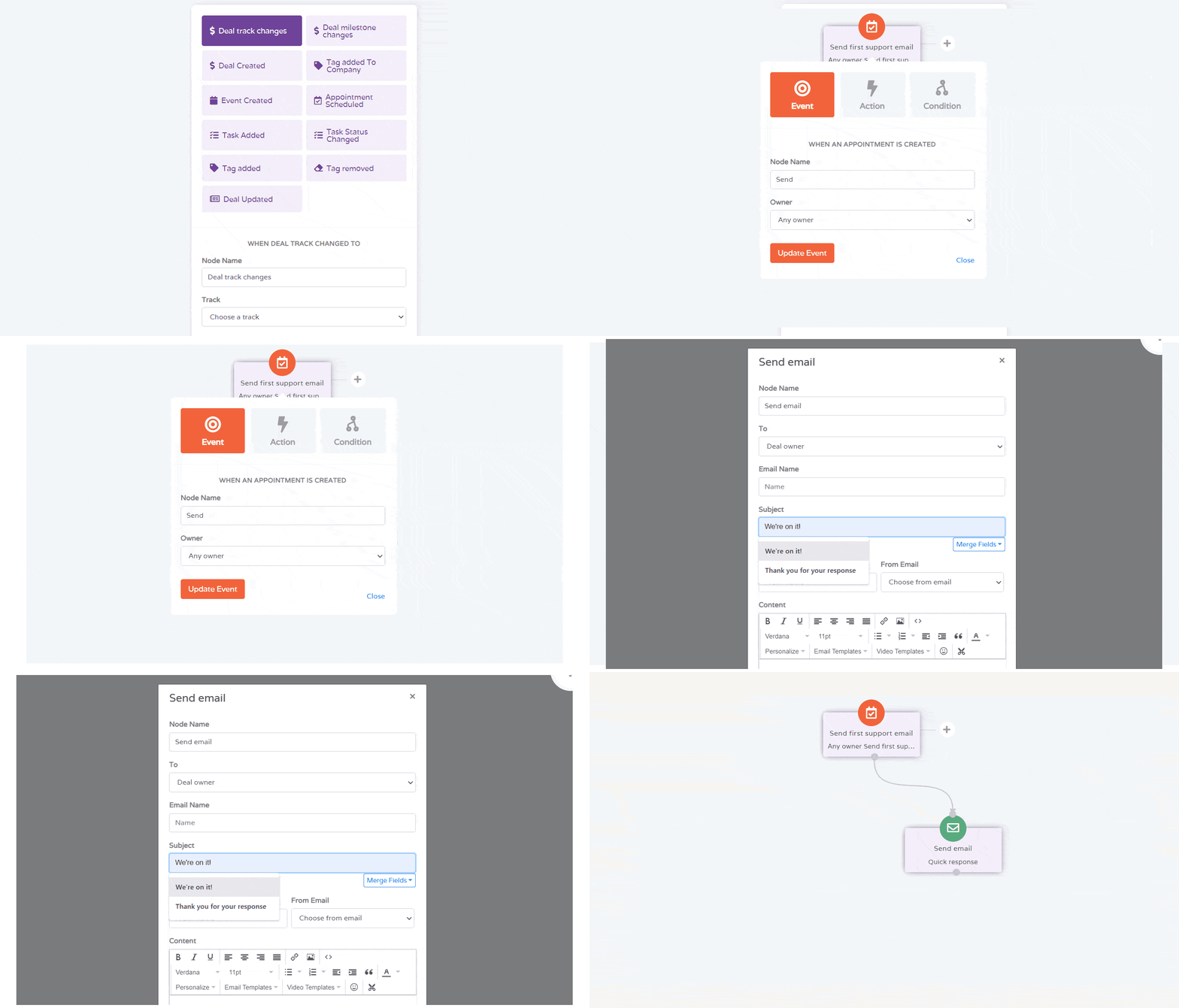
EngageBay is an all-in-one CRM that brings sales, marketing and support together for startups and small and medium-sized businesses. It was made with love for growing businesses and is trusted by more than 135,000 startups and small and mid-sized businesses for their sales and marketing automation needs.
EngageBay’s Marketing Bay delivers strong email marketing automation for small and mid-sized businesses that want the sophistication of HubSpot at a fraction of the price. It’s also a natural step up for anyone outgrowing Flodesk, because email, automation, CRM, live chat and helpdesk all sit in one place instead of across several separate tools.
One of the features users love most is the built-in CRM, which lets you keep all your customer data on a single platform for better relationships and tracking at no extra cost when you sign up.
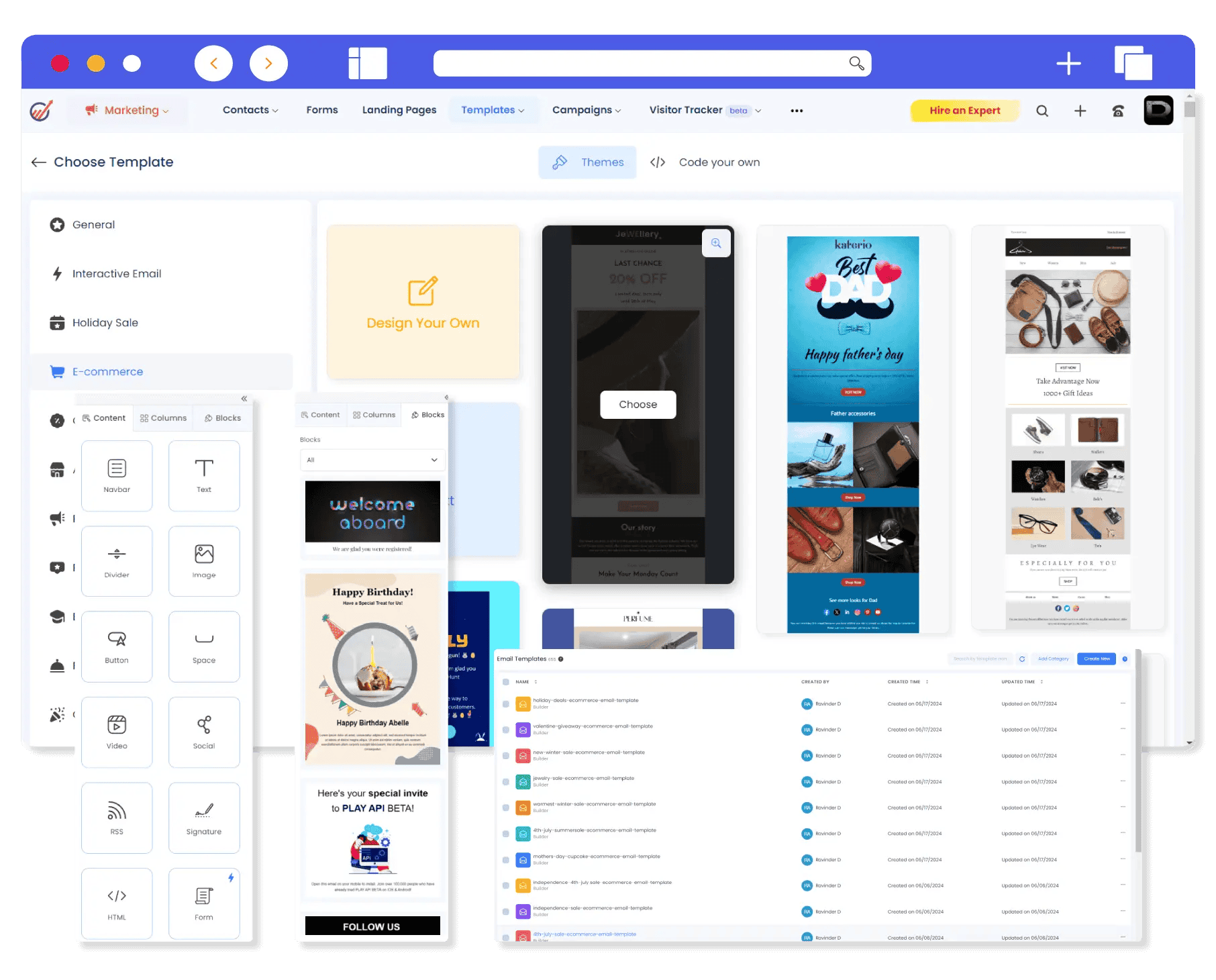
Unlike Flodesk, which has no CRM and limited scalability, EngageBay offers advanced sales and marketing automation and award-winning 24/7 customer support. EngageBay also gives you access to 1,000+ HTML email templates for free, so you can keep your emails looking great while gaining the tools to grow.
Why choose EngageBay over Flodesk?
Here are some of the features that make EngageBay a stronger alternative:
-
-
- Advanced customer segmentation and marketing automation
- A/B testing (available from the Growth plan)
- Free HTML email templates
- Comprehensive reporting and analytics
- Built-in CRM
- Multichannel 24/7 customer support (live chat, email and phone)
- 360-degree contact view
- Lead management and scoring
- Multichannel marketing
- Team management tools
- SMS marketing
-
Here is how the two compare at a glance:
|
|
EngageBay |
Flodesk |
|
Pricing model |
Per user, with contact limits by plan |
Per active subscriber, with plan tiers |
|
Free plan |
Yes, up to 250 contacts with email marketing, CRM, helpdesk and live chat |
Yes, but list-building tools only |
|
Built-in CRM |
Yes |
No |
|
A/B testing |
Yes, from the Growth plan |
No |
|
Support |
24/7 live chat, email and phone |
Email and help center only |
|
Automation |
Marketing automation from the Growth plan |
Workflows (1 on Lite, unlimited on Pro and Everything) |
EngageBay pricing
EngageBay is one of the most affordable email marketing platforms for the features you get. You can also save 15% when you choose biennial (two-year) billing and 8% with annual billing. The prices below are per user, per month, on biennial billing.
EngageBay’s All-in-One tier has four pricing plans: Free, Basic, Growth and Pro.
-
-
- Free: The free plan includes 250 contacts and features such as live chat, email broadcasts, custom fields, video marketing, autoresponders and a helpdesk.
- Basic: Costs $12.74 per user per month for 500 contacts. Features in this plan include the landing page builder, lead scoring, a web pop-up builder and SMS marketing.
- Growth: Costs $55.24 per user per month, billed biennially, for 5,000 contacts. Upgrading gives you additional features such as marketing automation, landing page A/B testing, site messaging and a custom domain.
- Pro: Costs $101.99 per user per month, billed biennially, for unlimited contacts. It includes features such as web analytics, proposal analytics, custom reports, a dedicated account manager and an uptime SLA.
-
User Reviews
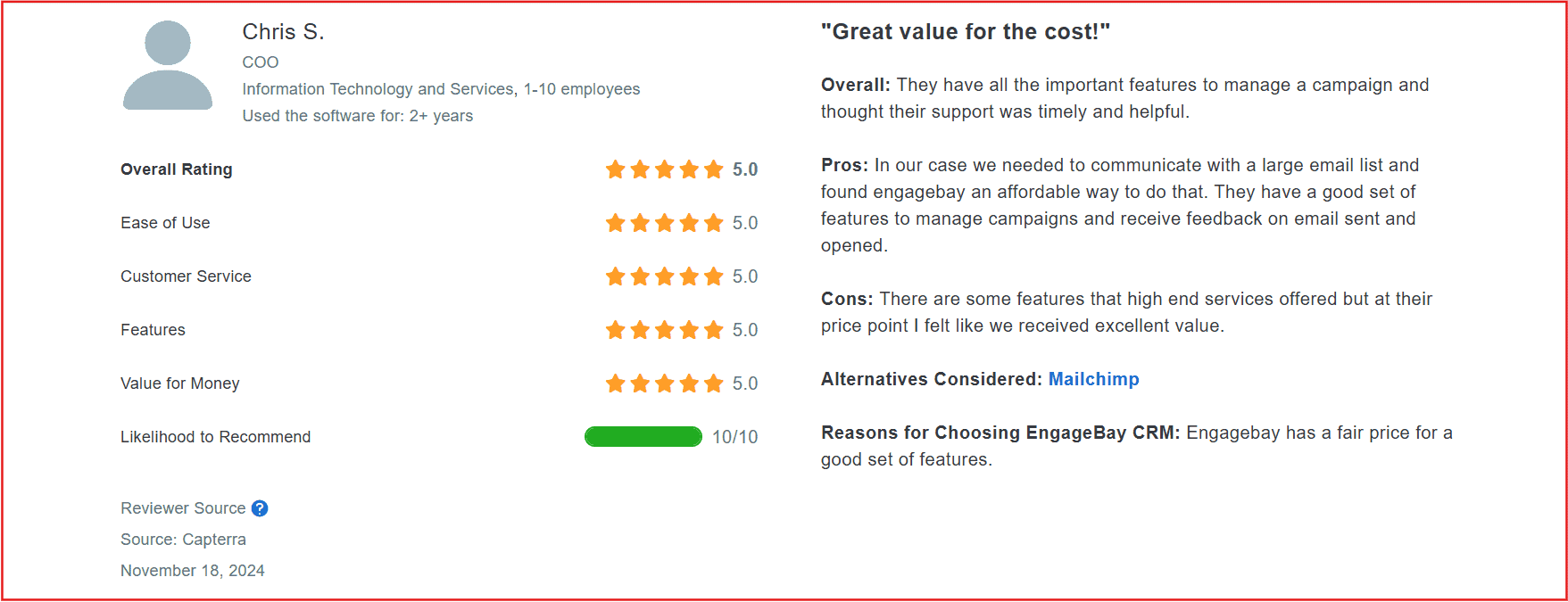
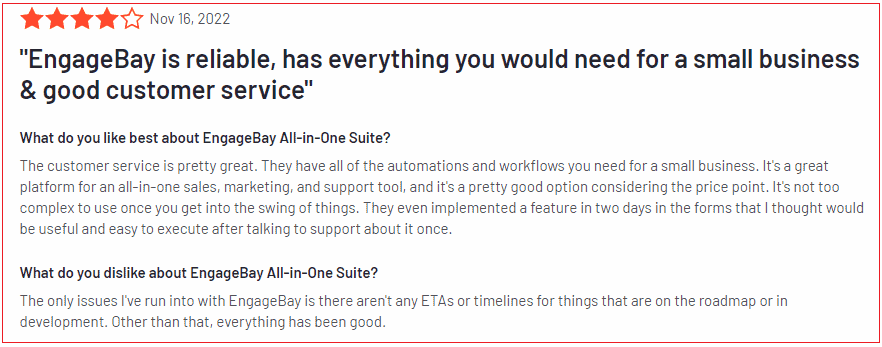
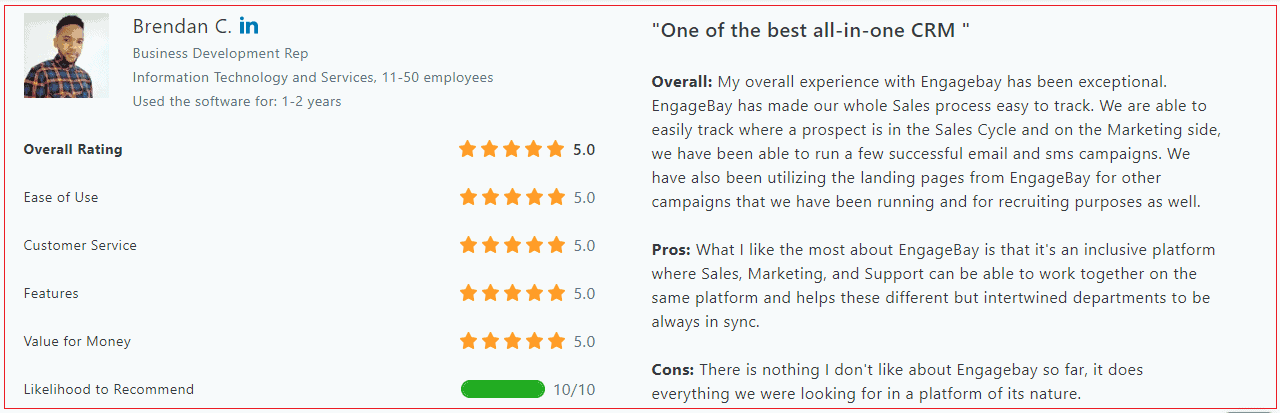
EngageBay enjoys excellent reviews from users. Take a look:
G2 Rating
|
Overall User Rating (Out of 10) |
Ease of Use | Customer Support | Ease of Setup |
| 9.1 | 9.2 | 9.2 |
9.5 |
2. Mailchimp – Flodesk Competitor with User-Friendly Email Campaigns & Analytics
Best for beginners who want easy email campaigns and integrated landing pages.
Second on our list of Flodesk alternatives is Mailchimp. Part of Intuit, it is one of the most widely recognized email marketing tools and a go-to choice for millions of businesses around the world.
Mailchimp’s popularity comes from its ease of use, which makes email marketing and automation approachable for newcomers while still giving experienced marketers plenty of room to grow. It is feature-rich, flexible and built for businesses of all sizes, from solo founders to full marketing teams.
Unique features
-
-
- Automated customer journey builder
- AI-driven analytics and reporting
- 300+ third-party integrations
- Email automation and workflows
- Send-time optimization and dynamic content (Standard plan and above)
- Customizable email templates
-
Mailchimp pricing
Mailchimp has four pricing plans—Free, Essential, Standard, and Premium.
-
-
-
- Free: Covers up to 250 contacts and 500 emails a month, with a cap of 250 sends per day. It includes basic reporting, limited pre-built email templates and 300+ integrations. Mailchimp branding appears on your emails.
- Essentials: Starts at $13 a month for 500 contacts, with three users and monthly sends of up to 10 times your contact count (5,000 emails at 500 contacts). It adds A/B testing, email scheduling, basic automation, assisted onboarding and 24/7 email and chat support. A 14-day free trial is available.
- Standard: Starts at $20 a month for 500 contacts, with five users and monthly sends of up to 12 times your contact count (6,000 emails at 500 contacts). It adds multi-step customer journeys, send-time optimization, dynamic content, behavioral targeting and custom-coded templates.
- Premium: Starts at $350 a month for 10,000 contacts, with unlimited users and monthly sends of up to 15 times your contact count (150,000 emails at 10,000 contacts). It adds advanced segmentation, comparative reporting, multivariate testing and priority phone support.
-
-
Note: Mailchimp counts unsubscribed and non-subscribed contacts toward your bill unless you archive them, so your real cost can be higher than the entry price suggests.
Pros
-
-
- Intuitive email template builder.
- User-friendly interface.
- Tagging feature that allows for easy customer segmentation based on behavior or interest.
-
Cons
These are the most frequent drawbacks highlighted by users.
-
-
- Steep learning curve for advanced features.
- Gets very expensive as your email list grows.
- The free plan is now small (250 contacts), so it works better as a trial than as a long-term home.
-
G2 rating
|
Overall User Rating (Out of 10) |
Ease of Use | Customer Support | Ease of Setup |
| 8.6 | 8.7 | 8.0 | 8.6 |
Read also: 17 Mailchimp Alternatives With Pricing, Comparison Tables
3. Kit (formerly ConvertKit) – Flodesk Alternative for Creator-Focused Email Sequences
Best for creators and influencers focused on automated email funnels.
The third Flodesk alternative on our list is Kit (formerly ConvertKit). Kit started as a simple email tool to help creators connect with their audience. Today it’s a full-fledged platform with landing pages, email automation, segmentation and tools to sell digital products and paid newsletters.
Hundreds of thousands of creators use Kit to grow, automate and scale their campaigns. It is particularly loved for its easy navigation and excellent list management. For anyone leaving Flodesk mainly because of pricing, Kit’s free plan for up to 10,000 subscribers is hard to beat as a starting point.
Unique features
Kit offers a range of powerful features customized for creators.
-
-
- Automatic contact segmentation
- Signup forms and a landing page builder
- Automated email funnels
- Audience tagging and segmentation
- Tools to sell digital products and paid newsletters
- Advanced data reporting and analytics (Pro plan)
-
Kit Pricing
Kit has three pricing plans: Newsletter, Creator and Pro (previously called Creator Pro). Pricing is based on your number of subscribers, and the prices below are at 1,000 subscribers. Annual billing works out to roughly two months free.
-
-
- Newsletter: Free for up to 10,000 subscribers. It includes unlimited email broadcasts, landing pages and forms, plus community support. Automation is very limited on this plan, and Kit branding appears on your emails.
- Creator: Starts at $39 a month ($33 a month billed annually) for 1,000 subscribers. On top of the free features you get unlimited automations and email sequences, visual automation builders, third-party integrations, Kit branding removal, live chat and email support and free migration.
- Pro: Starts at $79 a month ($66 a month billed annually) for 1,000 subscribers. It adds subscriber engagement scoring, advanced reporting and a newsletter referral system.
-
Note: Both paid plans get more expensive as your list grows. For example, the Creator plan is roughly $89 a month at 5,000 subscribers and $139 a month at 10,000 subscribers on monthly billing.
Pros
-
-
- Responsive customer support with detailed tutorials.
- Paid plans come with free migration from other services.
- Excellent email deliverability for reliable outreach.
- The most generous free plan in this comparison.
-
Cons
Here are some of Kit users’ least favorite things about the platform.
-
-
- It gets costly as your subscriber list grows, and paid plans were repriced upward in the past year.
- Limited customization options in the landing page builder.
- You may need to integrate other services to complete your marketing, because Kit specializes mainly in email.
-
G2 rating
|
Overall User Rating (Out of 10) |
Ease of Use | Customer Support | Ease of Setup |
| 9.0 | 8.7 | 8.7 |
9.1 |
Read also: 13 ConvertKit Alternatives That Make Sense For Small Business Owners
4. Brevo (formerly Sendinblue) – Affordable Flodesk Alternative with Email & SMS Workflow Tools
Best for combining email and SMS campaigns with simple automation.
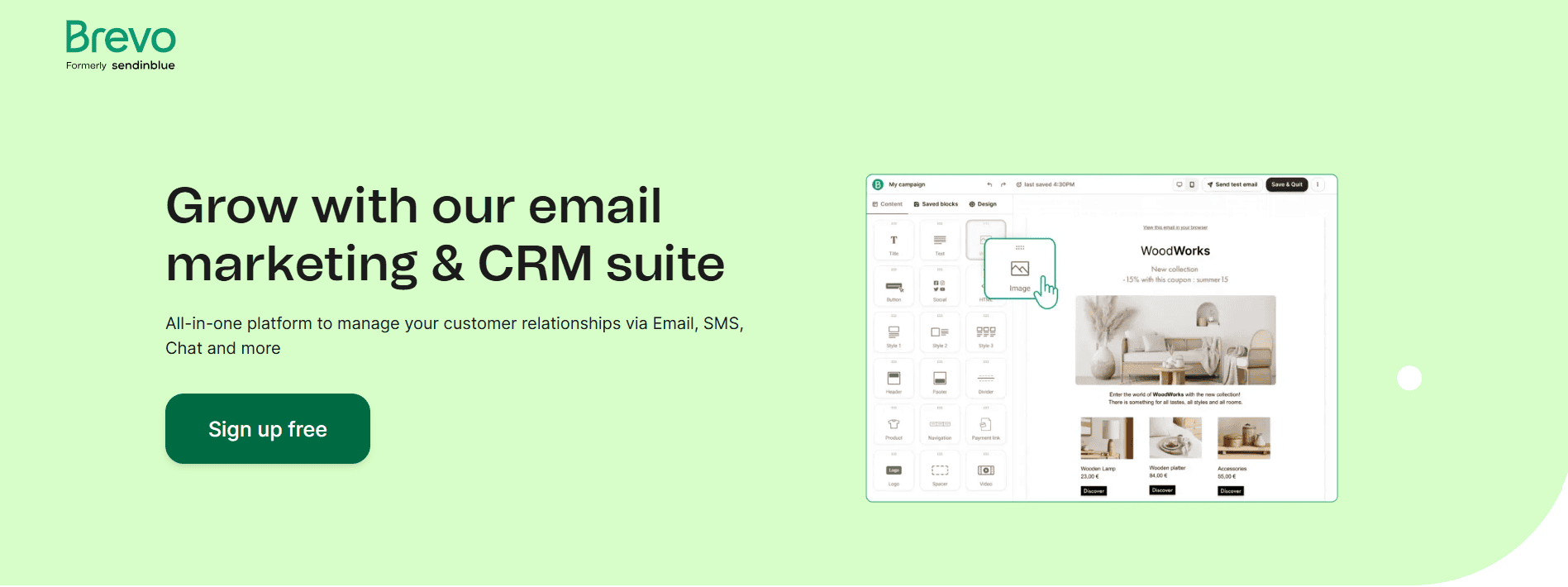
Brevo is an integrated email marketing and CRM platform that helps businesses build personal customer relationships. Hundreds of thousands of businesses use Brevo for its marketing automation and segmentation tools, and it also makes it easy to manage transactional emails across multiple sites.
Brevo’s pricing works differently from most tools on this list. Instead of charging by the number of contacts you store, it charges by the number of emails you send each month. That can be a big saving if you have a large list but send infrequently, and a bigger bill if you send often.
Unique features
-
-
- Automated workflows based on user behavior
- Multichannel marketing (email, SMS and WhatsApp)
- Automated contact segmentation
- Lead scoring (higher plans)
- Ready-to-use plugins for third-party integrations
- Detailed heatmap reporting
-
Brevo pricing
Brevo has five pricing plans: Free, Starter, Standard, Professional and Enterprise. The Starter and Standard plans were previously described as Starter and Business.
-
-
- Free: Lets you send up to 300 emails a day (about 9,000 a month). It includes a drag-and-drop email editor, customizable templates, basic automation workflows and transactional email. Brevo branding appears on your emails.
- Starter: Starts at $9 a month for up to 5,000 emails, with no daily sending limit and email support. Removing the Brevo logo is a paid add-on on this plan.
- Standard: Starts at $18 a month for up to 5,000 emails. It adds A/B testing, advanced reporting, send-time optimization and stronger marketing automation.
- Professional: Starts at $499 a month for up to 150,000 emails, with multi-user access, contact scoring and phone support.
- Enterprise: Custom pricing, with extras such as a dedicated account manager, dedicated IP and an SLA.
-
Note: Higher email volumes cost more on the Starter and Standard plans. SMS and WhatsApp messages are sold separately as credits. There is a big price jump between Standard and Professional, so check the calculator for your expected volume.
Pros
-
-
- Detailed post-campaign metrics for optimization.
- Multichannel marketing options.
- Pricing based on emails sent, which suits large, low-frequency lists.
-
Cons
-
-
- Fewer email template designs than some rivals.
- Limited native integrations compared with competitors.
- Costs rise if you send emails often, and the jump to the Professional plan is steep.
-
G2 rating
|
Overall User Rating (Out of 10) |
Ease of Use | Customer Support | Ease of Setup |
| 9.0 | 9.1 | 8.8 |
8.9 |
Read also: 11 of the Best Sendinblue (Brevo) Alternatives (Pricing, Advantages)
5. MailerLite – Flodesk Competitor for Affordable Email Newsletters & Automation
Best for budget-friendly email automation with clean workflows and analytics.
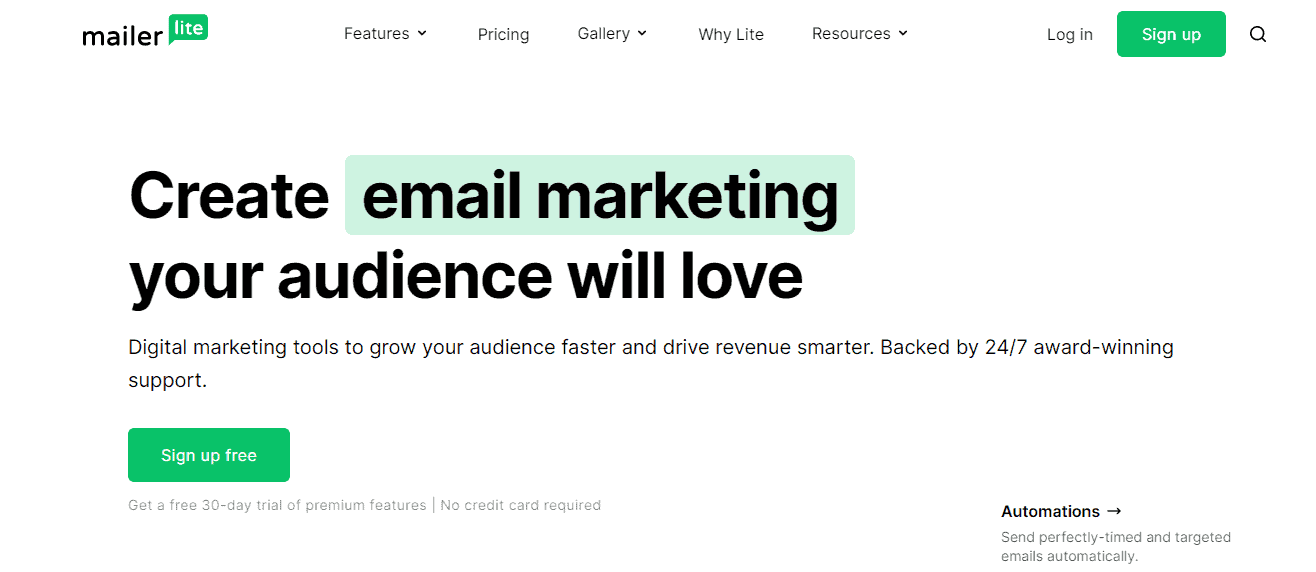
MailerLite is an email marketing platform with advanced features that help you build a subscriber list, automate workflows and strengthen customer relationships.
Although MailerLite is best known for its powerful newsletter builder, it also has robust features for creating landing pages, customer surveys and websites with its drag-and-drop editor.
Unique features
-
-
- Visual click maps for detailed customer journey analytics
- E-commerce store integration
- Email verifier
- Real-time notifications
- A mobile application to manage campaigns on the go
- Workflow automation
-
MailerLite pricing
MailerLite overhauled its plans in June 2026. It now offers four pricing plans: Free, Comfort, Power and Enterprise. These replace the older Growing Business and Advanced plans. Pricing is based on the number of subscribers, and all paid plans include a 14-day trial of premium features. Annual billing saves roughly 10%.
-
-
- Free: Allows up to 250 subscribers and 2,500 emails a month, with two user seats. It includes visual automations (up to three active automations), signup forms, one landing page, one website and MailerLite branding. The free plan was cut twice over the past year, from 1,000 subscribers to 500 and then to 250.
- Comfort: Starts at $12 a month for 500 subscribers, with monthly sends of up to 10 times your subscriber count, three users, an AI writing assistant and 24/7 email support. It removes the MailerLite branding and lifts the free-plan limits.
- Power: Starts at $25 a month for 500 subscribers, with unlimited monthly emails and unlimited user seats, plus the platform’s most advanced tools.
- Enterprise: Custom pricing for businesses with more than 200,000 subscribers.
-
Note: Comfort and Power get more expensive as your list grows. At 1,000 subscribers, Comfort is about $19 a month and Power about $39. At 5,000 subscribers they are about $49 and $69, and at 10,000 subscribers about $89 and $129.
Pros
-
-
- Excellent customer support.
- E-commerce store integration.
- Email automation is included on the free plan.
-
Cons
-
-
- Limited data reporting, so you may need to integrate Google Analytics for detailed insight.
- The free plan is now much smaller than it used to be.
- No built-in SMS channel, so multichannel marketers need another tool.
-
G2 rating
|
Overall User Rating (Out of 10) |
Ease of Use | Customer Support | Ease of Setup |
| 9.4 | 9.3 | 9.4 |
9.1 |
Read also: What is MailerLite? Reviews, Pricing, Pros and Cons, Alternatives
6. GetResponse – Flodesk Alternative with Funnel-Ready Email Marketing & Webinars
Best for marketers who need email plus webinar and funnel capabilities.
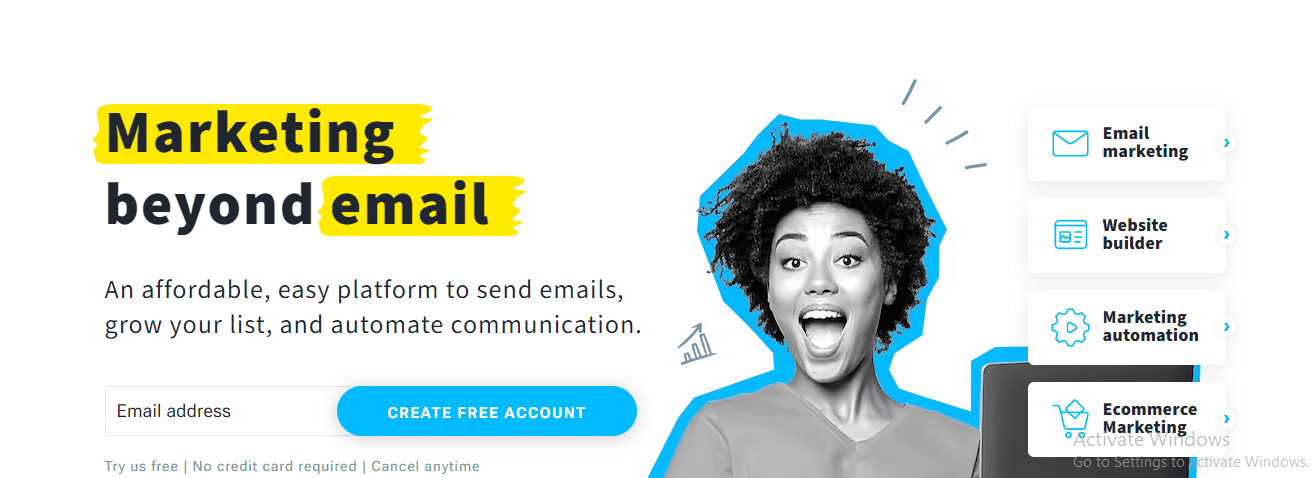
GetResponse is an email marketing platform for small businesses and marketers who want to scale their efforts. Founded in 1997, it is one of the oldest email marketing platforms still going strong.
It is loved for its advanced inbound marketing automation, which helps businesses save time and stay productive. Drag-and-drop and email preview tools help you keep every campaign design consistent.
Unique features
-
-
- AI email generator
- Advanced data reporting
- Built-in spam check
- Autoresponders
- Advanced contact segmentation
- Webinar hosting (Creator plan)
- A mobile app for marketing on the go
-
GetResponse pricing
GetResponse provides five pricing plans: Free, Starter, Marketer, Creator and MAX. These replace the older Email Marketing, Marketing Automation and eCommerce Marketing plan names. Prices below are for 1,000 contacts, and annual billing saves roughly 18%.
-
-
- Free: Allows up to 500 contacts and 2,500 monthly emails, with a website builder, signup forms, limited landing pages and a 14-day trial of premium features. GetResponse branding appears on emails.
- Starter: Costs $19 a month, or $15.58 a month billed annually, for 1,000 contacts. It includes unlimited emails, autoresponders, unlimited landing pages, a website builder, an AI email generator and one automation workflow.
- Marketer: Costs $59 a month, or $48.38 a month billed annually, for 1,000 contacts. It adds unlimited automation workflows, contact scoring and segmentation, sales funnels, abandoned cart recovery, promo codes and product recommendations.
- Creator: Costs $69 a month, or $56.58 a month billed annually, for 1,000 contacts. It adds webinar hosting, course creation, paid newsletters and multi-user access.
- MAX: Custom pricing for large enterprises and high-volume senders, with features such as dedicated support, transactional email, dedicated IP addresses, single sign-on and deliverability consulting.
-
Note: Every paid plan moves up in price as your contact list grows. On Starter, for example, expect about $29 a month at 2,500 contacts and about $79 a month at 10,000 contacts. If you pass a tier limit, you are automatically bumped to the next tier.
Pros
-
-
- Customizable dashboards.
- Advanced automation features.
- A mobile app for on-the-go marketing.
-
Cons
-
-
- According to user reviews, A/B testing is limited inside automation workflows.
- Advanced features come at a premium cost, and Starter allows only one automation workflow.
-
G2 rating
|
Overall User Rating (Out of 10) |
Ease of Use | Customer Support | Ease of Setup |
| 8.4 | 8.3 | 8.6 |
8.2 |
Read also: 15 of the Best GetResponse Alternatives (Features, Pricing)
7. Constant Contact – Flodesk Competitor for Event-Focused Email Lists & Contact Management
Best for small businesses prioritizing event-driven email lists and templates.
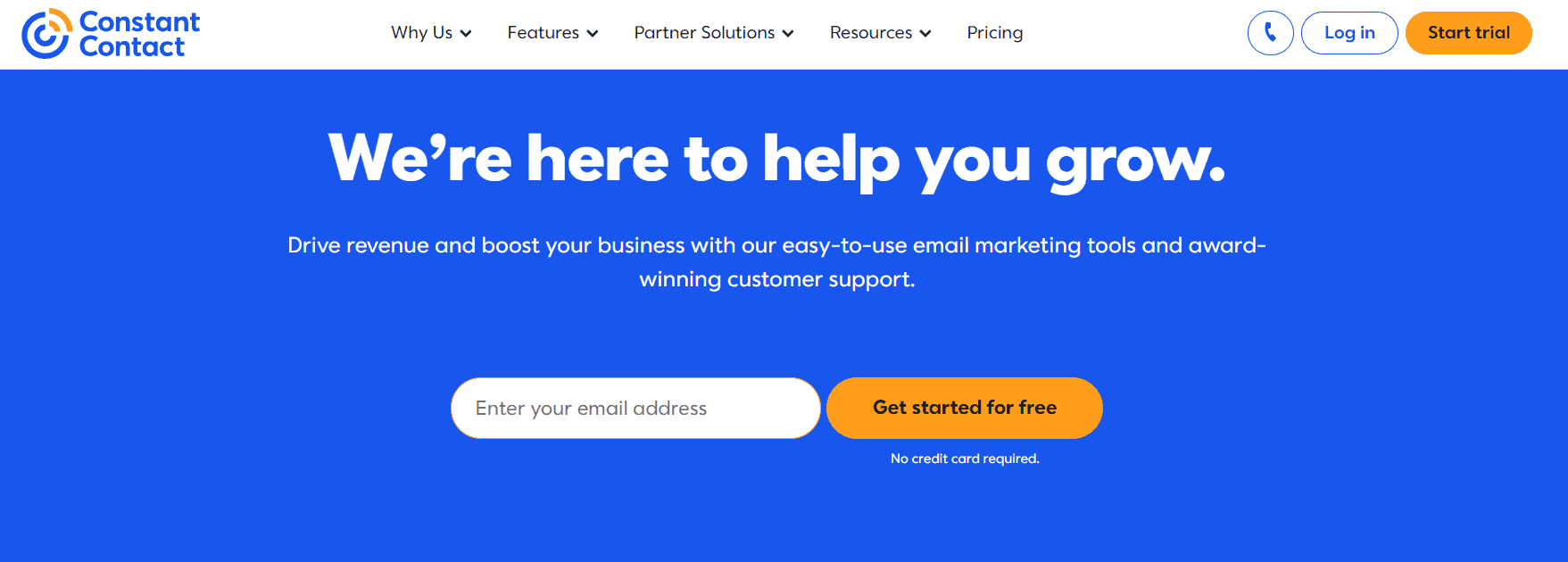
Constant Contact is an email marketing platform for small businesses. It was founded in 1995 and earns its place among our top Flodesk alternatives thanks to its email templates, social media integrations and strong customer support, which includes phone and chat.
One advantage Constant Contact offers is its library of more than 200 email templates. Other useful features include customizable sign-up forms, event management tools and detailed reporting to track campaign performance.
Unique features
-
-
- Over 200 email templates
- Social media integration
- Keyword filtering
- Multimedia support (audio, images and video)
- Landing page and email builder
- SMS marketing (paid add-on)
-
Constant Contact Pricing
Constant Contact has three pricing plans: Lite, Standard and Premium. Each plan starts at 500 contacts, which you can increase at an additional cost. Paying for a year up front saves 15%. There is no free plan, only a free trial (currently 30 days, with a cap on the number of test sends).
-
-
- Lite: Starts at $12 a month for one user, with basic email and social media marketing, event management, landing pages and a single welcome automation. Monthly sends are capped at about 10 times your contact count.
- Standard: Costs $35 a month. It adds everything in Lite, plus contact segmentation, A/B testing, email resend to non-openers, pre-built automation templates and three users. Sends are capped at about 12 times your contact count.
- Premium: Costs $80 a month. It adds dynamic content, custom automation paths, advanced reporting, SEO recommendations and unlimited users. Sends are capped at about 24 times your contact count.
-
Note: The price climbs steeply as your list grows. At 5,000 contacts, the three plans cost roughly $80, $110 and $200 a month.
Pros
-
-
- Detailed email performance reporting.
- Event management features.
- An intuitive user interface.
- Phone and chat support on all plans.
-
Cons
-
-
- It is pretty expensive, especially as your subscriber list grows.
- Limited email template customization.
- No free plan.
-
G2 rating
|
Overall User Rating (Out of 10) |
Ease of Use | Customer Support | Ease of Setup |
| 8.0 | 8.4 | 8.2 |
8.4 |
Read also: Constant Contact Competitors: Features, Pricing, Pros and Cons [Tables]
8. AWeber – Flodesk Alternative for Simple Drag-and-Drop Email Campaigns
Best for first-time email marketers with simple autoresponders and templates.
AWeber is another long-standing email marketing and automation provider that suits entrepreneurs and small business owners. It has been around since the late 1990s and serves a very large base of small-business and creator customers.
In addition to its robust feature set, AWeber offers free migration when you sign up, which makes switching from Flodesk less painful. It is an excellent, beginner-friendly Flodesk alternative.
Unique features
-
-
- RSS and blog-to-email functionality
- 700+ integrations with third-party apps
- Pre-built autoresponders
- A/B split testing
- Web fonts in AWeber templates
- Multichannel customer support (live chat, email and phone)
-
AWeber pricing
AWeber offers a free plan and three paid plans: Free, Lite, Plus and Done For You, plus a high-volume option for very large lists. Paid plans are priced by number of subscribers, and the prices below are at 500 subscribers.
-
-
- Free: Up to 500 subscribers and 3,000 emails a month, with landing pages, signup forms and basic automation. No credit card is required.
- Lite: Starts at $15 a month ($12.50 a month billed annually) for 500 subscribers. It includes one email list, three landing pages, three email automations and 24/7 support.
- Plus: Starts at $30 a month ($20 a month billed annually) for 500 subscribers. It adds unlimited email lists, landing pages, email automations and custom segments, advanced reporting, sales tracking and priority support.
- Done For You: Starts at $30 a month plus a one-time setup fee. It is the Plus plan with AWeber’s team setting up your email system, branded template and landing page.
- High volume: For very large lists (above 100,000 subscribers), AWeber has offered a flat-fee plan listed at $899 a month. Contact AWeber for a current quote.
-
Note: Prices rise with your subscriber count. For example, Lite is roughly $60 a month and Plus about $90 a month at 5,000 subscribers on monthly billing.
Pros
-
-
- Responsive customer support.
- Free list migration.
- Post-campaign analytics.
-
Cons
-
-
- An outdated interface.
- Connecting multiple website data sources can only be done with third-party apps.
- It gets pricey as your subscriber list increases.
-
G2 rating
|
Overall User Rating (Out of 10) |
Ease of Use | Customer Support | Ease of Setup |
| 8.4 | 8.2 | 8.8 | 8.3 |
Read also: 11 AWeber Alternatives That Work Wonders For Marketing
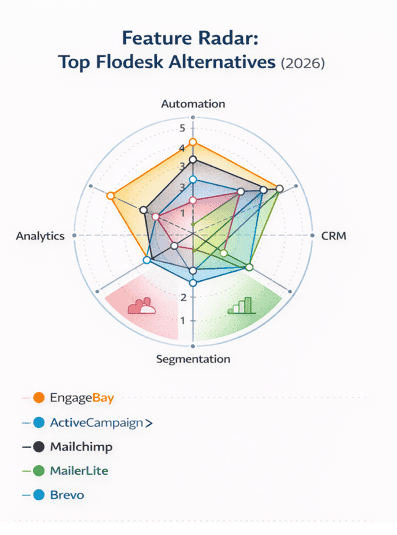
Feature Radar: How top Flodesk competitors stack up by advanced tools in 2026
9. Drip – Flodesk Competitor for Ecommerce-Centric Personalized Email Workflows
Best for e-commerce brands wanting personalized email sequences and revenue tracking.
Next on our list of top Flodesk alternatives is Drip. It is an eCommerce email marketing platform for businesses that want to scale their revenue, and it is particularly loved for its robust automation.
You can create email campaigns quickly with Drip’s pre-built templates, which makes it a great choice for both newcomers and advanced users, and you can edit the HTML code to personalize your templates even further.
Unique features
-
-
- Website visitor tracking
- Point-and-click store builder
- Advanced email campaign management
- Real-time analytics and revenue attribution
- Visual workflow builder with pre-built e-commerce playbooks
- Email marketing automation (SMS availability is limited, so check whether it is open to new accounts)
- Conversion rate optimization
- Mobile alerts
-
Drip pricing
Drip has just one pricing plan, and every feature is included from day one. Your price depends on the number of contacts on your list, and email sends are unlimited. There is no free plan, but Drip offers a 14-day free trial.
Here is a pricing breakdown by number of contacts:
-
-
- Up to 2,500 contacts: $39 a month
- Up to 5,000 contacts: $89 a month
- Up to 10,000 contacts: $154 a month
- Up to 20,000 contacts: $289 a month
- Up to 50,000 contacts: $699 a month
- Up to 100,000 contacts: $1,199 a month
-
Because every plan includes advanced reporting and analytics, autoresponders, marketing automation, contact management and customizable templates, you never have to upgrade to unlock a feature. You only pay more when your list grows.
Pros
-
-
- Unlimited tags and segments to streamline the email list.
- Predictive lead scoring.
- Real-time notifications.
- All features are included at every price point.
-
Cons
-
-
- Expensive as your subscriber list increases.
- A steep learning curve.
- No free plan.
-
G2 rating
|
Overall User Rating (Out of 10) |
Ease of Use | Customer Support | Ease of Setup |
| 8.8 | 8.5 | 8.8 |
8.3 |
Read also: 11 of the Best Drip Alternatives (Features, Pricing, Pros and Cons)
10. ActiveCampaign – Flodesk Alternative for Advanced Email Automation & CRM Integration
Best for advanced automation and behavior-based email workflows.
Next on our list of Flodesk alternatives for small and mid-sized businesses is ActiveCampaign. It is an integrated email and CRM service provider with well over 100,000 customers and is loved for its wide range of functionality.
ActiveCampaign has tools to help you acquire and nurture leads through every stage of the customer journey. It’s a good choice for users who want to streamline their marketing and sales automation on a single platform.
Unique features
-
-
- Predictive sending (Pro plan and above)
- Marketing and sales automation
- Sales pipeline management (CRM add-on)
- Social media integration
- Workflow automation
- 900+ integrations
-
ActiveCampaign pricing
The ActiveCampaign Marketing category has four pricing plans: Starter, Plus, Pro and Enterprise. The prices below are for 1,000 contacts on annual billing, with the monthly-billing price in brackets. ActiveCampaign has no free plan, but every plan comes with a 14-day free trial.
-
-
- Starter: Starts at $15 a month ($19 monthly) with one user and monthly sends of up to 10 times your contact count. You get email templates, A/B testing, basic segmentation and limited automation. This plan was previously called Lite.
- Plus: Starts at $49 a month ($59 monthly) with one user. It adds full marketing automation, a landing page builder, event tracking, pop-up and modal forms, and access to 900+ integrations.
- Pro: Starts at $79 a month ($99 monthly) with three users and sends of up to 12 times your contact count. It adds attribution reporting, split automation and predictive sending.
- Enterprise: Starts at $145 a month ($179 monthly) with five users and sends of up to 15 times your contact count. It suits businesses that want to personalize their email marketing at scale. Extra features include custom reporting, a custom mail server domain, premium segmentation and a dedicated account team.
-
Note: Prices rise with your contact count. At 10,000 contacts on annual billing, expect roughly $149 (Starter), $189 (Plus), $375 (Pro) and $589 (Enterprise) a month. The CRM and pipeline features, SMS and custom reporting are paid add-ons, so the real monthly cost is often higher than the entry price.
Pros
-
-
- Robust integrations.
- Multichannel marketing.
- A mobile app for on-the-go campaign management and tracking.
-
Cons
-
-
- Access to sophisticated features comes at a premium price.
- Limited reporting on lower plans.
- A steep learning curve.
-
G2 rating
|
Overall User Rating (Out of 10) |
Ease of Use | Customer Support | Ease of Setup |
| 9.0 | 8.4 | 8.8 |
8.2 |
Read also: 11 of the Best ActiveCampaign Alternatives (Features, Pricing)
11. Benchmark – Flodesk Competitor with Responsive Email Design & List Tools
Best for straightforward email campaigns with responsive designs and simple pricing.
Our next Flodesk alternative is Benchmark. In late 2025, Benchmark rebuilt its platform from the ground up, focusing on simple email marketing for busy marketers. The new version includes every feature on every plan, so your price depends only on the number of contacts you have.
Benchmark has an email template for most occasions, and you can import contacts from XLS, TXT or CSV files or from third-party tools such as Zoho or Google Contacts. Its automation tools track customers along the sales funnel, so people get the right message at the right stage.
Unique features
-
-
- Automated email scheduling
- Real-time analytics
- Engagement tracking
- Drag-and-drop email builder
- Web forms and a landing page builder
- AI writing tools
- Every feature available on every plan
-
Benchmark pricing
Benchmark has three pricing plans: Free, Pro and Enterprise. Older articles that mention a Lite plan, or Pro plans from $13 to $19, describe the previous version of the platform.
-
-
- Free: For up to 500 contacts and 2,500 emails a month with one user. All features are unlocked, including templates, sign-up forms, automation and AI tools. Benchmark branding appears on your emails.
- Pro: Paid plans start at $37 a month and scale with your number of contacts, up to 100,000 contacts. Every feature is included, and Pro adds up to 10 users and more verified sending domains, plus removal of Benchmark branding.
- Enterprise: Custom pricing for very large lists, with a dedicated account manager and managed setup.
-
Note: Extra users and other add-ons may cost more, so confirm the details on Benchmark’s pricing page before you commit.
Pros
-
-
- 24/7 chat and email support, including on the free plan.
- Every feature is included on every plan.
- An easy-to-use interface that suits beginners.
-
Cons
-
-
- The free plan is limited to 500 contacts, one user and Benchmark branding.
- Paid plans start at a higher price than several rivals, such as MailerLite, Moosend and Brevo.
- Fewer advanced automation options than dedicated automation platforms.
-
G2 rating
|
Overall User Rating (Out of 10) |
Ease of Use | Customer Support | Ease of Setup |
| 9.4 | 9.0 | 8.0 | N/A |
Read also: 13 Best Email Marketing Software to Grow Your Business
12. Moosend – Flodesk Alternative with AI-Enhanced Email Personalization
Best for affordable email marketing with AI personalization.
Moosend is an email marketing platform for small businesses that want to drive growth and increase revenue.
Its easy-to-use interface, email marketing automation and affordability make it one of our top Flodesk alternatives. It is an excellent option if you want to scale your marketing on a budget.
Unique features
-
-
- AI-powered hyper-personalization
- Lead scoring
- Marketing automation
- Customer tracking
- Countdown timers
- Detailed email campaign analytics
-
Moonsend pricing
Moosend has a 30-day free trial and three plan types: Pro, Moosend+ and Enterprise. It no longer offers a permanent free plan, so any article that mentions one is describing the trial.
-
-
- Free trial: Try the core features for 30 days with no credit card required.
- Pro plan: Costs $9 a month on monthly billing (about $7 a month billed annually) for 500 subscribers. It includes unlimited emails, automation workflows, landing pages, sign-up forms, countdown timers, A/B testing and an SMTP server. Annual billing saves around 20%.
- Moosend+ custom plan: Includes all Pro features plus customization and add-ons for your business needs, such as transactional email.
- Enterprise plan: Custom pricing with enterprise-level features, including priority support, an account manager, SSO and SAML, and a dedicated IP.
-
Note: Pro pricing rises with your subscriber count, to roughly $35 a month at 2,500 subscribers and about $88 a month at 10,000 subscribers on monthly billing. Sends are unlimited at every tier.
Pros
-
-
- Responsive customer support.
- Unlimited email sends.
- Pricing is based on subscribers rather than sends, so you never pay more for sending more often.
-
Cons
-
-
- No free plan, although the 30-day free trial gives you time to test the platform.
- Signup forms and landing pages can’t be heavily customized.
- According to reviews, the WordPress plugins are outdated and don’t support some popular plugins.
-
G2 rating
|
Overall User Rating (Out of 10) |
Ease of Use | Customer Support | Ease of Setup |
| 9.4 | 9.2 | 9.2 | 9.2 |
Read also: 13 Moosend Alternatives That Can Boost Your Marketing
13. Campaign Monitor – Flodesk Competitor for Custom Email Templates & A/B Testing
Best for teams focused on custom email design and A/B testing.
Founded in 2004, Campaign Monitor is an email marketing platform for marketers and small business owners who want to grow subscriber engagement, manage leads and increase marketing conversions.
Campaign Monitor combines email and SMS marketing for more personalized customer reach. It is best loved for its visual journey designer, which makes email marketing automation easy, and for its template tools for teams and agencies.
Unique features
-
-
- Template management for teams
- Visual journey designer for easy automation
- Integrated SMS marketing
- A/B and multivariate testing
- Conversion tracking to measure success
- Marketing automation tools
-
Campaign Monitor pricing
Campaign Monitor has three main pricing plans: Lite, Essentials and Premier, plus a custom Enterprise option. There is no free plan, but new users can try it with a 30-day free trial that is limited to 500 contacts and 500 sends. Prices below are for 500 contacts, and paying annually saves around 10%.
-
-
- Lite: Starts at $13 a month ($11.70 billed annually). It covers core campaign creation, a drag-and-drop builder, templates and basic analytics, with monthly sends capped at roughly five times your contact count.
- Essentials: Starts at $31 a month ($27.90 billed annually). It adds unlimited email sends, unlimited automated emails, priority support, inbox previews and more advanced automation. This plan was previously called Unlimited.
- Premier: Starts at $171 a month ($153.90 billed annually). It adds advanced segmentation, send-time optimization, advanced link tracking and phone support.
-
Note: Prices climb quickly with list size. On annual billing at 10,000 contacts, expect roughly $105 (Lite), $164 (Essentials) and $270 (Premier) a month.
Pros
-
-
- Multichannel customer support.
- Email templates are mobile-optimized, so your campaigns look good on phones and computers.
- A free image gallery.
- Suitable for agencies managing several clients.
-
Cons
-
-
- According to user reviews, the email templates can be restrictive in formatting and styling.
- Some users report slow customer support.
- Expensive at scale.
-
G2 rating
|
Overall User Rating (Out of 10) |
Ease of Use | Customer Support | Ease of Setup |
| 8.2 | 8.6 | 8.2 | 8.7 |
Read also: Comparing 16 Campaign Monitor Alternatives: In-depth Analysis
14. SendGrid – Flodesk Alternative for Reliable Email Delivery & API-Driven Messaging
Best for developers and SaaS apps needing reliable transactional email.
Next on our list of Flodesk alternatives is SendGrid, which is now part of Twilio. It is a cloud-based email platform for small and mid-sized businesses, and it offers two broad categories of products: an Email API for sending transactional and programmatic email, and Marketing Campaigns for newsletters and promotions.
SendGrid is particularly loved for its scalability and advanced customization options. If your emails are triggered by an app or website, such as password resets and receipts, it’s a natural fit.
Unique features
-
-
- Customizable and responsive templates
- Deep insight into email delivery performance
- Email testing features, including spam testing and link validation
- List management
- Email marketing automation
-
SendGrid pricing
SendGrid’s pricing is split between two products, each with its own plans.
Email API (based on emails sent):
-
-
- Free trial: 100 emails a day for 60 days. The old permanent free plan has been replaced by this trial.
- Essentials: Starts at $19.95 a month for 50,000 emails, with higher volumes available at a higher price.
- Pro: Starts at $89.95 a month for 100,000 emails. It adds a dedicated IP, subuser management, SSO, email automation tools and team management.
- Premier: Custom pricing for very high volumes or specific business needs.
-
Marketing Campaigns (based on contacts):
-
-
- Basic: Starts at $15 a month for up to 5,000 contacts.
- Advanced: Starts at $60 a month for up to 10,000 contacts, with automation and dynamic segments.
- Custom: Available for higher volumes.
-
Pros
-
-
- Users can build emails with HTML code, a drag-and-drop editor or a combination of both.
- Usage-based pricing suits businesses that don’t send large volumes and want to be charged per email sent rather than a flat monthly fee.
-
Cons
-
-
- Taxes and overage charges are not included in the listed prices.
- Basic plans have limited automation.
- A steep learning curve for beginner email marketers and teams.
- Email and marketing products are priced separately, which can be confusing.
-
G2 rating
|
Overall User Rating (Out of 10) |
Ease of Use | Customer Support | Ease of Setup |
| 8.0 | 8.2 | 7.7 | 8.0 |
Read also: Answered: 10 Questions About SendGrid Pricing
15. Omnisend – Flodesk Competitor Built for Omnichannel Email & SMS Campaigns
Best for omnichannel email + SMS workflows for e-commerce stores.
Omnisend is an integrated SMS and email marketing platform. It began in 2014 as an email marketing platform for e-commerce businesses looking to grow revenue, and it has since added other channels to give users a more complete experience.
With Omnisend, you can put more of your sales activity on autopilot and save time. Its responsive customer support is at the top of the list of things users love about it.
Unique features
-
-
- Pre-built automation to drive e-commerce sales
- 130+ e-commerce integrations
- Mobile-optimized pop-up forms
- Advanced segmentation
- Sales and performance reports
- Marketing automation
- Email, SMS and web push in the same workflows
-
Omnisend pricing
Omnisend has three pricing plans: Free, Standard and Pro, plus custom pricing for larger businesses. Plans are based on your number of contacts.
-
-
- Free: Covers up to 250 contacts and 500 emails a month. It includes pre-built automation and workflows, signup forms, email templates, basic segmentation, web push notifications and a small amount of SMS to try. Omnisend branding appears on emails.
- Standard: Starts at $16 a month for 500 contacts, with monthly email sends of up to 12 times your contact count (about 6,000 at 500 contacts). It adds unlimited web push, advanced segmentation and 24/7 chat and email support.
- Pro: Starts at $59 a month, with a minimum of 2,500 contacts. It adds unlimited emails, SMS credits equal to the value of your plan, advanced reporting and priority support.
-
Note: Omnisend rolled out a new SMS pricing model in May 2026, and SMS is billed separately beyond your included credits, so check the rates for the countries you send to.
Pros
-
-
- Customer segments update in real time.
- 130+ e-commerce platform integrations.
- Heatmap features give a detailed report on the customer journey.
-
Cons
-
-
- Per user reviews, the email campaign editor doesn’t always save automatically, which means you could lose work after hours of edits.
- Email formatting is a bit limited.
- Built primarily for e-commerce store owners, which makes it less suitable for other types of business.
-
G2 rating
|
Overall User Rating (Out of 10) |
Ease of Use | Customer Support | Ease of Setup |
| 9.0 | 9.1 | 9.0 | 9.1 |
Read also: 14 Omnisend Alternatives For Smart Email Marketing & More
16. Mailjet – Flodesk Alternative for Collaborative Email Marketing & Transactional Messaging
Best for teams needing both marketing and transactional email in one platform.
Last on our list of Flodesk alternatives is Mailjet, an email marketing and tracking platform founded in 2010 for small and mid-sized businesses. Mailjet is loved particularly for its ability to integrate smoothly with different applications and stores.
With Mailjet’s email editor, you can collaborate with your team to review and make real-time changes to email designs.
Unique features
-
-
- Intuitive drag-and-drop editor
- Inbox preview tool
- Real-time team collaboration
- Marketing automation
- Dynamic content
- Contact management
-
Mailjet pricing
Mailjet prices its plans by the number of emails you send each month, rather than by contacts. It offers five pricing plans: Free, Starter, Essential, Premium and Custom. Annual billing saves 10%.
-
-
- Free: Comes with 6,000 emails a month (up to 200 a day) and up to 1,000 contacts. The Free plan includes free email templates, subscription forms, a drag-and-drop email builder, APIs, SMTP relay and basic statistics.
- Starter: Starts at $9 a month for 8,000 emails and up to 2,000 contacts. It adds a brand kit and online support.
- Essential: Starts at $17 a month ($15.30 a month billed annually) for 15,000 emails a month with unlimited contacts. It removes the Mailjet logo and adds segmentation, an AI content assistant, email previews and email validation.
- Premium: Starts at $27 a month ($24.30 a month billed annually) for 15,000 emails a month with unlimited contacts. It adds marketing automation, A/B testing, dynamic content, landing pages, real-time collaboration and priority support.
-
To get the price for the Custom plan, you’ll have to contact the sales team. It typically includes deliverability reporting, comprehensive onboarding and unlimited sub-accounts.
Pros
-
-
- Paid plans include unlimited contacts (Starter allows up to 2,000).
- A real-time collaboration tool.
- Excellent SMTP for sending emails from WordPress.
- Quick domain validation.
-
Cons
-
-
- Email automation and A/B testing are available only on the Premium plan.
- From multiple customer reviews, Mailjet’s user interface can feel outdated and unintuitive.
- Limited customer support on the smaller plans.
-
G2 rating
|
Overall User Rating (Out of 10) |
Ease of Use | Customer Support | Ease of Setup |
| 7.8 | 8.5 | 7.5 | 7.7 |
What You Would Pay at 5,000 Subscribers
Entry prices only tell part of the story, because almost every tool on this list charges more as your list grows.
To make the comparison fairer, here is roughly what a 5,000-subscriber list costs on the main plans of the tools that publish contact-based prices.
Figures are list prices in US dollars per month on monthly billing, unless noted, and exclude taxes and add-ons.
Tools priced by email volume, such as Brevo, Mailjet and SendGrid, are left out because the cost depends on how often you send.
|
Tool |
Approximate monthly price at 5,000 subscribers |
Notes |
|
Flodesk |
Lite: about $52 ($48 billed annually) |
Pro and Everything cost more; Lite allows one workflow |
|
EngageBay |
Growth plan: $55.24 per user per month (billed biennially) |
Growth includes up to 5,000 contacts and marketing automation |
|
MailerLite |
Comfort: about $49; Power: about $69 |
Free plan stops at 250 subscribers |
|
Drip |
About $89 |
One plan with every feature included |
|
Kit |
Creator: about $89; Pro: about $139 |
Free plan covers up to 10,000 subscribers but with very limited automation |
|
Mailchimp |
Essentials: about $75; Standard: about $100 |
Premium starts at 10,000 contacts |
|
GetResponse |
Starter: about $54; Marketer: about $95; Creator: about $109 |
Annual billing saves around 18% |
|
AWeber |
Lite: about $60; Plus: about $90 |
Annual billing saves around 17% |
|
Constant Contact |
Lite: about $80; Standard: about $110; Premium: about $200 |
Annual prepay saves 15% |
|
ActiveCampaign |
Starter: about $79; Plus: about $145; Pro: about $205; Enterprise: about $375 |
Annual billing prices; monthly billing costs more |
**Prices at this list size come from each vendor’s published calculators in September 2026. Always confirm your exact number on the vendor’s own pricing page before you buy.
When Flodesk Is Still the Right Choice
We build this guide for people who have outgrown Flodesk, but it wouldn’t be fair to pretend it has no place. Flodesk can still be the right tool if:
-
-
- Design is your top priority. Few platforms match Flodesk’s templates and editor for creating beautiful, on-brand emails quickly.
- You send simple campaigns. If your emails are mostly newsletters and a simple welcome sequence, you may never miss A/B testing or a CRM.
- Your list is small. At around 1,000 to 2,500 subscribers, Flodesk’s entry prices are competitive with the rest of the market.
- You want to sell simply. Pro and Everything include Checkout, so you can sell digital products with Stripe without building a website.
- You are still on the old flat-rate plan. If Flodesk has grandfathered you in, the flat price may be hard to beat as your list grows.
-
If none of those describe you, or if you already know you need testing, deeper automation, a built-in CRM or faster support, one of the alternatives above is likely to serve you better.
How to Choose a Flodesk Alternative (2026)
Choosing the right email marketing platform depends on what matters most in your business, whether that’s CRM integration, automation depth, scalability or budget. Use the guide below to quickly find the best Flodesk alternative for your needs.
If you need CRM + email marketing
EngageBay: Best for businesses that want an all-in-one platform combining email campaigns, automation and a built-in CRM. Ideal for SMBs scaling beyond basic newsletters, and it comes with a free plan to start.
If you’re on a small budget
MailerLite: Best for affordable email automation and analytics without unnecessary complexity, with paid plans from $12 a month.
Brevo: Ideal if you want email and SMS marketing at a low starting price of $9 a month, and you’d rather pay for what you send than for how many contacts you store.
Moosend: A strong budget option from $9 a month, with AI-powered personalization, unlimited sends and automation workflows.
Kit: Worth a look if your list is under 10,000 subscribers and you want a free plan that lets you send broadcasts.
If you need advanced automation and workflows
ActiveCampaign: Best for advanced automation, behavioral tracking and conditional email logic.
GetResponse: Ideal if you want email marketing combined with funnels, webinars and automation.
Omnisend: Built for email and SMS automation tailored specifically to e-commerce brands.
Drip: A strong option for online stores that want every feature at one price and revenue tracking built in.
If your focus is simple email campaigns
Mailchimp: A solid choice for easy-to-build campaigns, landing pages and basic automation, as long as you can live with its small free plan.
Kit: Designed for creators and solopreneurs focused on subscriber journeys and sequences.
Benchmark, AWeber or Campaign Monitor: Good options for clean design workflows and straightforward email creation.
Constant Contact: A good pick if you value phone support and event marketing tools.
If you need transactional emails or developer tools
SendGrid: Best for reliable transactional email delivery and API-driven email systems.
Mailjet: Ideal for teams that need both marketing and transactional emails, with collaboration features and a free plan of 6,000 emails a month.
Quick decision guide
CRM and email in one platform? EngageBay or ActiveCampaign
Budget-friendly email marketing? MailerLite, Moosend or Brevo
A free plan you can actually send on? Kit, Brevo or Mailjet
Advanced automation and personalization? ActiveCampaign, Omnisend or GetResponse
Transactional or developer-focused email? SendGrid or Mailjet
Creator-first email marketing? Kit or MailerLite
Selling digital products or courses? Kit, GetResponse (Creator plan) or Flodesk (Everything plan)
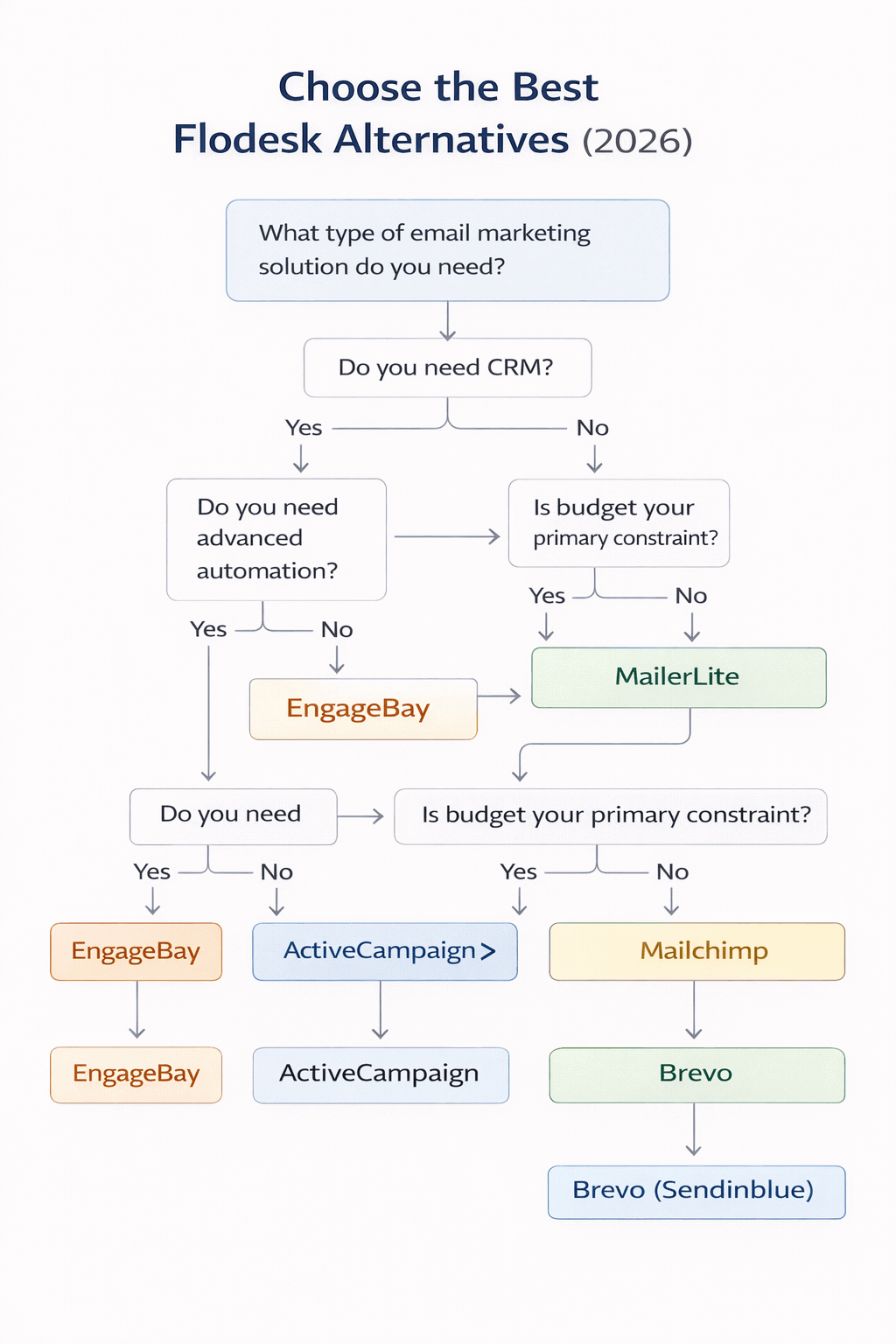
Quick flowchart: Pick the right alternative based on your business goals
Conclusion
We hope it’s now a little easier to decide which email marketing platform you’ll sign up for.
Flodesk is still a lovely tool for design-first senders, but the move away from flat-rate pricing means it no longer has an obvious cost advantage as your list grows, and it still lacks A/B testing, a built-in CRM and live support. The alternatives above cover almost every need.
If you’re looking for an email marketing platform that’s best suited to e-commerce, we’d suggest Omnisend or Drip. If you’re a creator or solopreneur who needs simple email marketing without the bells and whistles, we’d suggest Kit, MailerLite or Benchmark. If you want a strong free plan, Kit and Brevo let you send real campaigns without paying.
Conversely, if you need an integrated email marketing platform that combines CRM, sales and marketing automation in one place, we’d recommend ActiveCampaign or EngageBay. However, EngageBay is the more budget-friendly option.
Get started on the free plan, or book a demo with one of the experts today.
People usually look for Flodesk alternatives because of its limitations. Since December 2025, new customers pay a price that grows with their subscriber count instead of a flat rate. Flodesk also lacks A/B testing, a built-in CRM and live chat or phone support, and its segmentation, automation and analytics are basic compared with more advanced platforms.
2. Has Flodesk changed its pricing?
Yes. Flodesk retired its flat-rate plan for new members in December 2025. New customers now choose between Free, Lite, Pro and Everything plans. At 1,000 subscribers, Lite starts at $25 a month ($19 billed annually), Pro at $28 ($25 annually) and Everything at $54 ($49 annually), and the price rises as your list grows.
3. Does Flodesk have a free plan?
Flodesk has a free plan, but it covers list-building tools such as forms, landing pages, templates and audience segmentation. Regular email sending requires a paid plan. If you want to send campaigns for free, look at Kit (up to 10,000 subscribers), Brevo (300 emails a day), Mailjet (6,000 emails a month), Mailchimp, MailerLite or EngageBay.
4. What are the best Flodesk alternatives for email marketing in 2026?
The best Flodesk alternative depends on your needs.
For all-in-one tools: EngageBay or ActiveCampaign.
For creators: Kit or MailerLite.
For e-commerce: Omnisend, Drip or Brevo.
For budget-friendly email marketing software: MailerLite, Moosend or Brevo.
5. Are there any affordable alternatives to Flodesk for email marketing in 2026?
Yes. EngageBay, MailerLite, Moosend and Brevo are all affordable alternatives. EngageBay has a free plan and paid plans starting at $12.74 per user per month (billed biennially) with extensive features. MailerLite paid plans start at $12 a month, while Moosend and Brevo both start at $9 a month.
6. Which Flodesk alternatives offer A/B testing?
Several do. Mailchimp includes A/B testing from its Essentials plan, ActiveCampaign includes it from Starter, Constant Contact from Standard, Mailjet on Premium and EngageBay from its Growth plan. Moosend, AWeber and Benchmark also offer split testing. Flodesk itself does not.
7. Can I move my subscribers from Flodesk to another platform?
Yes. Export your subscriber list from Flodesk as a CSV file and import it into your new tool. Kit and AWeber both advertise free migration help on paid plans, and most other platforms provide simple import tools. Keep your own backup of your list either way.
8. Which alternative is best for selling digital products or courses?
Kit is a popular choice for creators who sell digital products and paid newsletters. GetResponse’s Creator plan includes course and webinar tools, and Flodesk’s own Everything plan includes Checkout. If you’d rather have selling tools alongside a CRM, EngageBay is worth a look.
